61
Reducing and Enlarging Originals
Idle
A3/Black
13:59
Cancel OK
Reproduction Options
Ready to Make Master
Standard Zoom Free
100 %
(50%~200%)
Margin+
x95%
A
A
M
Specify a desired reproduction
size.
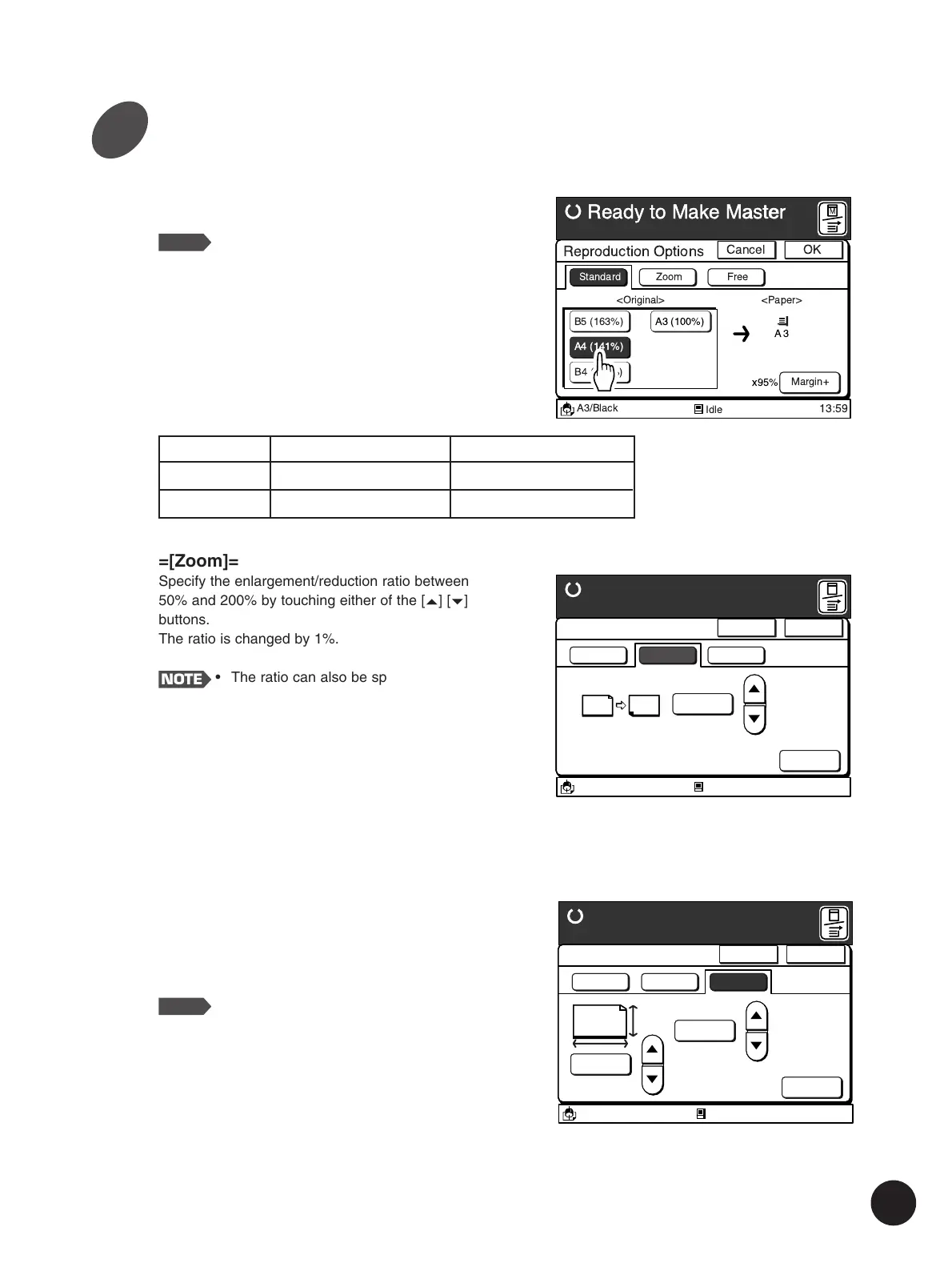
=[Standard]=
Select the current original size.
NOTE
• This option is not available when any
non-standard-sized original or printing
paper is used.
• Touch the [Cancel] button to cancel the
current settings and return to the Main-
panel window.
Idle
A3/Black
13:59
Cancel OK
Reproduction Options
Ready to Make Master
<Original> <Paper>
A3
Standard Zoom Free
Margin+
x95%
B5 (163%)
A4 (141%)
B4 (116%)
A3 (100%)
M
=[Zoom]=
Specify the enlargement/reduction ratio between
50% and 200% by touching either of the [
c
] [
d
]
buttons.
The ratio is changed by 1%.
NOTE
• The ratio can also be specified with the
Print Quantity keys.
• When you press the [C] key, the
percentage returns to the original size
(100%).
• Touch the [Cancel] button to cancel the
current settings and return to the Main-
panel window.
Parameters
USA Models
50%, 61%, 65%, 78%
200%, 154%, 129%, 121%
Metric Models
61%, 71%, 82%, 87%
163%, 141%, 122%, 116%
Reduction
Enlargement
Idle
A3/Black
13:59
Cancel OK
Reproduction Options
Ready to Make Master
Standard Zoom Free
100 %
(50%~200%)
Margin+
x95%
A
100 %
(50%~200%)
M
=[Free]=
Specify the enlargement/reduction ratio both
vertically and horizontally separately between 50%
and 200% by touching the [
c
] [
d
] buttons.
The ratio is changed by 1%.
NOTE
• The ratio can also be specified with the
use of the Print Quantity Keys while
selecting the desired reproduction ratio
zone by touching it or shifting the
cursor with the q key.
• When you press the [C] key, the
reproduction size returns to the original
size (100%).
• Touch the [Cancel] button to cancel the
current settings and return to the
Main-panel window.
3



 To Next Page