11
!7
!8
@8
@7
@6
#0
@5
@9
#1
#2
#3
#4
#5
@4
#6
@2
!9
@0
@1
@3
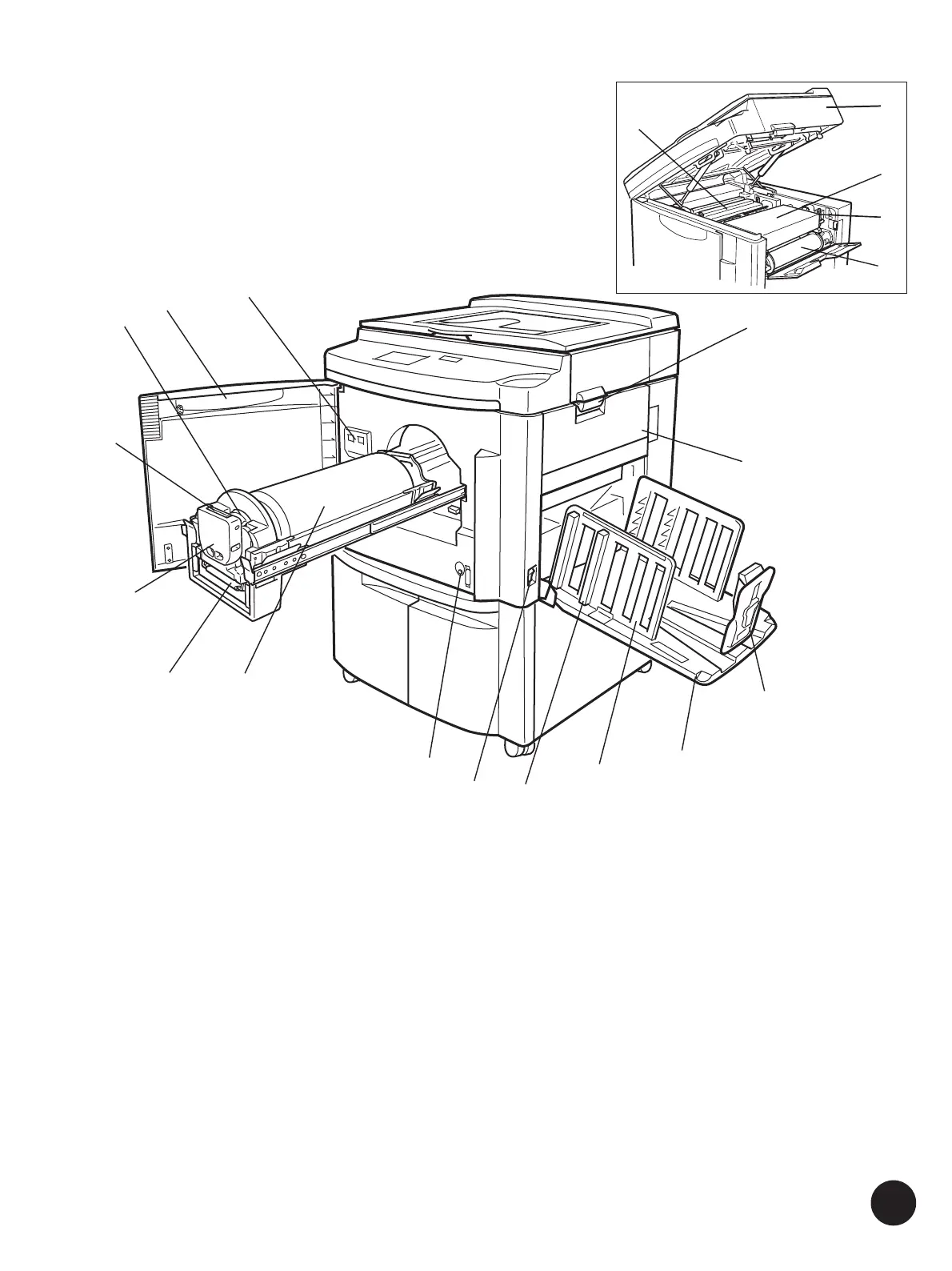
Master-Making Area
!7 Master Roll Cover (☞ p.167)
Protects the Master Roll.
!8 Scanner Table Release Lever (☞ p.167)
Unlocks and opens the Scanner Table.
!9 Master Roll (☞ p.167)
@0 Master Making Unit Release Lever
(☞ p.167)
Opens the Master Making Unit.
@1 Master Making Unit (☞ p.167)
Makes a master.
@2 Scanner Table (☞ p.167)
@3 Master Disposal Unit
Front Area
@4 Counter
@5 Front Cover
@6 Ink Cartridge (☞ p.165)
@7 Ink Cartridge Release Button (☞ p.165)
@8 Ink Cartridge Securing Cover (☞ p.165)
@9 Print Cylinder (Drum) Handle
#0 Print Cylinder (Drum) (☞ p.171)
#1 Print Cylinder (Drum) Release Button
(☞ p.171)
Positions and unlocks the Print Cylinder (Drum) for
removal.
#2 Main Power Switch (☞ p.28, 34)
Paper Receiving Area
#3 Paper Arranger (☞ p.23)
#4 Receiving Tray Paper Guide (☞ p.23)
Aligns printed paper neatly.
#5 Paper Receiving Tray (☞ p.23)
#6 Paper Stop (☞ p.24)
Stops printed paper ejected into the Paper Receiving
Tray.
Knowing the Parts and Components



 To Next Page