57
Producing Enhanced Prints
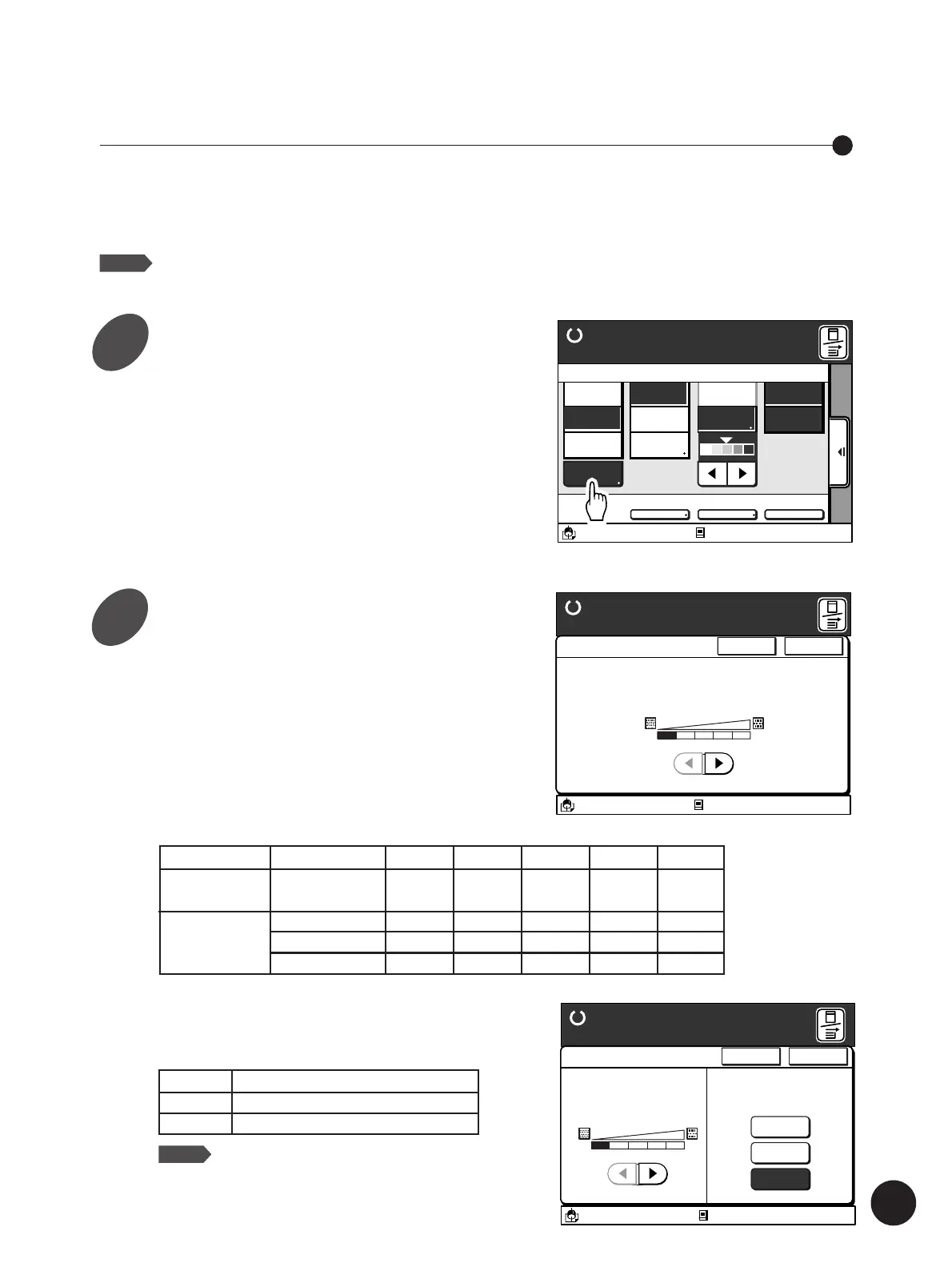
Adjust the [Dot Process] and / or
[Contrast Enhance] parameters.
[Dot Process]
A type of dot screen can be selected.
Four types of dot screens are available.
Indicator
Screen Type
Equivalent (lpi)
A3/Black
13:59
<Dot Process>
Photo or half-tone
images can be processed
with a dot screen.
Cancel OK
1234OFF
Duo-Advanced
Ready to Make Master
Idle
M
Photo/Half-Tone Processing
You can enhance photograph or half-tone images on an
original copy in two ways: adjusting shades in images and
processing images with a dot screen.
NOTE
This feature is not available in the [Line]
processing mode.
A3/Black
13:59
Advanced
MULTIUP>
OFF
SORTER>
OFF
AUTO-GO>
OFF
Line
Duo
Photo Options
Auto
100%
Ready to Make Master
Image Size Contrast Paper
Idle
Manual
Auto
A 3
Standard
M
[Contrast Enhance] (Except for RP3100)
The contrast in photo images can be enhanced in
two ways.
A3/Black
13:59
Cancel OK
Photo-Advanced
Ready to Make Master
<Dot Process>
Photo or half-tone
images can be processed
with a dot screen
<Contrast Enhance>
The shades of photo
images can be adjusted
1234
OFF
Lighter
Darker
OFF
Idle
M
OFF
None
-
-
-
1
Fine
212
141
60
2
Slightly
fine
106
71
-
3
Slightly
rough
71
47
-
4
Rough
53
35
40
RP3700 / 3790
RP3500 / 3590
RP3100
1
2
Lighter Lightens the dark areas
Darker Darkens the light areas
OFF Does not enhance the contrast
NOTE
This function is only available in the photo
processing mode.
Touch the [Advanced] button.
The [Duo - Advanced] or [Photo - Advanced]
window appears in accordance with the Image
Processing mode selected.



 To Next Page