140
Touch the [OK] button.
The window returns to the [Program] tab.
A3/Black
13:59
Cancel OK
Single Page Mode
P.1/4
Cps.
x
Sets
Rename
RISO NEWS
Clear All
[Total]
200-
x
x
Cps.
x
Sets
x
x
1G 20 2
2G 30 1
3G 40 2
4G 50 1
5G 0 1
6G 0 1
Idle
Enter Print Quantity and Set Number
M
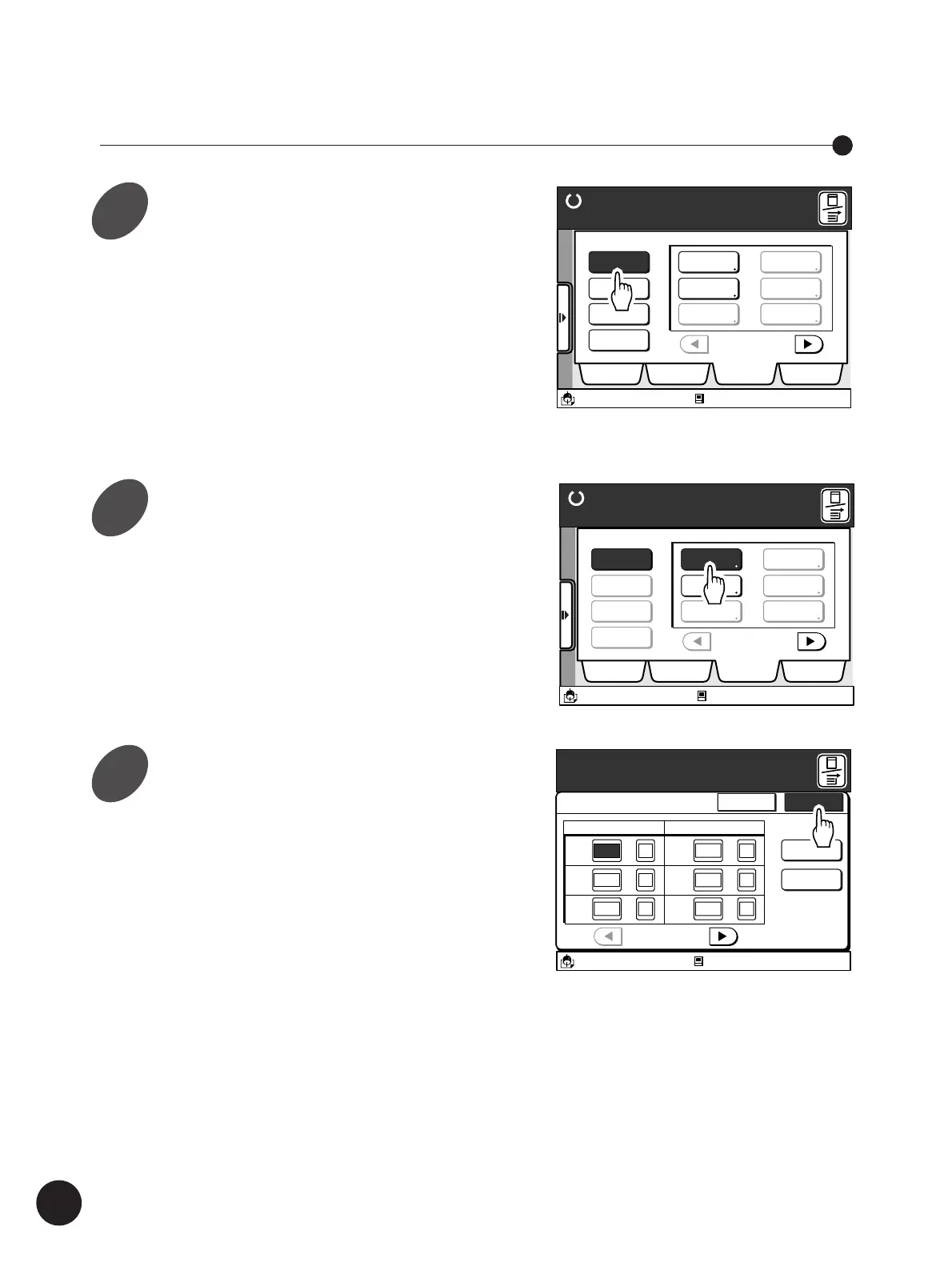
Recalling a Saved Program Setting
Display the [Program] tab on the
sub-panel window and then touch
the [Retrieve] button.
A message stating [Select a Program to be
Retrieved] appears.
• Only the occupied Program buttons can be
selected.
• If the required Program button is not displayed
on the window, scroll through the list by
touching the [
h
] or [
j
] button.
Touch the Program button to be
retrieved.
The [Single Page Mode] or [Multi-Page Mode]
window appears.
The program setting can be changed here. Any
amendments made here, however, will not be
saved in memory.
Automatic Sorting into Groups
RISO NEWS
P-2
P-3
P-4
P-5
P-6
Ready to Make Master
Retrieve
Register
Change
Clear
Selections Job List Program Catalog
A3/Black
13:59
P.1/4
Select a Program to be Retrieved
Idle
M
Ready to Make Master
Retrieve
Register
Change
Clear
Selections Job List Program Catalog
A3/Black
13:59
RISO NEWS
P.1/4
P-2
P-3
P-4
P-5
P-6
Select a Program to be Retrieved
Idle
M
1
2
3



 To Next Page