110
Producing Enhanced Photo
Images (For RP3700 and RP3790 only)
You can select from three stages of lightness (highlight)
and darkness (shadow) for the gradation when printing
photographs or halftone images.
Important!
This function is available when the Image Processing
mode is set to [Duo] or [Photo].
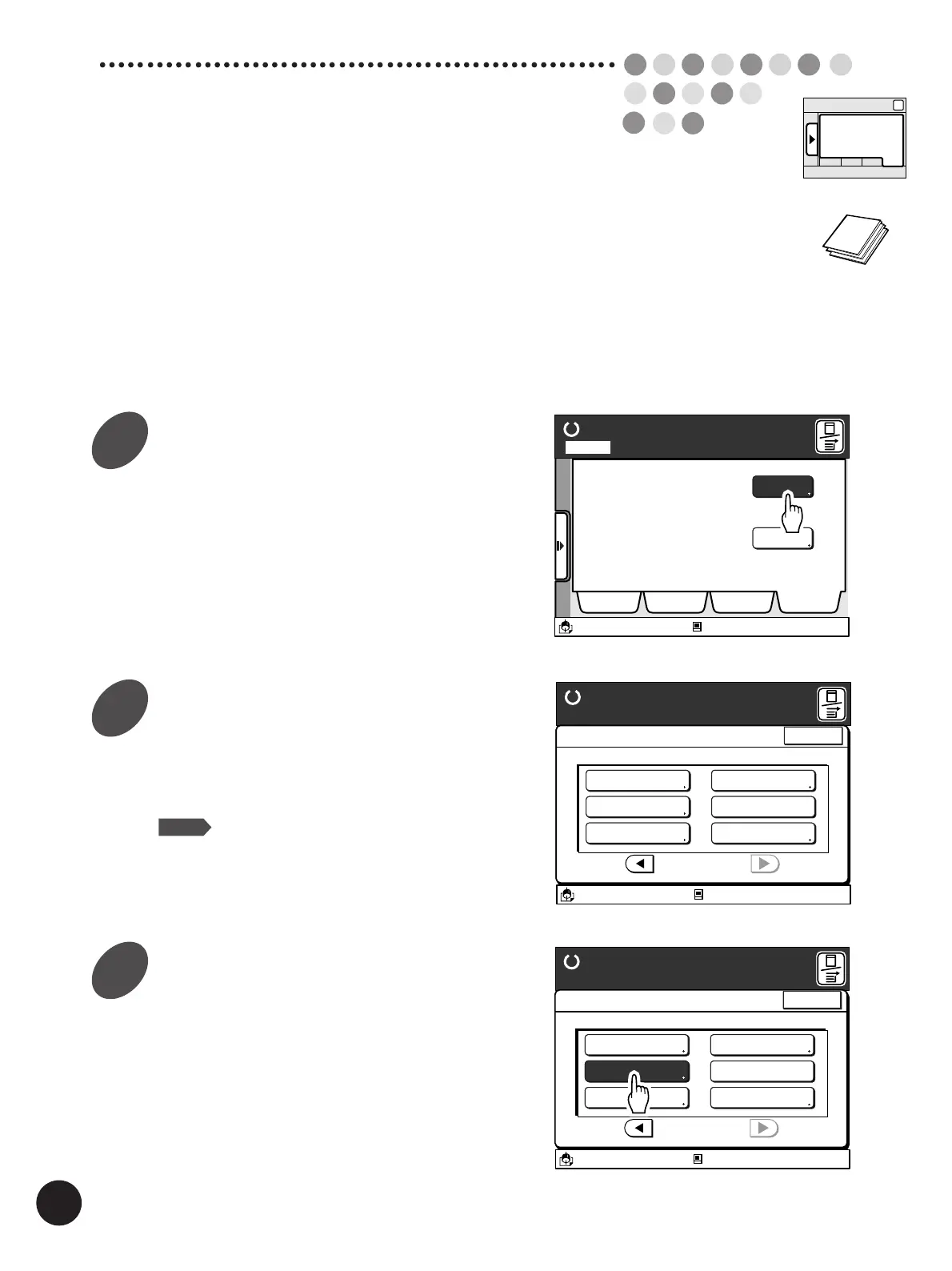
Display the [Catalog] tab on the
sub-panel window and then touch
the [Functions] button.
The [Functions] window appears.
Display the [Halftone Curve Adj.]
button.
Touch the [
h
] or [
j
] button to display this function
button.
NOTE
The number of function buttons will differ
depending on the printer model and the
configuration of the optional devices.
Touch the [Halftone Curve Adj.]
button.
The [Halftone Curve Adj.] window appears.
Ready to Make Master
A desired function can be
selected from the list
The properties of your RISO
printer can be changed
Functions
Properties
Selections Job List Program Catalog
A3/Black
13:59
Idle
M
Page No. 1Local
13:59
Idle
A3/Black
Functions
P.3/3
Halftone Curve Adj
Image Editing
Stack Guide Adjust
Mirror Image Print
Meter Display
Ready to Make Master
Close
M
Side Margin Change
A3/Black
13:59
Functions
P.3/3
Side Margin Change
Image Editing
Stack Guide Adjust
Mirror Image Print
Meter Display
Ready to Make Master
Idle
Close
Halftone Curve Adj
M
Sub-panel
Catalog
1
2
3



 To Next Page