112
Reversing Images
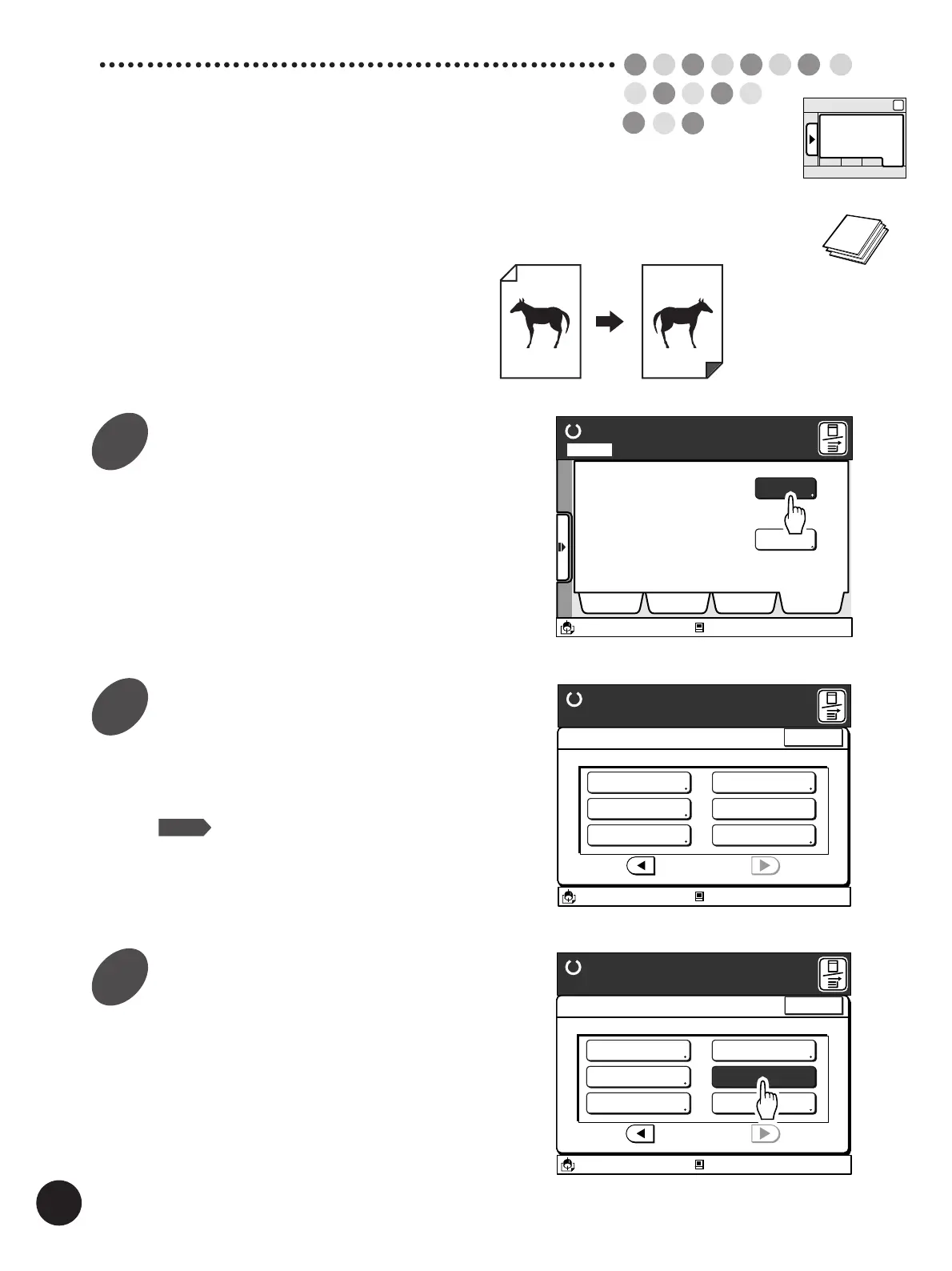
[Mirror Image Print]
You can reverse the image on prints.
Display the [Catalog] tab on the
sub-panel window and then touch
the [Functions] button.
The [Functions] window appears.
Display the [Mirror Image Print]
button.
Touch the [
h
] or [
j
] button to display this function
button.
NOTE
The number of function buttons will differ
depending on the printer model and the
configuration of the optional devices.
Touch the [Mirror Image Print]
button.
If you touch the button again, this function will be
canceled.
Ready to Make Master
A desired function can be
selected from the list
The properties of your RISO
printer can be changed
Functions
Properties
Selections Job List Program Catalog
A3/Black
13:59
Idle
M
Page No. 1Local
13:59
Idle
A3/Black
Functions
P.3/3
Halftone Curve Adj
Image Editing
Stack Guide Adjust
Mirror Image Print
Meter Display
Ready to Make Master
Close
M
Side Margin Change
A3/Black
13:59
Functions
P.3/3
Side Margin Change
Halftone Curve Adj
Image Editing
Stack Guide Adjust
Mirror Image Print
Meter Display
Ready to Make Master
Idle
Close
M
Sub-panel
Catalog
1
2
3



 To Next Page