83
Renewing Masters
You can renew (remake) a master from the most recently scanned/developed page data.
Besides, the Image rotation feature is selectable in the Data mode.
Important!
• The [Renew Page] function is not available in the following cases.
- After turning on the Main Power switch or pressing the Reset key.
- After the confidential operation.
- After Multi-up printing.
- After printing out the optional Key/Card counter's volume check sheet.
- When an error occurs before the master-making operation completes.
• If the [Renew Page] button is not displayed on the Main-panel window, activate the
[[Renew Pg] Display] function on the [Properties] window.
• The [Renew Page] function can also be activated on the [Functions] window.
Main-panel
Aux. Menu
Press the Start key.
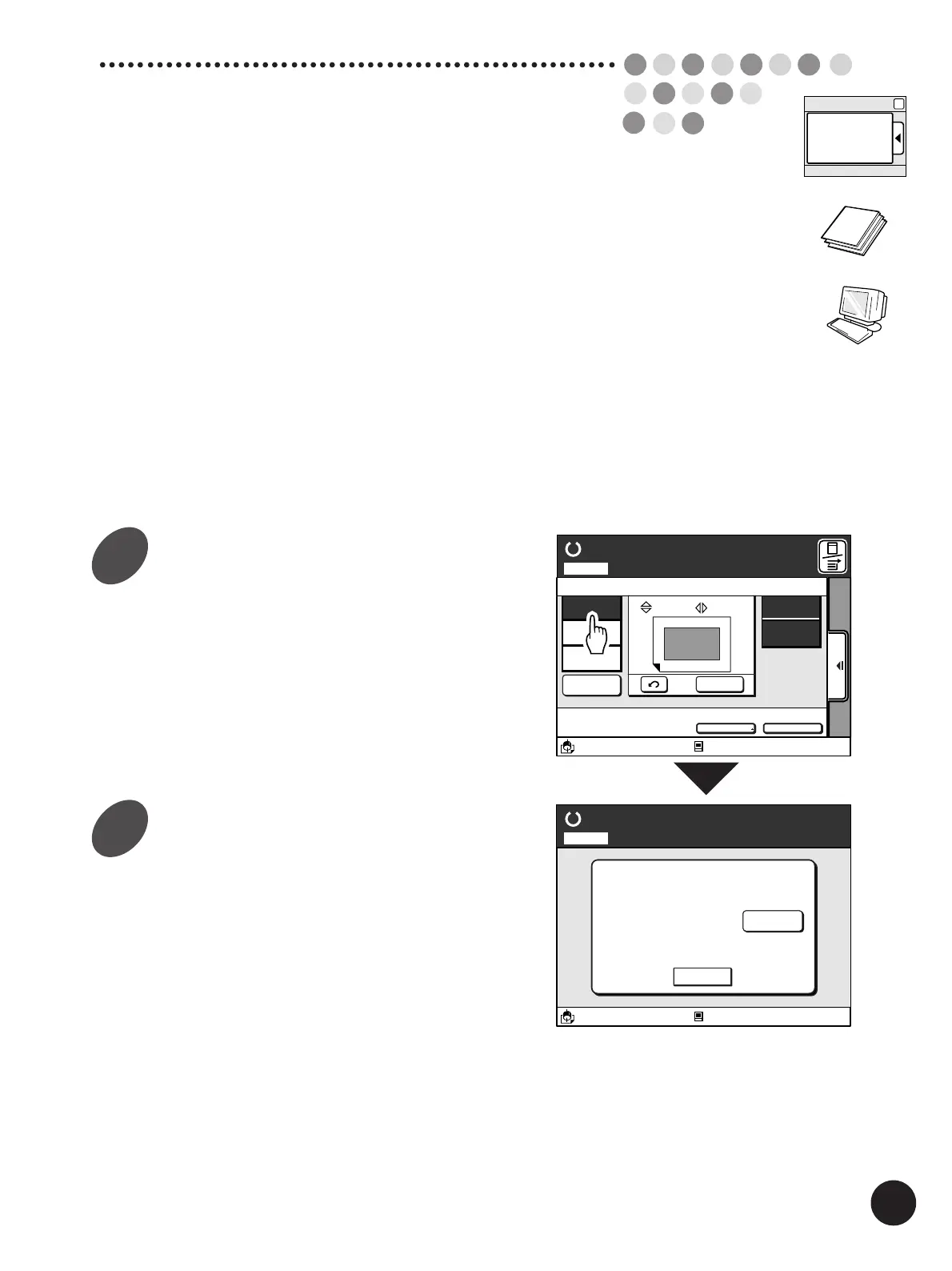
Touch the [Renew Page] button on
the Main-panel window.
The instruction message box appears.
Touch the [Cancel] button to cancel this operation.
In the Data mode, touch the [Rotate] button to
rotate the image by 180 degrees, if necessary.
To cancel this function, touch the button again.
A3/Black
13:59
Cancel
Press Start Key
Idle
Master Renewal Mode
Page No. 1Local
Rotate
Idle
A3/Black
13:59
SORTER>
OFF
AUTO-GO>
OFF
Renew Page
Reserved
Fine
00. 0
mm
A
00. 0
mm
Aux. Menu Print Position Paper
Skip Page
Clear All
A 3
Standard
M
Ready to Print
Page No. 1Local
1
2



 To Next Page