75
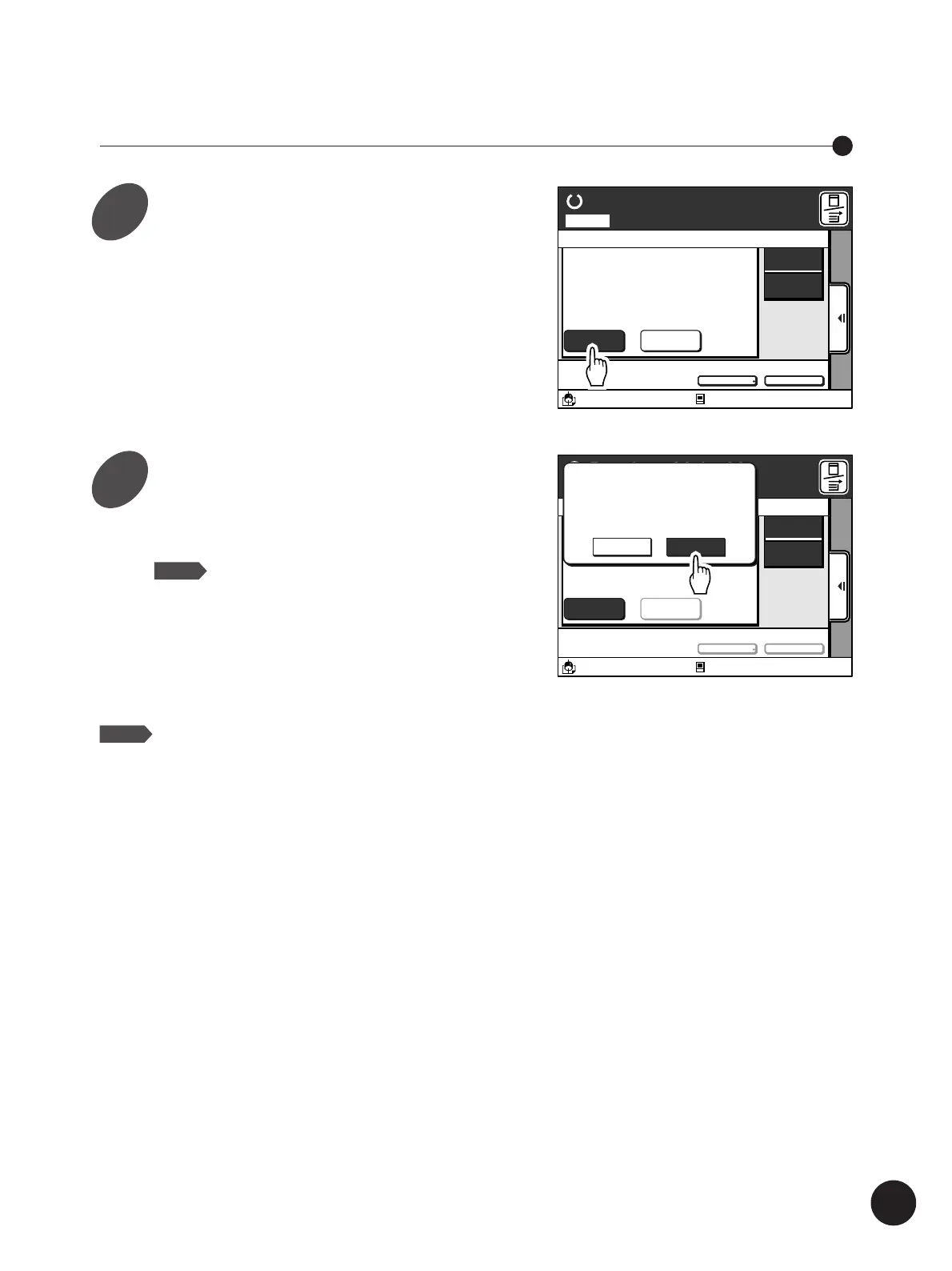
Skipping the Current Page
Touch the [Skip Page] button.
The confirmation message box appears.
A3/Black
Idle
13:59
SORTER>
OFF
AUTO-GO
>
OFF
Ready to Make Master
Page No. 01Local
Owner
Page Count
Receipt Time
Page Size
RISO
10Page
09/31/00 15:30
A 4 (210X297)
Skip Page Clear All
Document1
Paper
A 4
Standard
M
Idle
13:59
Ready to Make Master
Skip Page
Paper
Clear All
SORTER>
OFF
AUTO-GO
>
OFF
A3/Black
M
A 4
Standard
Cancel OK
The Current Page
Output is Cancelled
to Go to the Next Page
Touch the [OK] button.
The current page is skipped and the next page is
developed.
Changing Print Job Flow
NOTE
The [Skip Page] button is not available during
operation.
Press the Stop key to interrupt the operation.
NOTE
To cancel this operation, touch the
[Cancel] button.
1
2



 To Next Page