153
Using Custom Paper
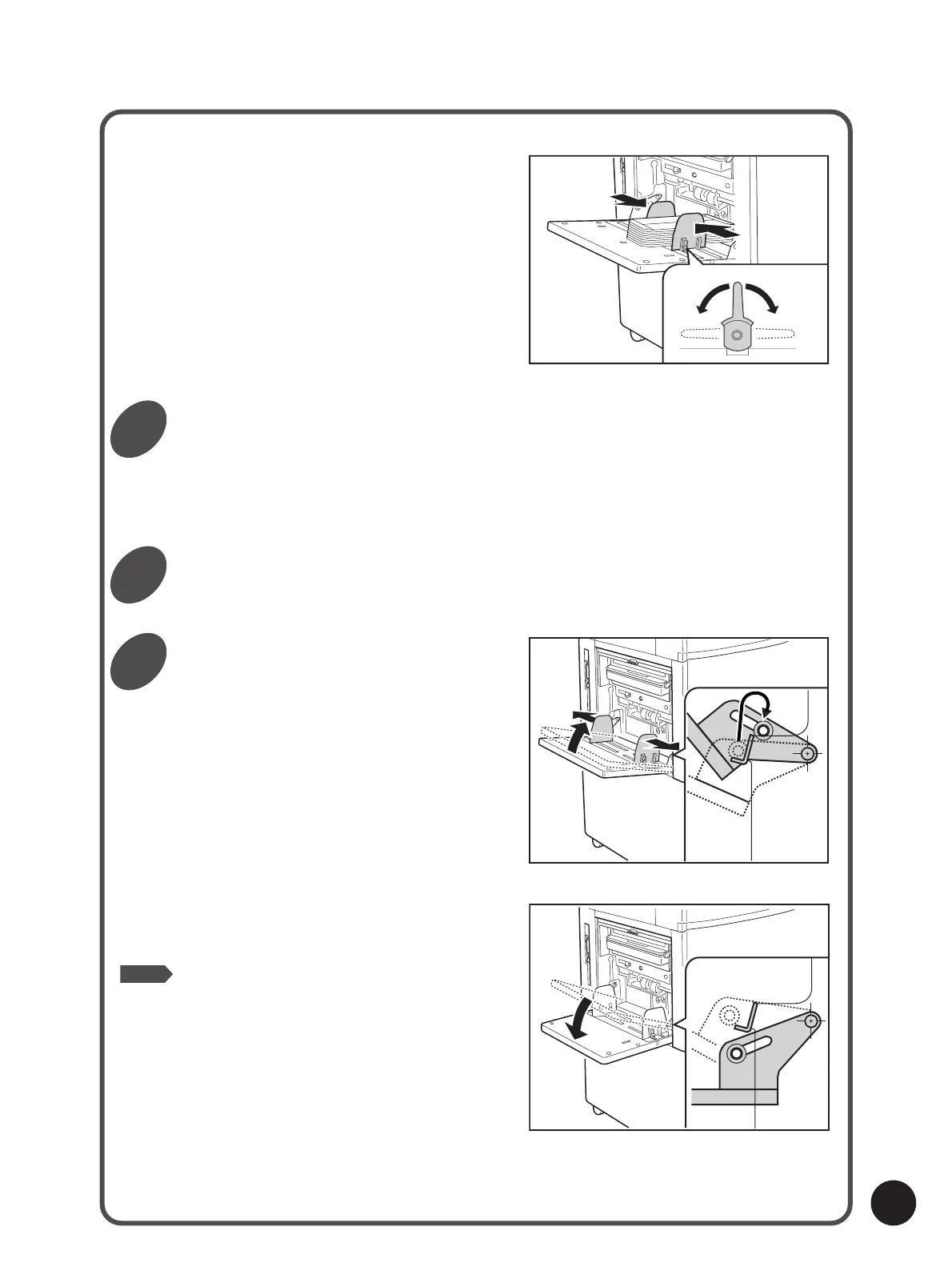
wSlide the Feed Tray Paper Guides so that they
fit the envelopes, and lock them.
eSet the Paper Feed Pressure Adjustment Lever
to [Card].
Set the original in place.
You can select the image rotation feature if necessary.
☞ p.116... Rotating Images by 180 Degrees
Start the print job.
Return the Standard Paper Feed
Tray to its original position.
Lower the Standard Paper Feed Tray to the lowest
position and widen the Feed Tray Paper Guides
as wide as they will go. Then lift the Paper Feed
Tray (45 degrees or more) and slowly return it to
horizontal position.
Free
Lock Lock
NOTE
For some types of envelopes, the standard
(horizontal) feed tray position may be preferable to
the angled position in feeding.
If your envelopes do not feed well, set the Paper
Feed Tray at the standard position in printing.
4
5
6



 To Next Page