14
○○○ ○○○
○○○○○○○○○○○
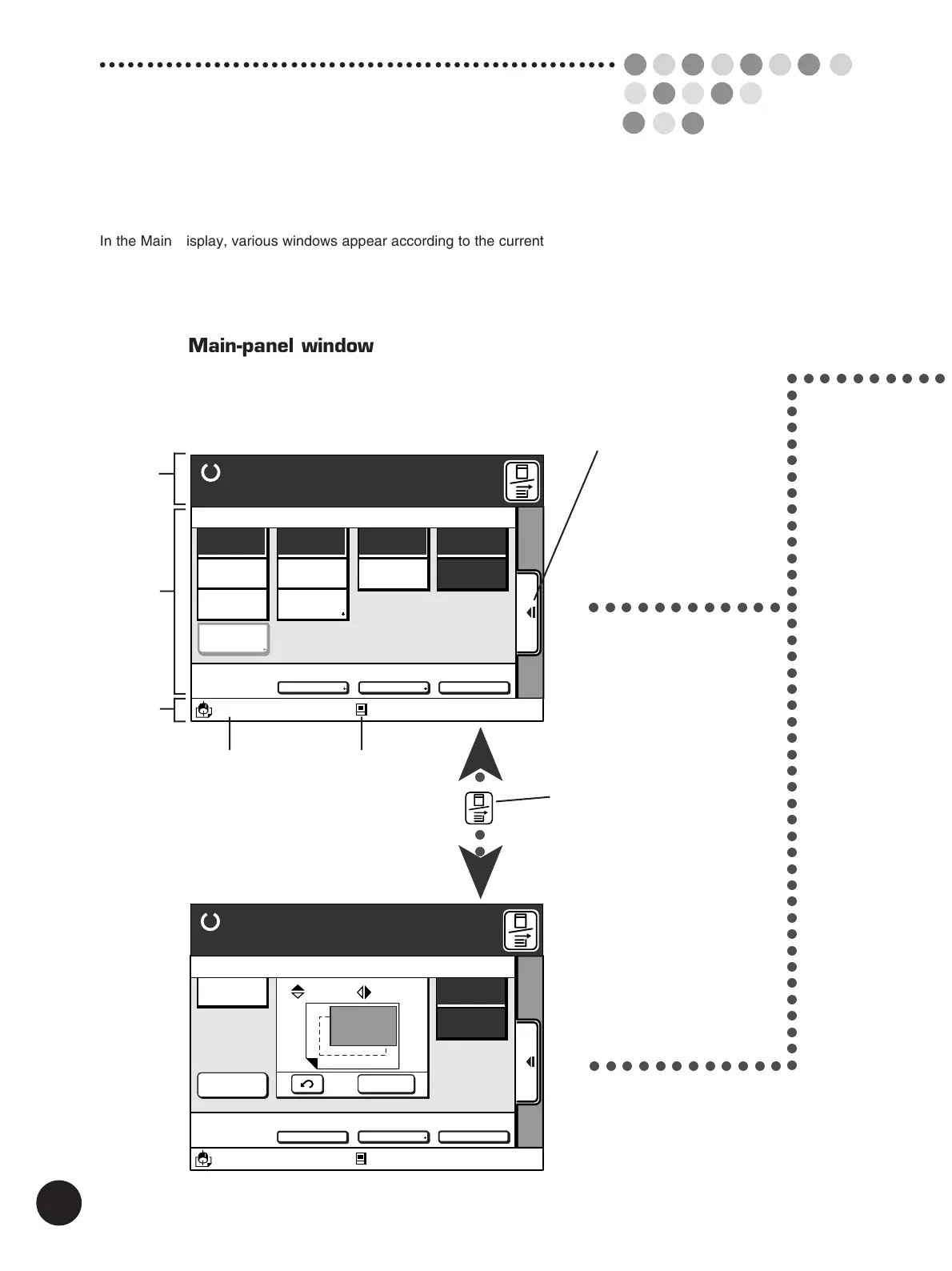
Main-panel window
Main-panel window shows two kinds of screens, [Master-making mode] and
[Printing mode], enabling you to make basic operations such as master-making
and printing.
(Master-making) screen
(Printing) screen
Window switch button
Switches the windows
between [Main-panel
window] and [Sub-panel
window].
Process selection button
Switches the process mode
between [Master-making] and
[Printing]. The process modes are
switched automatically in
accordance with original placement
and other operations.
A3/Black
13:59
SORTER>
OFF
AUTO-GO>
OFF
Ready to Print
Renew Page
Reserved
Fine
10. 0
mm
A
10. 0
mm
D-CHECK>
OFF
Aux. Menu Print Position Paper
Idle
M
A 3
Standard
A3/Black
13:59
MULTIUP>
OFF
SORTER>
OFF
AUTO-GO>
OFF
Line
Duo
Photo Options
Auto
100%
Manual
Auto
Ready to Make Master
Image Size Contrast Paper
Idle
Advanced
M
A 3
Standard
Message
Area
Data Mode
Status
Print Cylinder
(Drum) Size / Color
Status
Area
Action
Area
M
➤
○○○○○○○○○○○○
➤
○○○○○○○○○○○○
○○○○○○○○○○○○○○○○○○○○○○○○○○○○○○○○○○○○○○○○○○○
The Main Display
In the Main Display, various windows appear according to the current operation as
illustrated below. Among them, the Main-panel window acts as the home of the multi-
window guidance display, indicating the current printer configuration and status.



 To Next Page