60
Using Other Options : [Standard], [Zoom] or [Free]
A3/Black
13:59
MULTIUP>
OFF
SORTER>
OFF
AUTO-GO>
OFF
Line
Duo
Photo Options
Auto
100%
Manual
Auto
Ready to Make Master
Image Size Contrast Paper
Idle
Advanced
A 3
Standard
M
Select a desired reproduction
option.
Touch a desired option button to display the
corresponding enlargement/reduction setup tab.
Idle
A3/Black
13:59
Cancel OK
Reproduction Options
Ready to Make Master
<Original> <Paper>
A3
Standard Zoom Free
Margin+
x95%
B5 (163%)
A4 (141%)
B4 (116%)
A3 (100%)
M
Reducing and Enlarging Originals
1
2
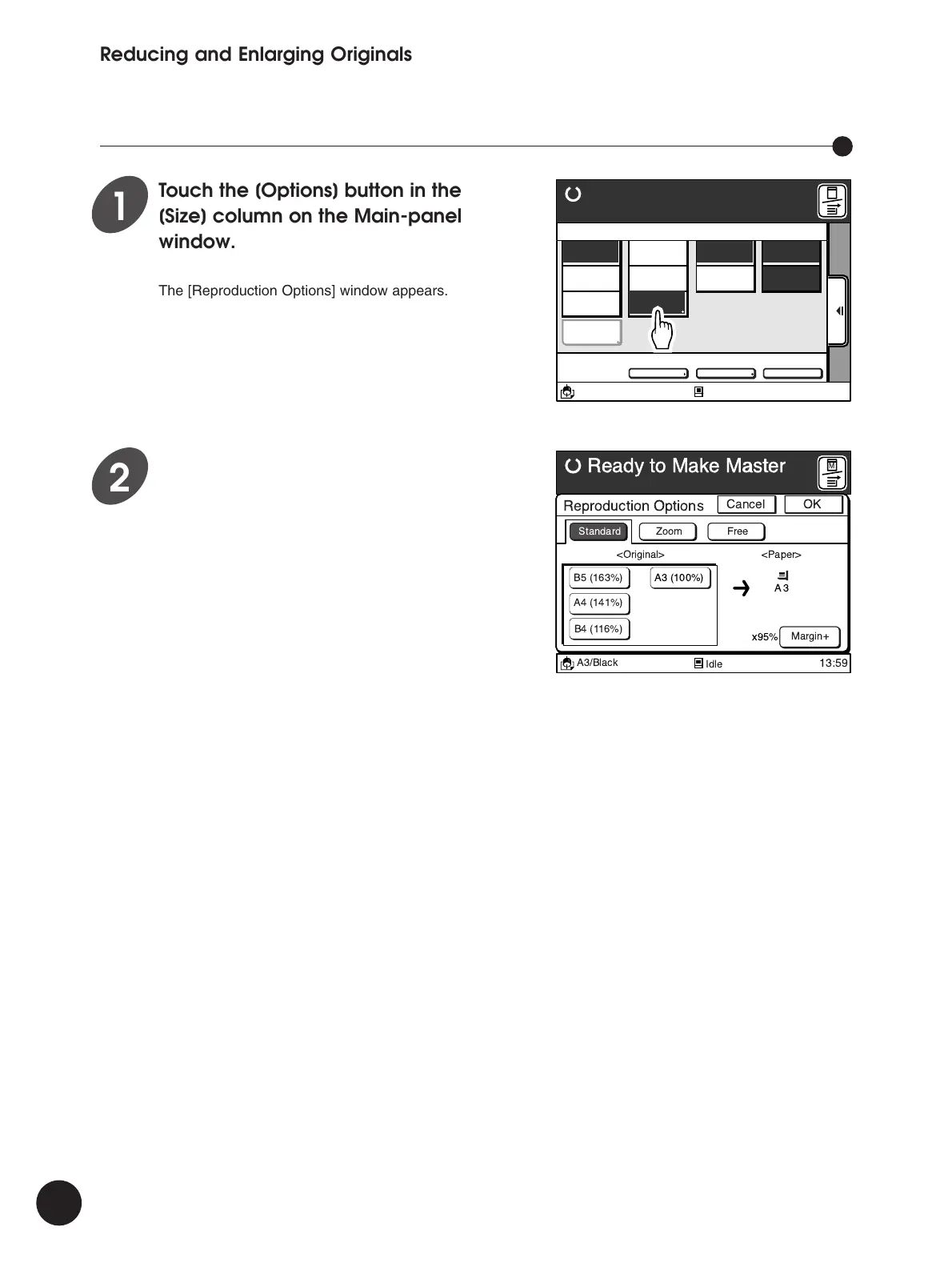
Touch the [Options] button in the
[Size] column on the Main-panel
window.
The [Reproduction Options] window appears.



 To Next Page