67
Changing
Print Speed
NOTE
You can customize initial settings.
☞ p.154... Customizing the Initial Settings
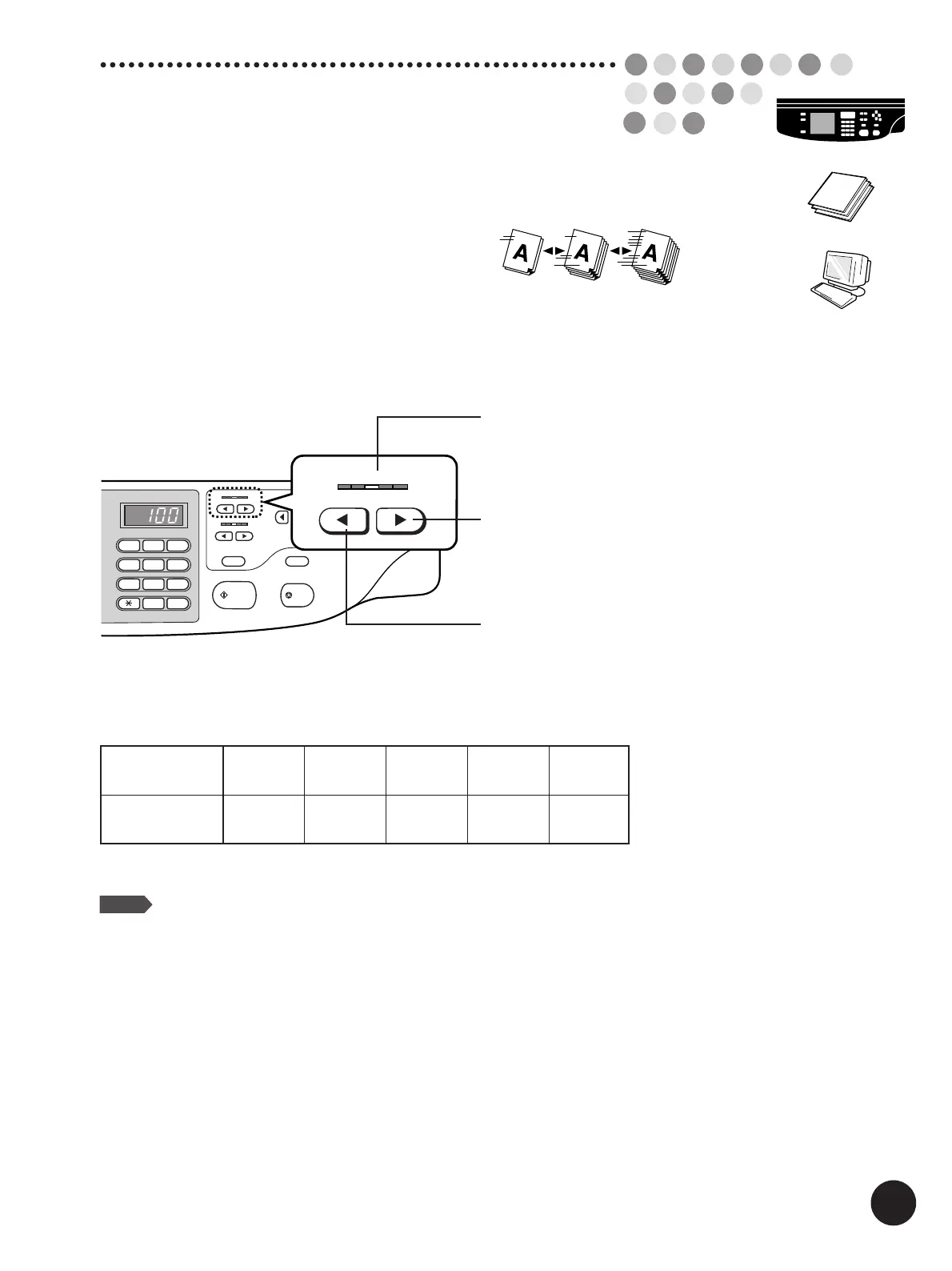
Printed speed can be set at any five levels, ranging
between 60 and 120 sheets per minute.
Press the Print Speed Adjustment Keys to
change print speed.
Decreases print speed.
12
3
4
5
6
7
8
9
0
C
START
STOP
RESET
SLOW
FAST
SPEED
DENSITY
LIGHT
DARK
TEST PRINT
12345
12345
SLOW
FAST
SPEED
123
4
5
Print Speed Indicator
Indicates the current print speed level.
Increases print speed.
Indicator
Print speed
(copies/min.)
Approx.
60
Level
1
Approx.
80
Level
2
Approx.
100
Level
3
Approx.
110
Level
4
Approx.
120
Level
5



 To Next Page