56
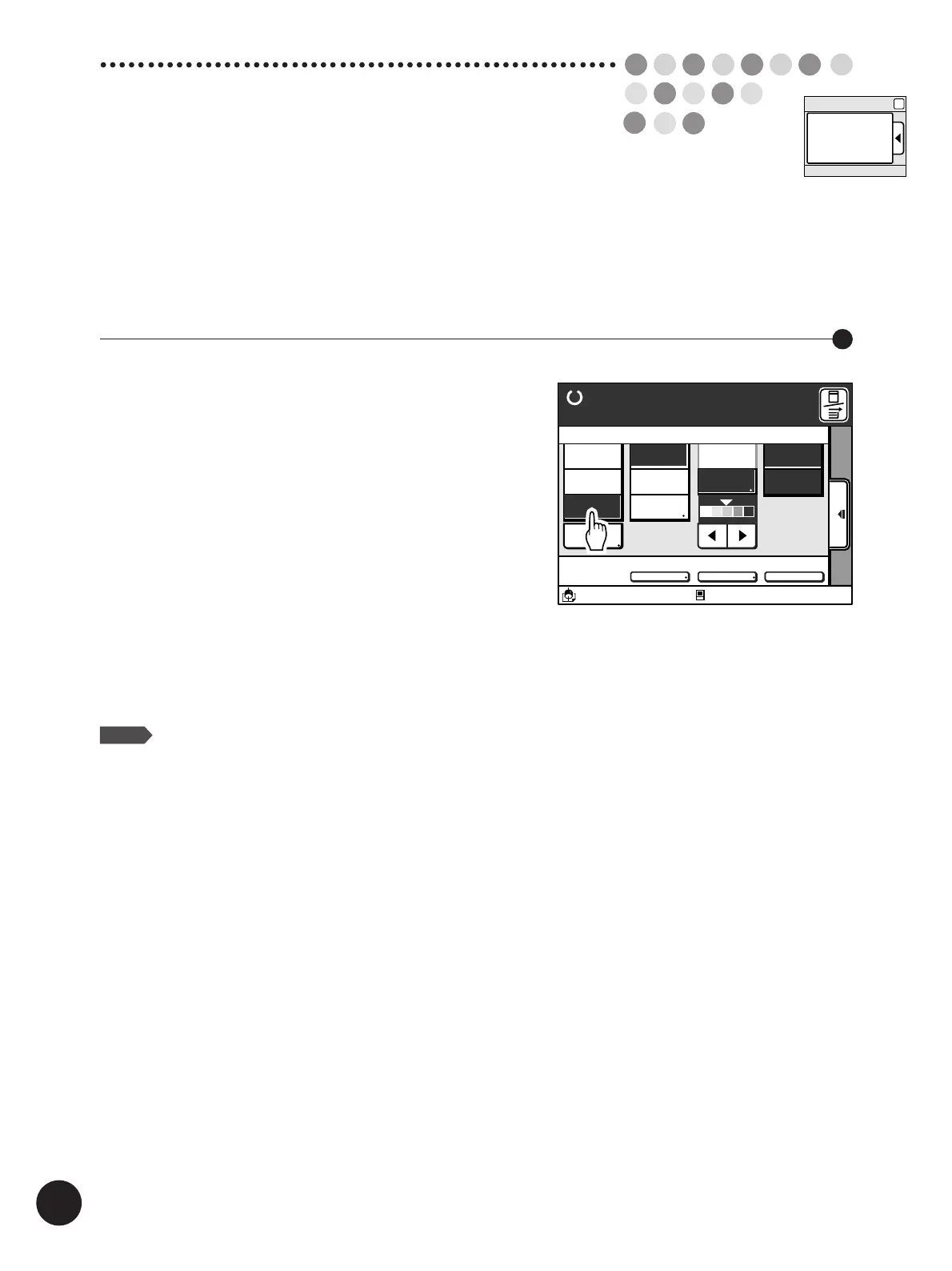
Photo/Half-Tone
Processing
If an original contains photographs or half-tone images, or a multi-colored original is used,
select [Photo] or [Duo] processing.
Touch either the [Duo] Button or the
[Photo] Button on the Main-panel
window.
[Duo]
Reproduces photograph or half-tone images clearly without
deteriorating the sharpness of lines and texts.
This processing mode is recommended for multi-colored
originals or photo originals with sharp lines and texts
included.
[Photo]
Reproduces different shades of photograph or half-tone
images most clearly.
Lines and texts become less sharp if they are included in
an original.
NOTE
The image scanning contrast will automatically be
specified as [Manual] when either [Photo] or [Duo]
has been selected.
☞ p.64... Changing Image Contrast on Prints
Selecting the Image Processing Mode
A3/Black
13:59
Advanced
MULTIUP>
OFF
SORTER>
OFF
AUTO-GO>
OFF
Line
Duo
Photo Options
Auto
100%
Ready to Make Master
Image Size Contrast Paper
Idle
Manual
Auto
A 3
Standard
M
Main-Panel
Image



 To Next Page