167
Replacing the
Master Roll
1
2
3
4
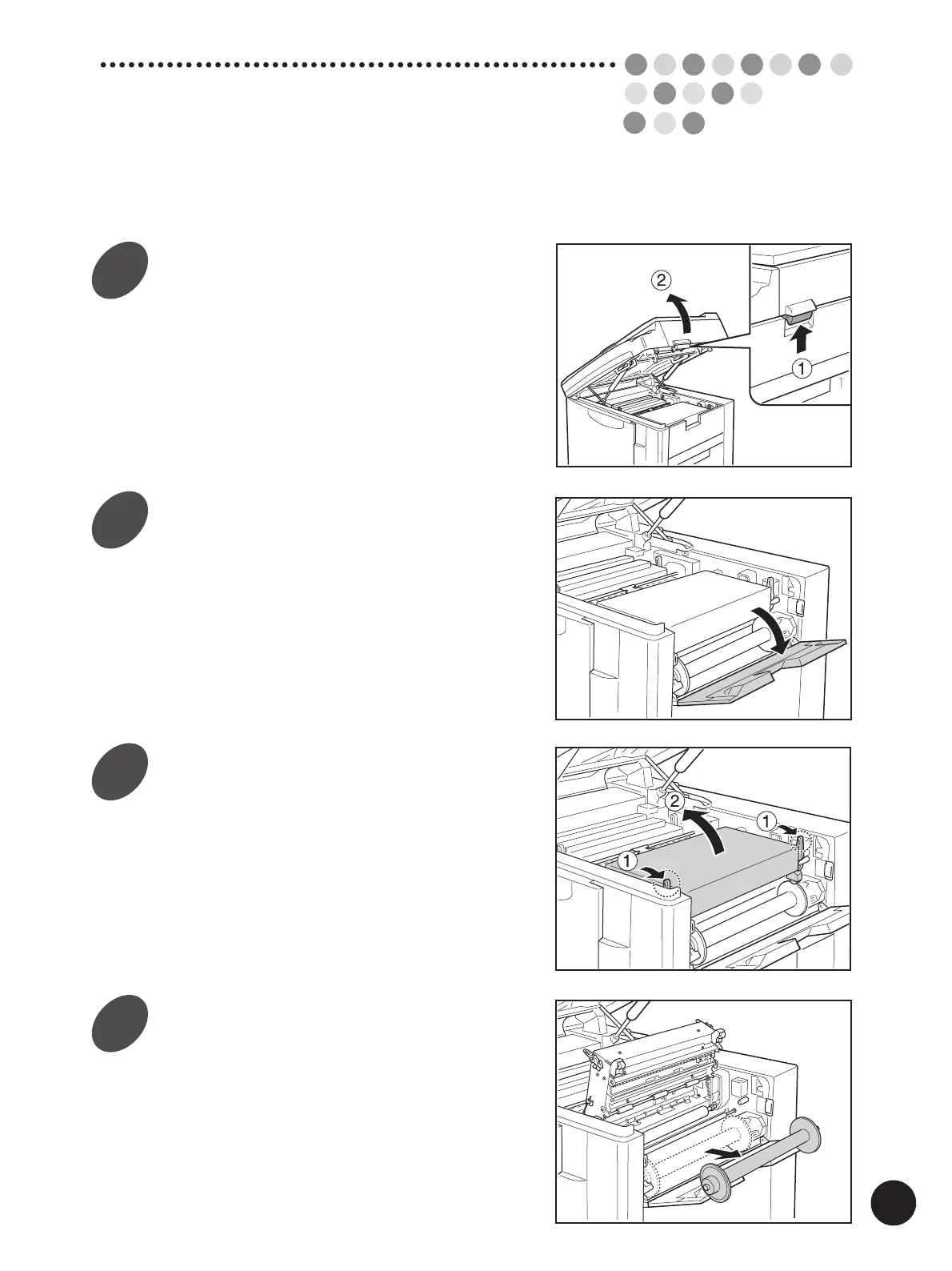
Raise the Scanner Table.
Hold the Scanner Table Release Lever and raise
the Scanner Table until it stops.
Open the Master Roll Cover.
Pull down the Master Roll Cover.
Open the Master Making Unit.
Open the Master Making Unit by pulling down
either of the green Master Making Unit Release
Levers, which are located on the left and right
side of the unit.
Remove the depleted Master
Roll.
Pull the depleted Master Roll toward you and
remove it from the supporter.



 To Next Page