12
1
2
3
4
5
6
7
8
9
0
C
WAKE-UP
PROPERTIES
DATA/COPY
Volume
A3/Black
13:59
Advanced
MULTIUP>
OFF
SORTER>
OFF
AUTO-GO>
OFF
Line
Duo
Photo Options
Auto
100%
Manual
Auto
Ready to Make Master
Image Size Contrast Paper
Idle
M
A 3
Standard
q
e
r
t
yu i
w
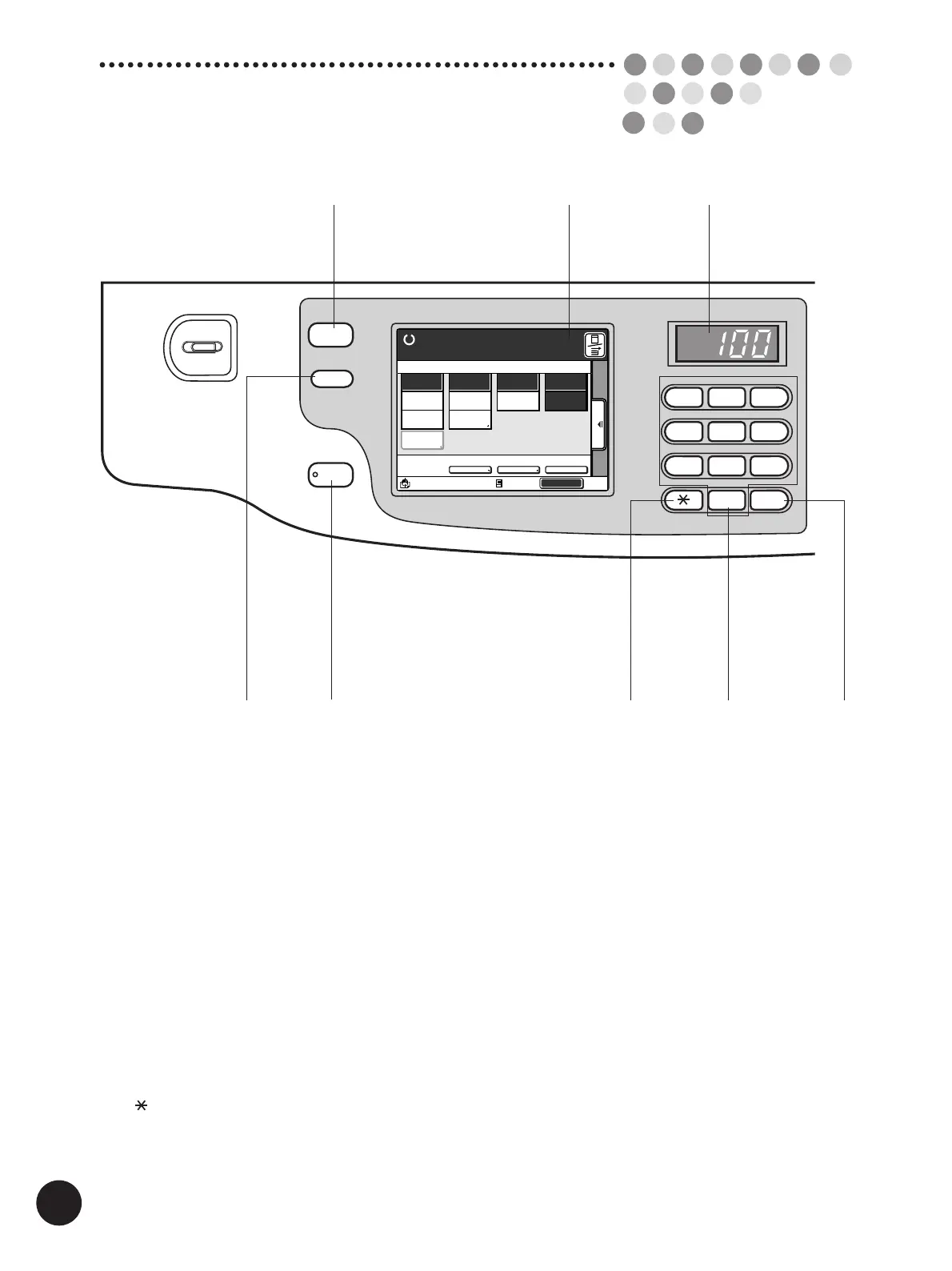
The Control Panel
q Print Quantity Display
Counts the number of printed copies.
w Main Display
Shows the current equipment status or gives
instructions for operation.
e Data Source Selection Key
Switches the mode between [Data mode] and [Copy
mode].
r Properties Key
Shows the current settings on the Main Display.
t Wake-Up Key
Wakes up the printer in Energy Saving mode.
y Key
Shifts the cursor on the Main Display.
u Print Quantity Keys (0 to 9 Keys)
Use these keys to enter the number of copies to be
printed, or to enter other numeric values.
i C Key
Cancels the number entered and resets the Print
Quantity Display to zero. Or deletes a word in naming
programed items.



 To Next Page