39
Recalling the Storage File
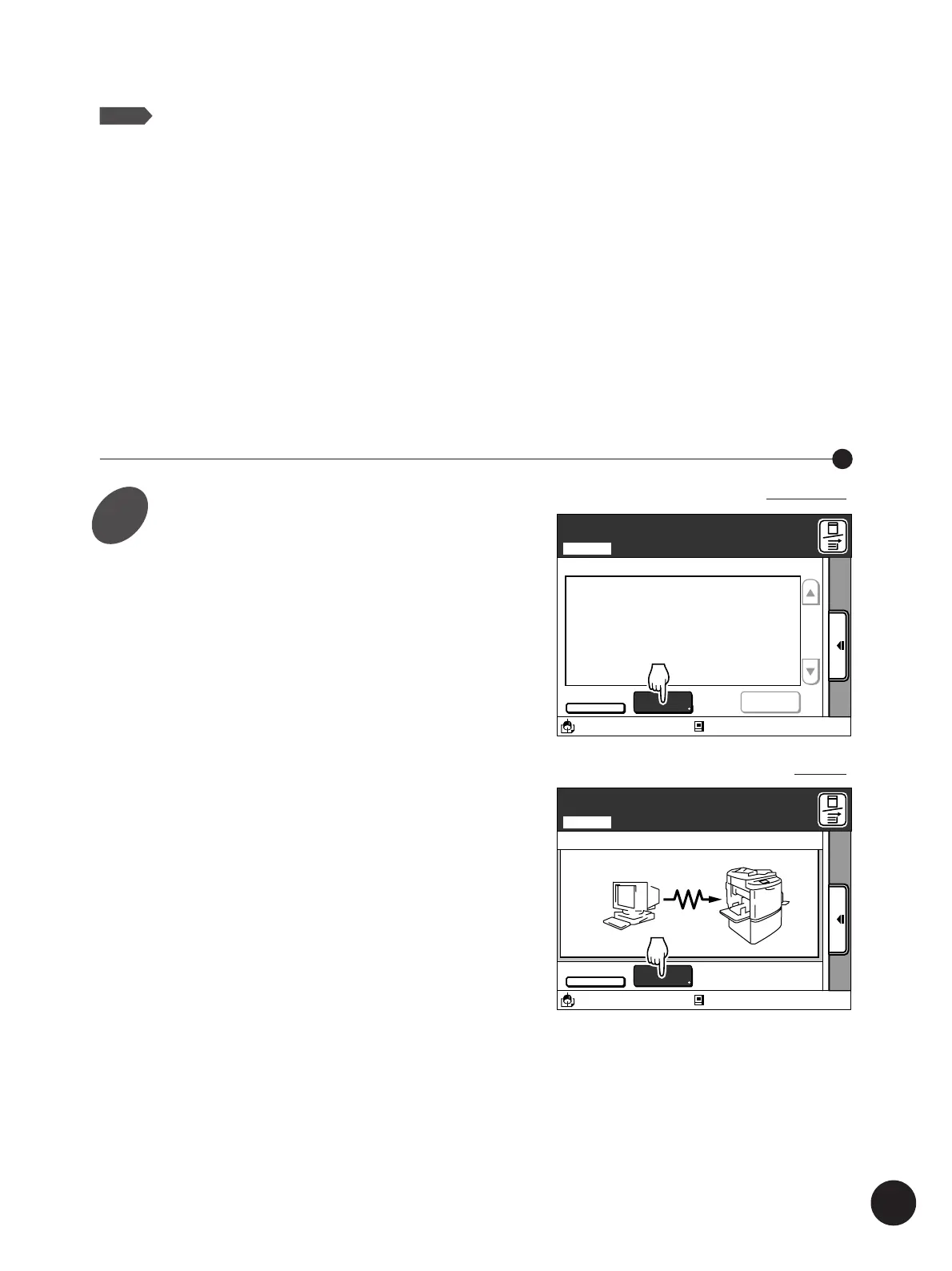
Touch the [Storage] button on the
basic window of the Data mode
indicated to the right .
The [Storage File Selection] window appears.
A3/Black
Idle
13:59
PC-LINE>
OFF
M
Ready to Receive Data Locally
Local
Clear All
Print Job Name Owner Cps. Page
Storage
M
A3/Black
Idle
13:59
PC-LINE>
OFF
Storage
Ready to Receive Data Remotely
Remote
In the Local connection mode
In the Remote transmission mode
Expanding Functions with the Document Memory Card
NOTE
Data information other than those listed below will not be recorded when saving file
data in the storage memory.
• Print Job Name • Owner • Page Count • Current Date/Time (date and time the data
was stored) • Page Size • Print Cylinder (colour) • Protection Status • Receipt Error
Status • Image Rotation Option
Important!
You cannot make any operation on the storage data under the following circumstances.
• While the file data is being received or developed.
• When the printer has any print job waiting to be printed in the local connection mode.
Important!
In case of natural disasters or other unexpected events which may cause damages to the
printer and/or storage memory, it is recommended that all important data is backed up onto
the personal computer.
1



 To Next Page