136
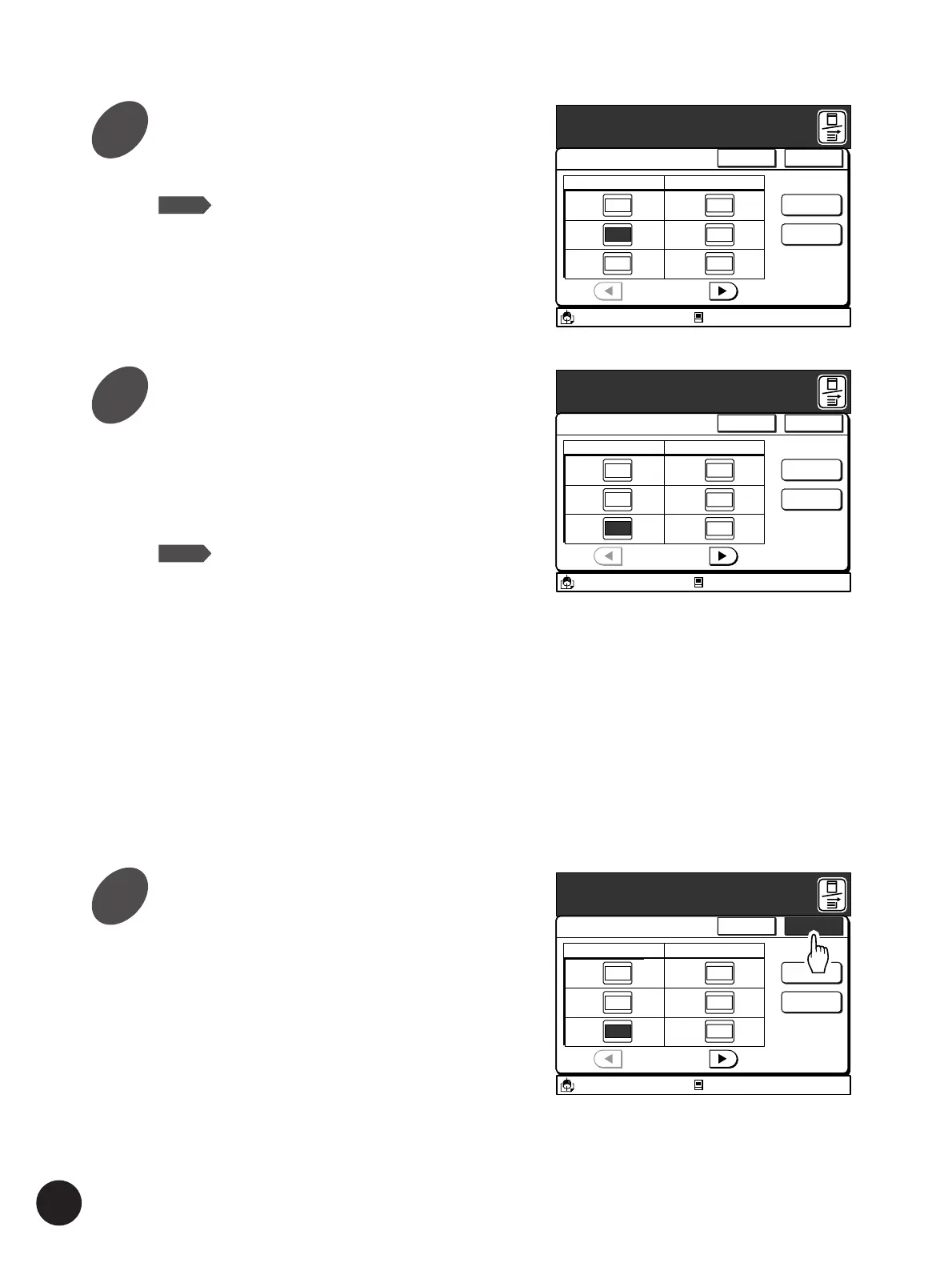
Specify the print quantity for the
remaining originals.
Repeat steps 4 through 5 and specify the Print
Quantity for each original.
The total print quantity for all pages will be
displayed in the [Total] field.
NOTE
• To cancel the current program setting,
touch the [Cancel] button.
• When specified print quantities need to
be changed, touch the relevant field
directly or press the [q] key to move
the cursor to a desired point, and then
re-enter the correct value. The value
for selected field will be reset to [0]
when the [C] key is pressed.
• The values for all print quantities will
be cleared when the [Clear All] button
is touched.
• The name of the program currently
selected will be displayed above the
[Rename] button.
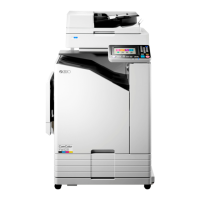
Touch the [OK] button.
The current program settings will be registered in
the memory, and can be recalled and used for
subsequent printing jobs.
A3/Black
13:59
P
-
2
Cancel OK
Multi-Page Mode
P.1/4
Cps.
Rename
Clear All
[Total]
60-
Cps.
1 Page 10
2 Page 20
3 Page 30
4 Page 0
5 Page 0
6 Page 0
Idle
Enter Print Quantity
M
A3/Black
13:59
P
-
2
Cancel OK
Multi-Page Mode
P.1/4
Cps.
Rename
Clear All
[Total]
60-
Cps.
1 Page 10
2 Page 20
3 Page 30
4 Page 0
5 Page 0
6 Page 0
Idle
Enter Print Quantity
M
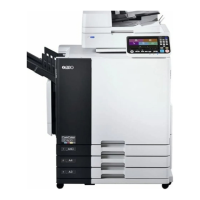
Press the [q] key.
The cursor moves to the next field.
NOTE
You can select the [Cps.] field by
touching the relevant field directly.
A3/Black
13:59
P
-
2
Cancel OK
Multi-Page Mode
P.1/4
Cps.
Rename
Clear All
[Total]
10-
Cps.
1 Page 10
2 Page 0
3 Page 0
4 Page 0
5 Page 0
6 Page 0
Idle
Enter Print Quantity
M
Automatic Sorting into Groups
5
6
7



 To Next Page