142
NOTE
• To suspend the program printing, press
the Stop key. To restart the operation,
press the Start key.
• Once all programed copies have been
printed when the ADF unit (optional) is
in use, the print job will be halted and
the program printing feature is canceled
even if originals remain in the ADF unit.
Printing will be halted when there is no
original left in the ADF Unit despite the
fact that the number of pages specified
in the program have not been printed
yet. In this event, set the originals of the
following pages in place and then press
the Start key.
Press the Start key.
A test print is produced.
If the Auto Process feature is not activated, press
the Start key again. Prints are produced according
to the selected program.
Important!
When using the Stage Glass in the Multiple-page
mode in the programed printing, the message
[Place Another Original and Press Start key]
appears after each original is processed. Place the
next original and press the Start key.
Automatic Sorting into Groups
START
STOP
RESET
CENTER
PRINT
POSITION
SLOW
FAST
SPEED
DENSITY
LIGHT
DARK
TEST PRINT
12345
12345
12
3
START
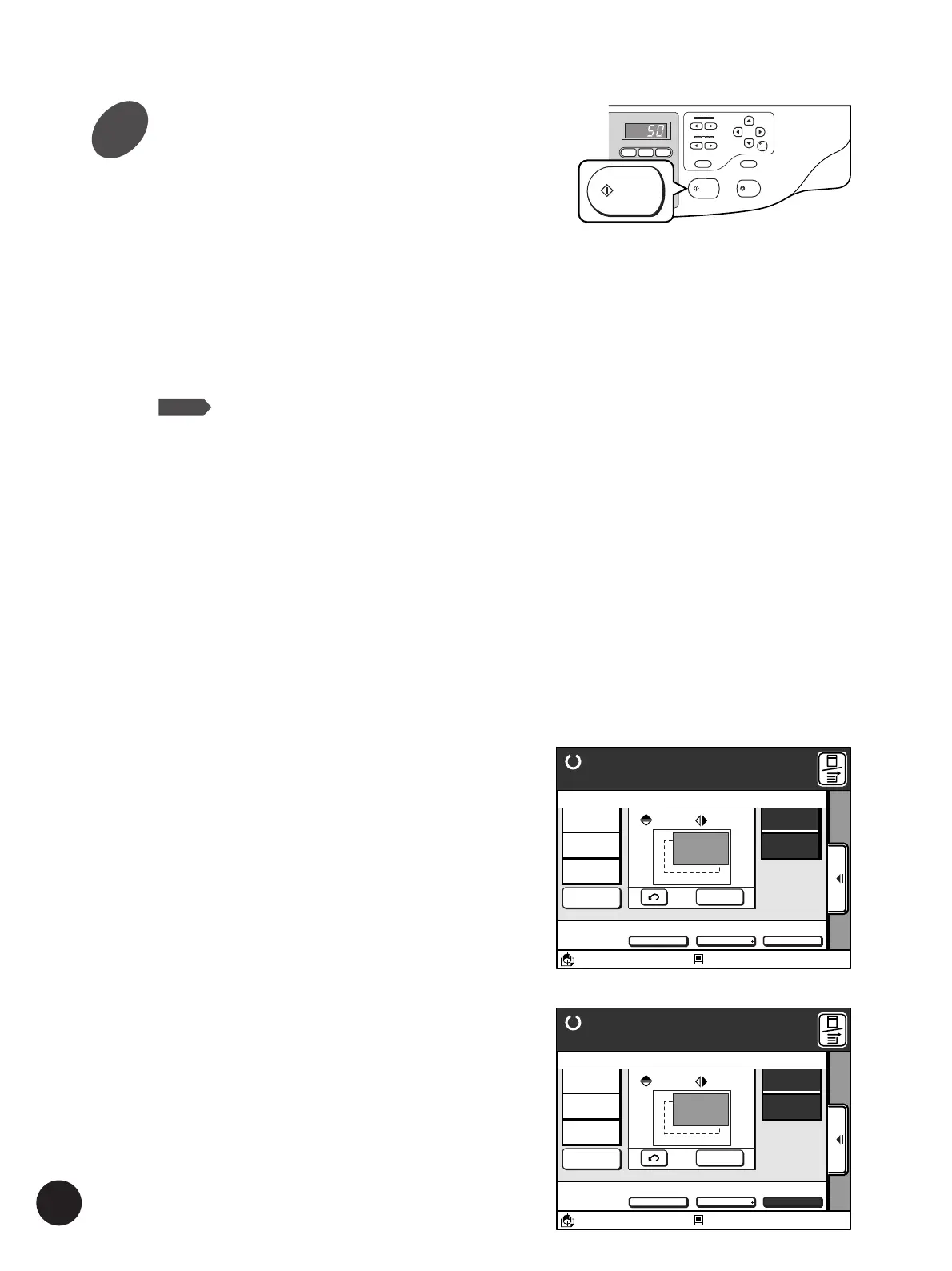
The following options can be selected on the
Main-panel window in the Single-original
Program.
• [Go to Next]
Skips the printing operation for the current cluster
and proceeds to the next cluster.
• [Cancel Job]
Cancels the current program printing job.
The following options can be selected on the
Main-panel window in the Multiple-original
Program.
• [Next Page]
Cancels the print job of the current page and
proceeds to the master-making operation for the
next page.
• [Cancel Job]
Cancels the current program printing job.
A3/Black Idle
13:59
SORTER>
OFF
AUTO-GO>
OFF
Ready to Print
Renew Page
Go to Next
Cancel Job
Reserved
Fine
10. 0
mm
A
10. 0
mm
D-CHECK>
OFF
Aux.Menu Print Position Paper
RISO NEWS
M
4G1St
A 3
Standard
A3/Black Idle
13:59
SORTER>
OFF
AUTO-GO>
ON
Ready to Print
Renew Page
Next Page
Cancel Job
Reserved
Fine
10. 0
mm
A
10. 0
mm
D-CHECK>
OFF
Aux. Menu Print Position Paper
P-2 3 Page
M
A 3
Standard
6



 To Next Page