147
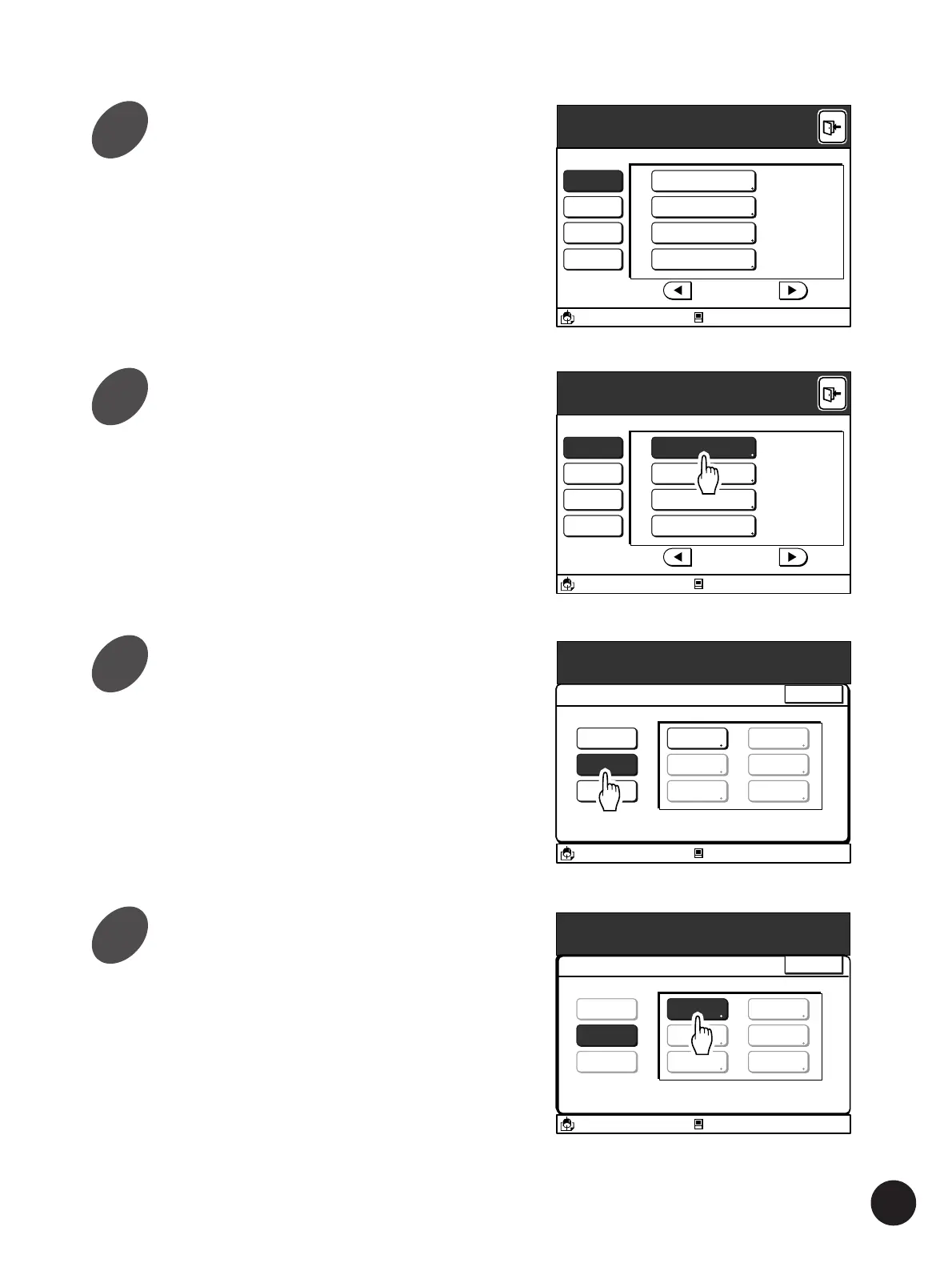
Display the [Custom Paper Entry]
button by touching the [
h
] or [
j
]
button.
Refer to the section [Customizing the Initial
Settings] for further details on the [Properties]
window.
☞ p.154... Customizing the Initial Settings
Touch the [Custom Paper Entry]
button.
The main [Custom Paper Entry] window appears.
Touch the [Change] button.
A message [Select a Paper Size to be Changed]
appears.
Touch the Paper Size Frame button
to be modified.
Only buttons in which a custom paper size is
registered can be selected.
Using Custom Paper
Properties
A3/Black
13:59
P.7/10
System Idling Action 12 hour
=
Data Mode Power-OFF Schedule 22:00
=
Copy Mode Energy Saving Mode 5 mn
=
All Custom Paper Entry
Blocked
Properties
A3/Black
13:59
P.7/10
System Idling Action 12 hour
=
Data Mode Power-OFF Schedule 22:00
=
Copy Mode Energy Saving Mode 5 mn
=
All Custom Paper Entry
Blocked
Properties
A3/Black
13:59
Close
Custom Paper Entry
Select Action
Register
Change
Clear
U-1
U-2
U-3
U-4
U-5
U-6
Blocked
Properties
A3/Black
13:59
Close
Custom Paper Entry
Select a Paper Size to be Changed
Register
Change
Clear
U-1
U-2
U-2
U-4
U-5
U-6
Blocked
2
3
4
5



 To Next Page