24
NORMAL
CARD
Preparing to Print
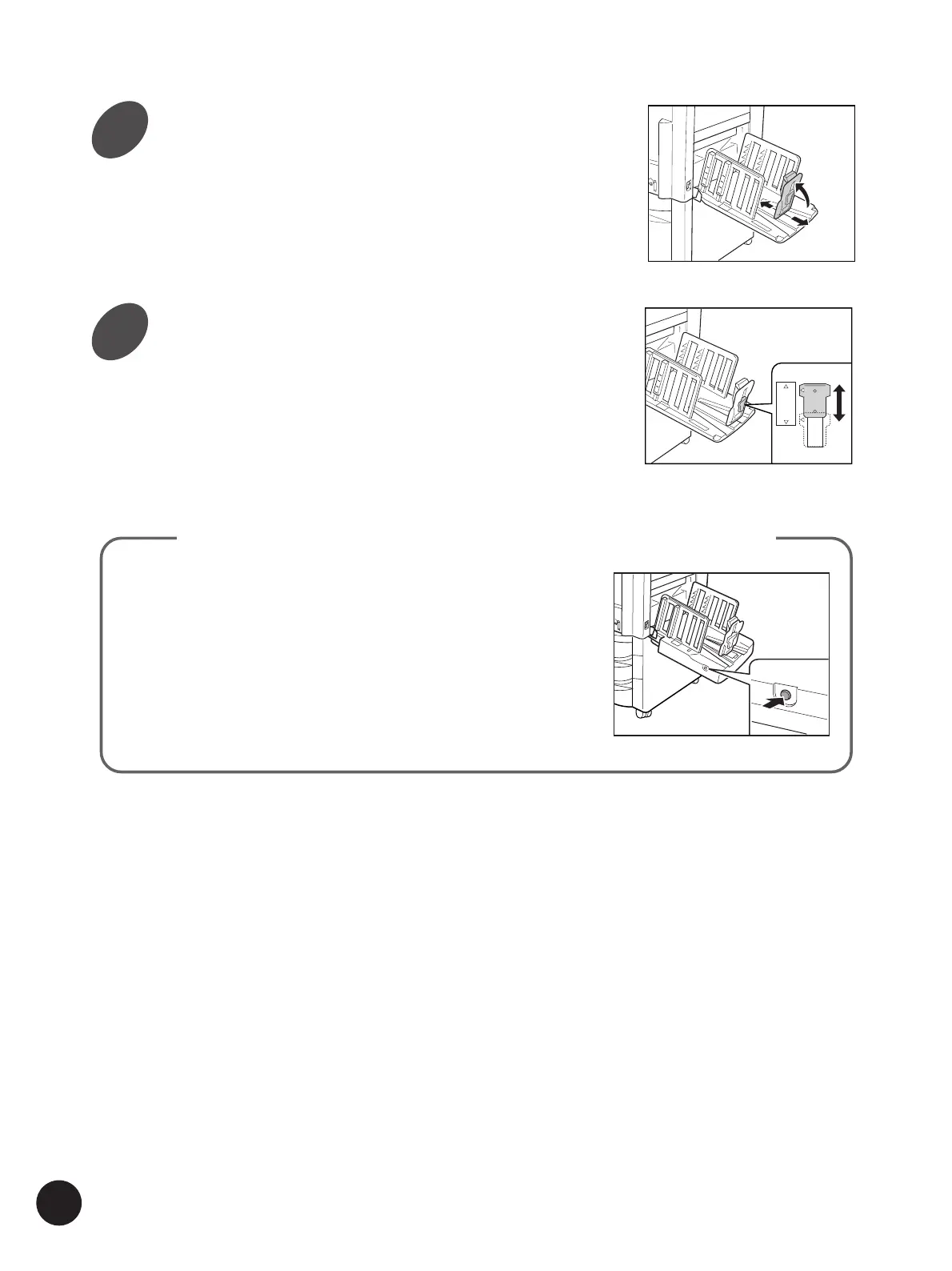
You can take the printed copies out of the Auto-control
Stacking Tray smoothly by pressing the button on the
side of the tray.
When the button is pressed, the Paper Stop retreats to
allow you to take the prints.
When no paper is placed there in the same case, on
the other hand, the Paper Guides and the Paper Stop
will return to the initial position for storage.
Auto-control Stacking Tray (Optional for RP3700, RP3500 and RP3100)
Raise and slide the Paper Stop to
fit paper length.
Set the Paper Stopper Cushion.
Position the Paper Stopper Cushion Knob at
either "NORMAL" or "CARD", according to the
paper to be used.
• NORMAL Standard paper
• CARD Thick paper such as card stock
4
5



 To Next Page