36
Basic Interface Operation
START
START
START
START
STARTSTART
START START
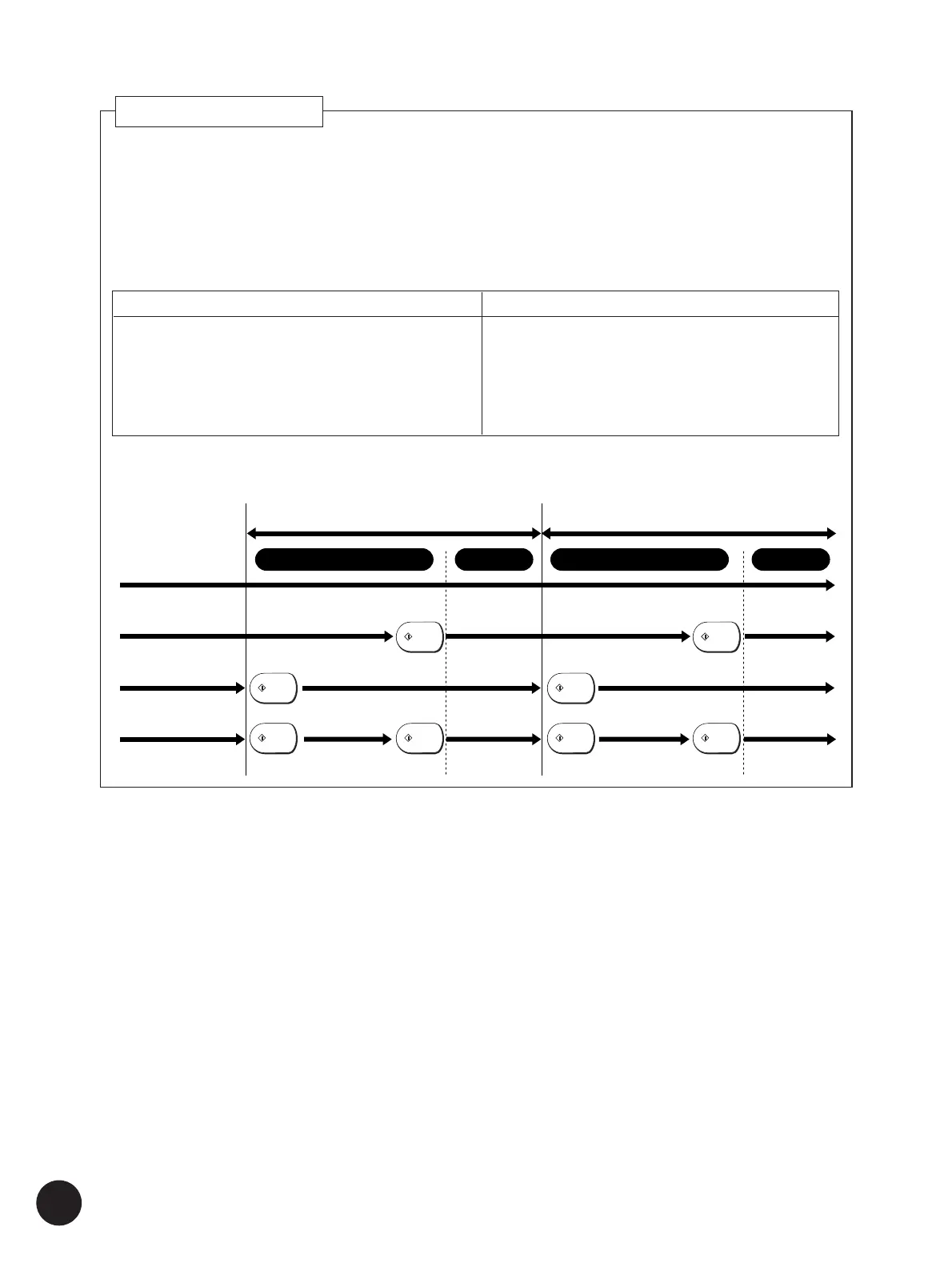
First page Second page
Master-making Master-makingPrinting Printing
Full Auto
Semi-Auto>Master
Semi-Auto>Print
Auto Process
OFF (Manual)
You can specify how to process print jobs in the Data mode, i.e., to process without
interruption or to interrupt print jobs after a specified process step, on the printer. By
interrupting print jobs, you can check print position and quality with sample copies
before printing process or change the print job flow according to your print
requirements.
The operations listed in the chart below are available after each process step when
the print job is interrupted.
After interruption, you can resume the print job by pressing the Start key.
The figure below shows the key operation timing with the respective Auto-process options.
Auto Process Function
Important!
• Refer to the dedicated user’s guide for the printer driver
for details on the settings and operations with the printer
driver.
• The timing for halting direct printing set with the printer
driver will always take precedence of the setting on the
printer. However, it is possible to amend the timing on
the printer if necessary while all operations are
suspended.
After printing process
• 180-degree image rotation for the following page
☞ p.116
• Paper replacement ☞ p.20-22
• Received file information review ☞ p.35
• Job flow change ([Skip Page], [Clear All]) ☞ p.35
After master-making process
• Print position/quality check ☞ p.69
• Job flow change ([Renew Page], [Skip Page],
[Clear All]) ☞ p.35
• Print density/speed change ☞ p.67,68



 To Next Page