47
Expanding Functions with the Document Memory Card
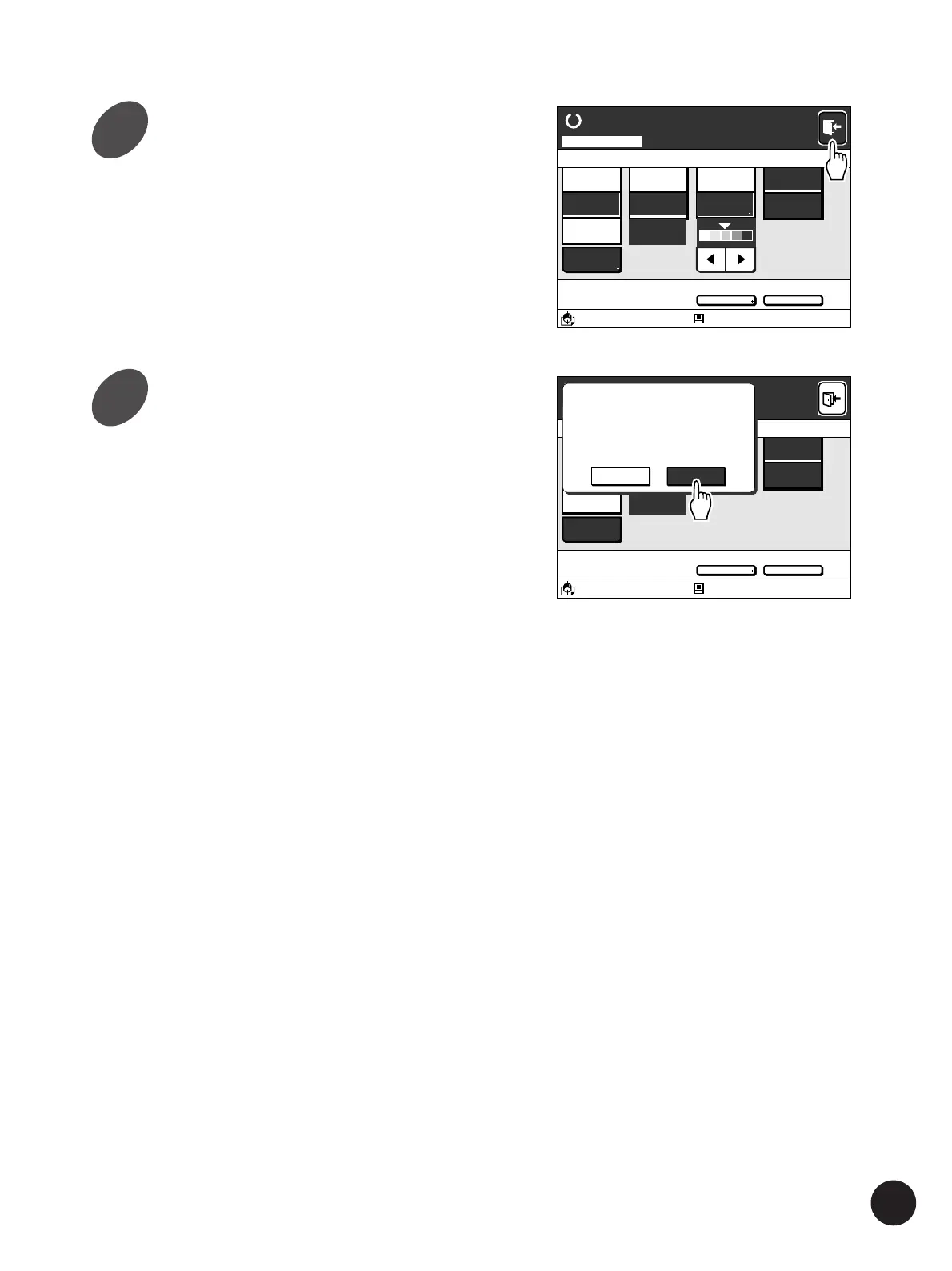
Touch the [Exit] button on the
upper right corner of the window.
The confirmation message box appears.
Advanced
Line
Duo
Photo
Options
100%
Ready to Scan Data
Blocked
13:59
Advanced Preview
OFF
Scanning Mode
A3/Black
80%
Manual
Auto
A 4
Standard
Image Size Contrast Paper
Advanced
Line
Duo
Photo
Options
100%
Manual
Auto
Ready to Scan Data
Image Size Contrast
Blocked
13:59
Advanced Preview
OFF
Scanning Mode
A3/Black
80%
Paper
A 4
Standard
Finish the scanning operation?
SCAN000001
OKCancel
Touch the [OK] button.
The Scanning mode is ended and the window
returns to the [Storage File Selection] window.
Touch the [Cancel] button to return to the
scanning mode basic window.
The original image scanned in the Scanning
mode will be saved as storage data and can be
recalled and printed at any time.
☞ p.39... Recalling the Storage File
9
10



 To Next Page