52
A3/Black
13:59
Shift
5 6 7 8 9 04321
T Y U I O PREWQ
G H J K L :FDSA
B N M < > :VCXZ
( ) [ ]
/-*
+
Cancel OK
Rename
[ ]
C
COMPANY
Idle
˜
Properties
A3/Black Idle
13:59
P.2/10
System
Owner Name Entry
Data Mode
AT Command Output
Copy Mode
Serial Com. Speed
115200bps
Pause
=
All
RMT Error Transact
=
Scanning Mode
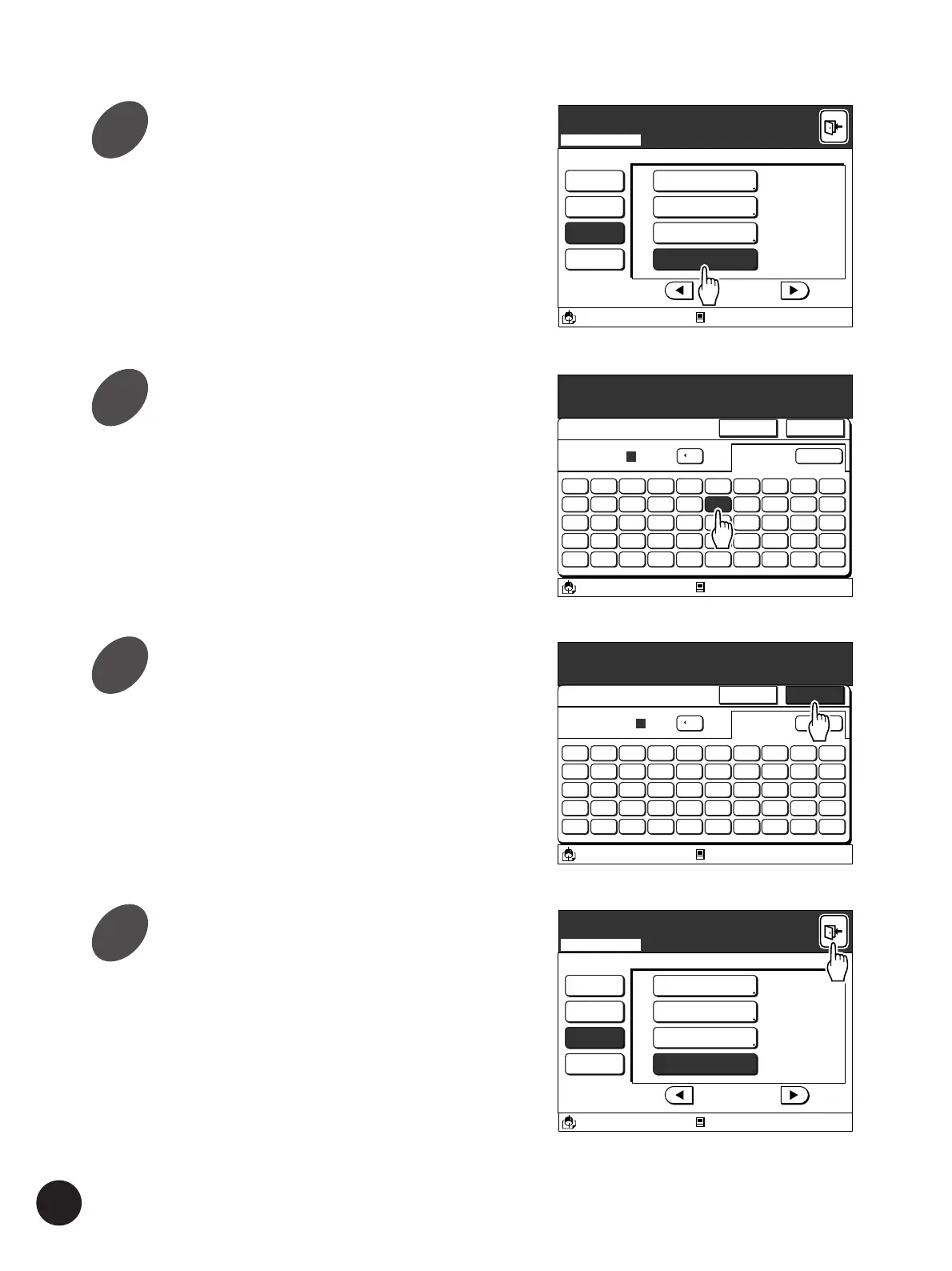
Touch the [Owner Name Entry]
button.
The [Rename] window appears.
Enter each required character
one-by-one.
You can switch between uppercase window and
lowercase window by touching the [Shift] button.
• Up to twelve spaces can be input.
• Numerals can also be input with the Print
Quantity keys.
• Touch the [
h
C] button to erase an entered
letter (one letter will be erased whenever the
button is touched).
Touch the [OK] button.
The window returns to the [Properties] window.
Touch the [Exit] button on the
upper right corner of the window.
The new owner name will be displayed at the next
time the [File Storage Stage] window is opened.
A3/Black
13:59
Shift
5 6 7 8 9 04321
T Y U I O PREWQ
G H J K L :FDSA
B N M < > :VCXZ
( ) [ ]
/-*
+
Cancel OK
Rename
[ ]
C
COMPANY
Idle
˜
Properties
A3/Black Idle
13:59
P.2/10
System
Owner Name Entry
Data Mode
AT Command Output
Copy Mode
Serial Com. Speed
115200bps
Pause
=
All
RMT Error Transact
=
Scanning Mode
Expanding Functions with the Document Memory Card
4
5
6
7



 To Next Page