70
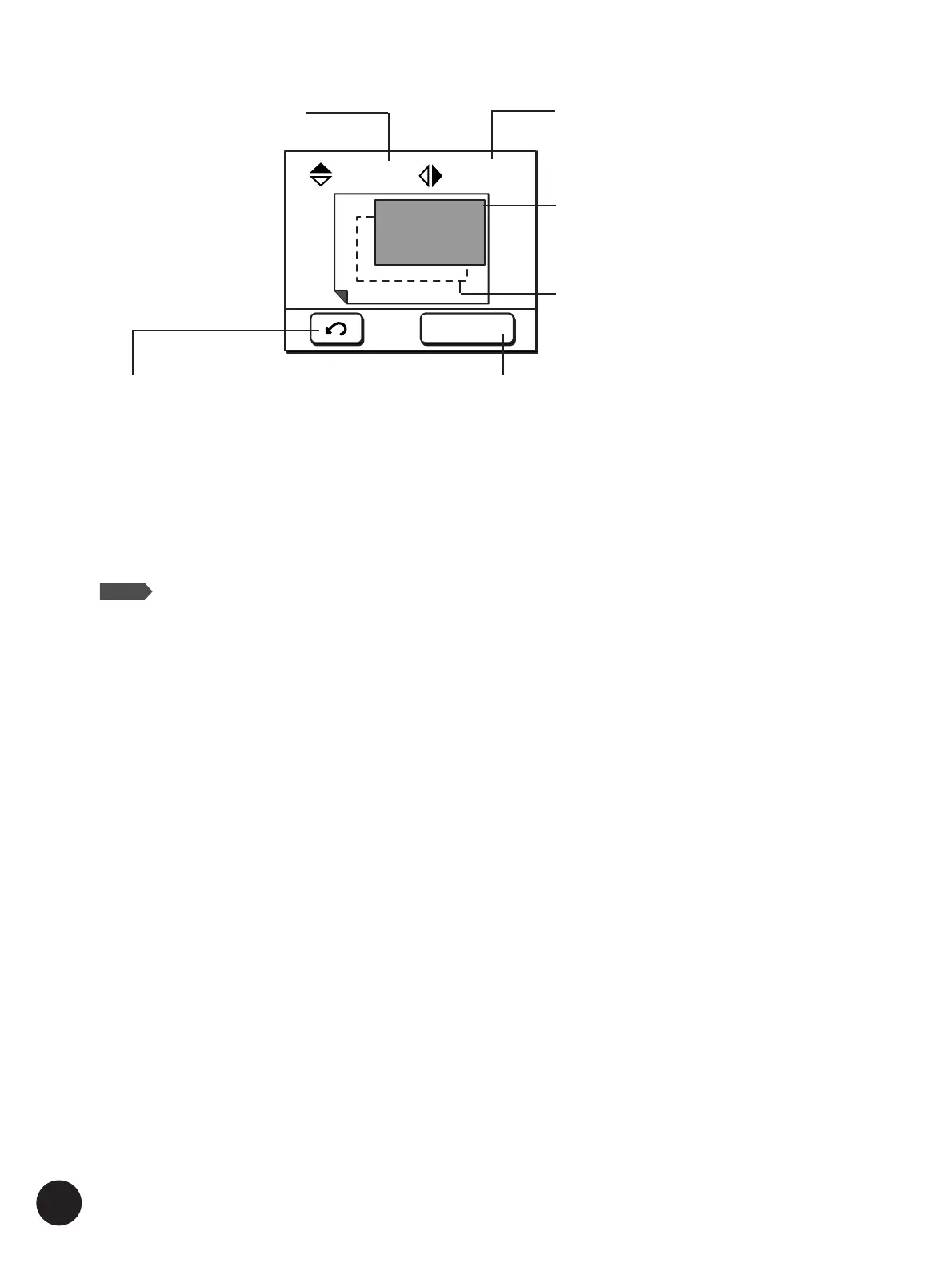
[Recall] button
Recovers the print position specified for the previous
page (original) position.
Fine
10. 0
mm
A
10. 0
mm
Horizontal Print Position Shift Vertical Print Position Shift
Repositioned Print Position Image
Initial position
[Fine] button
Changes the per-step shift distance to half of the
standard rate (to 0.25mm (approx.
1
⁄72")).
To cancel this mode, touch this button again.
Repositioning the Print
Important!
The memorized print position data will be erased after the main power switch is turned off
or the Reset key is pressed, preventing the recovery of the print position specified for the
previous original.
NOTE
The position of the original image can also be adjusted at the time of master-making.
☞ p.106... Skipping the Registration Mark
☞ p.108... Adjusting the Side Margins



 To Next Page