90
A3/Black
13:59
OKCancel
Multi-Up Interval
The interval required
for replacing originals
in Multi-up printing
can be specified
(0
S~
99
S)
20 S
Idle
Ready to Make Master
M
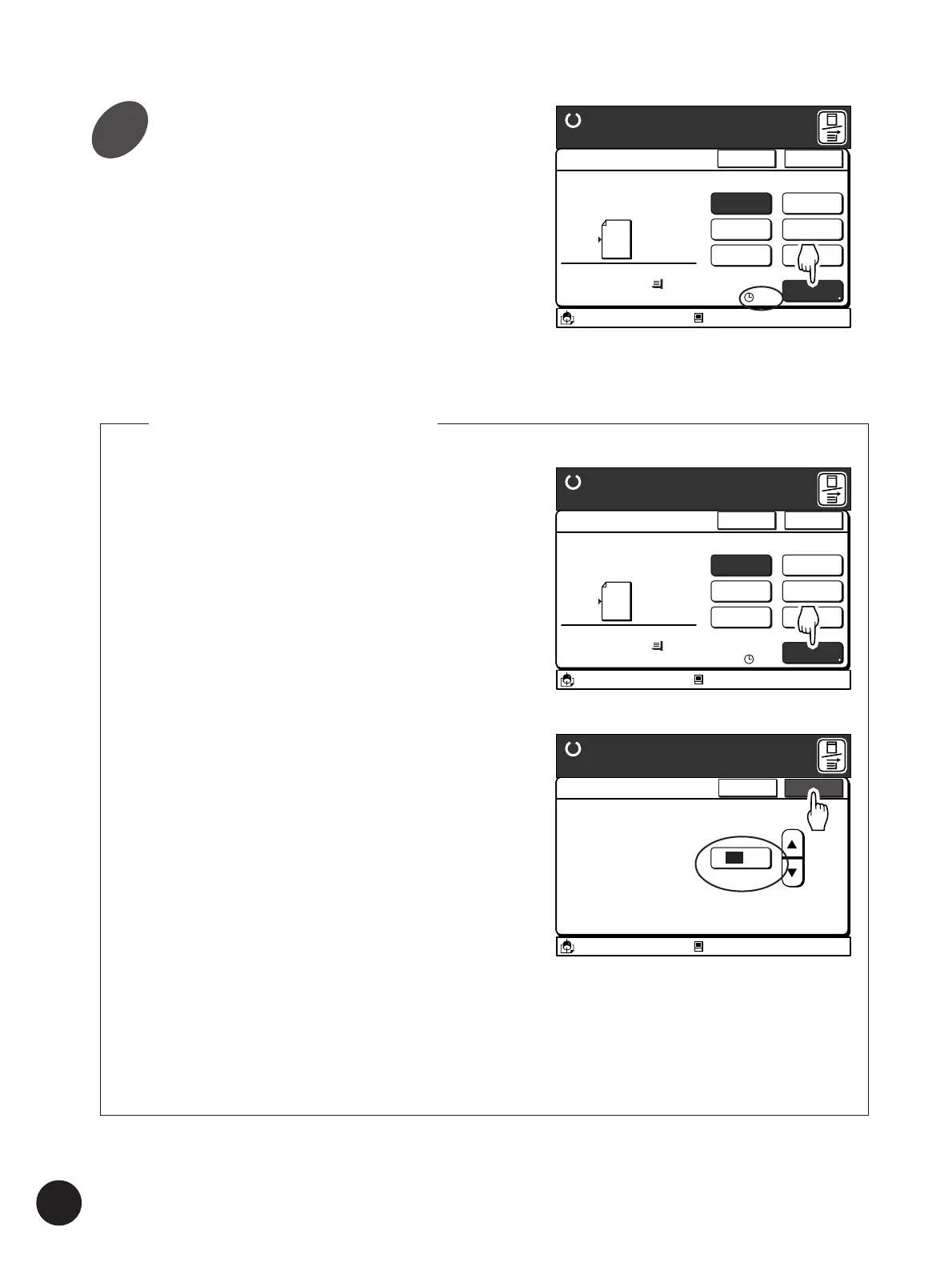
Specify the [Multi-Up Interval]
when necessary.
When multiple originals are used in the Multi-Up
printing feature, place them on the Stage Glass
individually. The printer scans the first original and
then provides an interval to enable you to place
the next original.
• The [Multi-Up Interval] can be set between 0
and 99 seconds. (The default setting is 0 (zero)
second.)
• The current [Multi-Up Interval] setting can be
confirmed on the Main Display.
Changing the [Multi-Up Interval]
1. Touch the [Interval] button on the [Multi-Up
Print] window.
The [Multi-Up Interval] window appears.
2. Specify the [Interval] by touching the [
c
]
and [
d
] buttons.
• This value can also be specified with the Print
Quantity keys.
• Press the [C] key to return the value to 0
(zero).
Important!
Ensure that a sufficient period has been set for
the [Multi-Up Interval] to allow you to place the
next original on the Stage Glass when
performing Multi-Up printing with multiple
original, or when changing the settings for each
original.
3. Touch the [OK] button.
The window returns to the [Multi-Up Print]
window.
A3/Black
13:59
Multiple pages can be
Printed on a sheet
[Page Direction]
Size Paper
100%
A 3
Cancel OK
Multi-Up Print
Ready to Make Master
2UP
4UP
8UP
16UP
Ticket
OFF
Interval
A
15s
Idle
M
Printing Originals Side by Side
A3/Black
13:59
Multiple pages can be
Printed on a sheet
[Page Direction]
Size Paper
100%
A 3
Cancel OK
Multi-Up Print
Ready to Make Master
2UP
4UP
8UP
16UP
Ticket
OFF
Interval
A
15s
Idle
M
4



 To Next Page