5. SETUP PROCEDURES PRIOR TO RUNNING THE INSTRUMENT
IMR02C15-E4
5-9
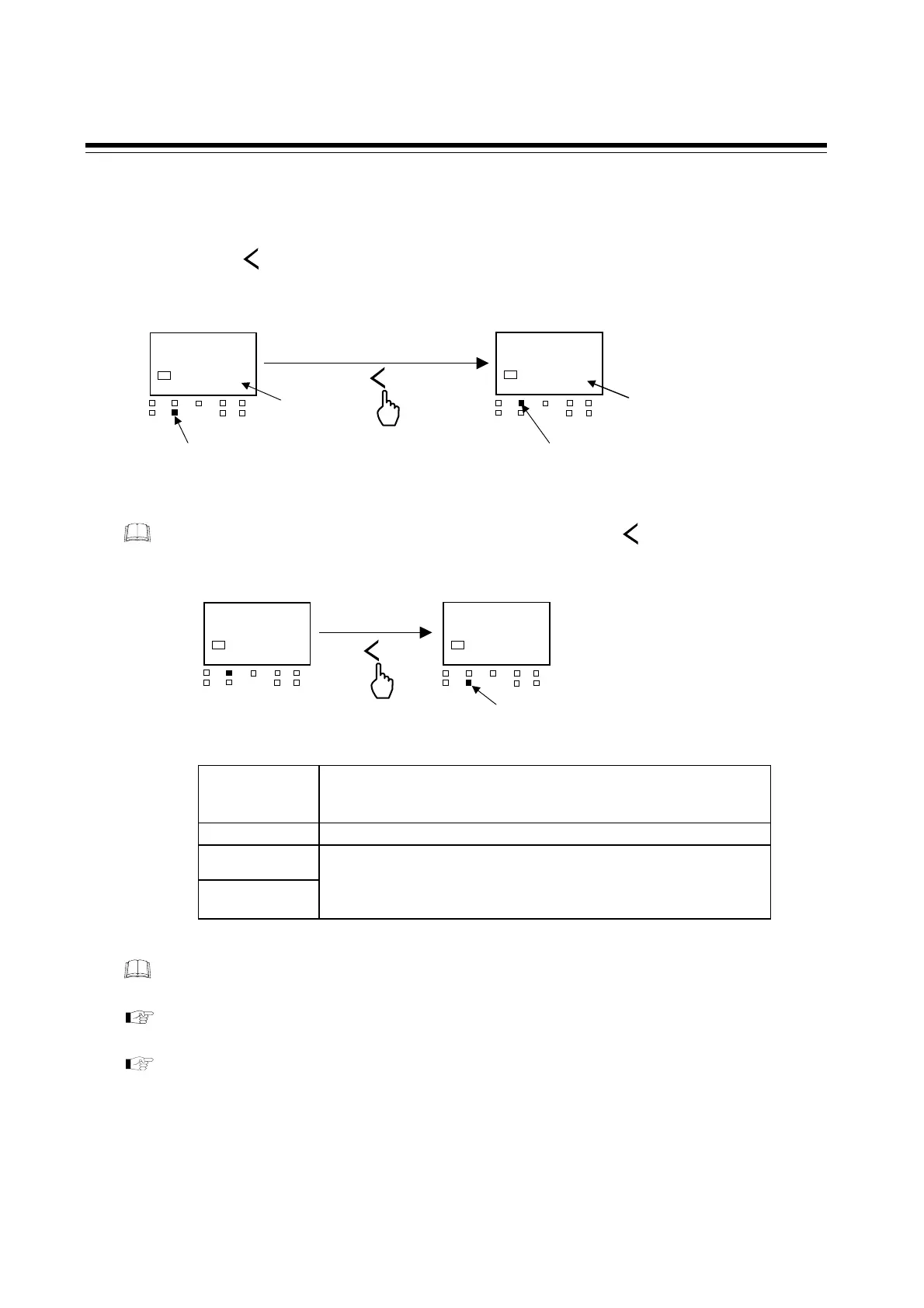
Change from STOP to RUN
To start control, change the RUN/STOP mode from STOP (stop control) to RUN (start control).
Press and hold the key for 2 seconds or more at the PV/SV monitor screen and the instrument
will switch from STOP to RUN.
To change from RUN mode to STOP mode, press and hold the key for 2 seconds or
more.
State of this instrument when set to STOP mode
STOP display
According to the setting contents of STOP display selection in
the Engineering mode.
(Factory set value: SToP on SV display + STOP lamp lights)
Control output Output is −5.0 %
Event output
Transmission
output (AO)
According to the setting contents of Output action at STOP mode in
the Engineering mode.
[Factory set value: Both Event output and Transmission output (AO)
is OFF]
The RUN/STOP transfer can be made by digital input (DI) [optional] or communication
[optional] other than the key operation.
For details of the RUN/STOP transfer by digital input (DI), refer to the 6.1 RUN/STOP
Transfer (P. 6-6).
For details of the RUN/STOP transfer by communication, refer to the Communication
Instruction Manual (IMR02C16-E).
R/S
R/S
28$
STOP
SV1
OUT1
OUT
T
DO1 DO
MAN
STOP
DO3
DO4
PV/SV monitor (STOP mode)
2 seconds or more
STOP lamp lights
R/S
PV/SV monitor (RUN mode)
Output (OUT1) lamp lights
28$
200
SV1
OUT1
OUT
T
DO1 DO
MAN
STOP
DO3
DO4
STOP display
Set value (SV) display
PV/SV monitor (RUN mode)
PV/SV monitor (STOP mode)
2 seconds or more
R/S
28
200
SV1
OUT1
OUT
T
DO1 DO
MAN
STOP
DO3
DO4
28
STOP
SV1
OUT1
OUT
T
DO1 DO
MAN
STOP
DO3
DO4
STOP lamp lights



 To Next Page
 Loading...









