6. OPERATIONS OF THE BASIC FUNCTIONS
IMR02C15-E4
6-23
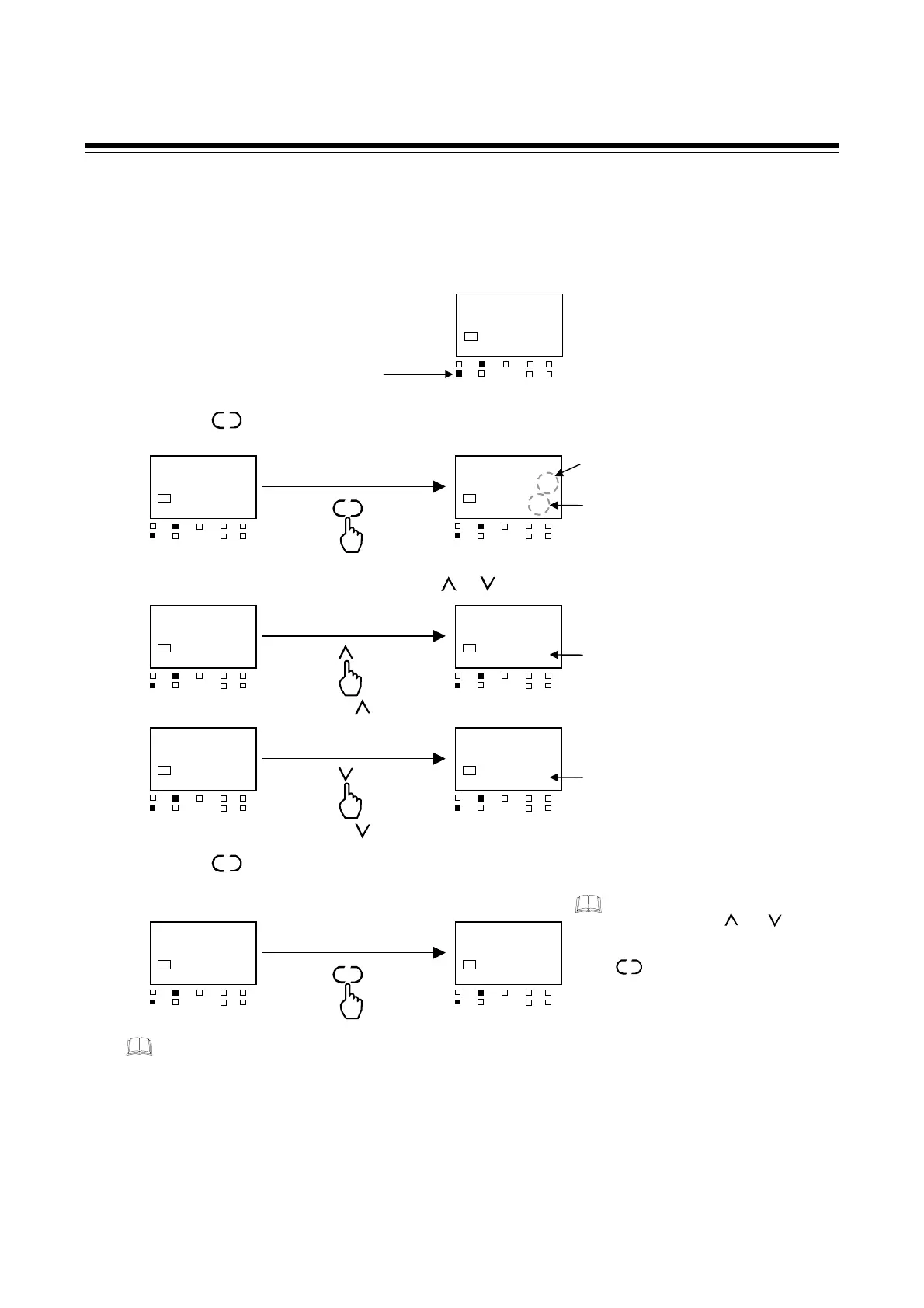
Procedure for setting the Manipulated output value (MV) in Manual mode
When the controller is in Manual mode, the Manipulated output value (MV) can be manually set.
1. Make sure the Manual (MAN) mode lamp is lit.
2. Press the key at PV/SV monitor until SV setting mode is displayed.
3. Set the Manipulated output value (MV) by or keys.
4. Press the key to store the new Manipulated output value (MV).
The display goes to the PV/SV monitor.
The Manipulated output value (MV) of SV setting mode is linked to the Manual manipulated
output value (MV) of Parameter setting mode and Engineering mode. The Manual
manipulated output value (MV) can also be changed by changing the Manual manipulated
output value (MV) of Parameter setting mode and Engineering mode.
The Manual manipulated output value (MV) of Parameter setting mode is not displayed by
factory default. To display it, set “0: Display” in F10 block selection (no display) (P. 8-87) of
Engineering mode.
SET
28
0.0
SV1
OUT1
OUT
T
DO1 DO
MAN
STOP
DO3
DO4
PV/SV monitor
SET
28%
000.0
SV1
OUT1
OUT
T
DO1 DO
MAN
STOP
DO3
DO4
SV setting mode
Flashing
Changes to the unit
of the Manipulated
output value
28
000.0
SV1
OUT1
OUT
T
DO1 DO
MAN
STOP
DO3
DO4
28%
050.0
SV1
OUT1
OUT
T
DO1 DO
MAN
STOP
DO3
DO4
The Manipulated output value
increases.
28
050.0
SV1
OUT1
OUT
T
DO1 DO
MAN
STOP
DO3
DO4
28%
020.0
SV1
OUT1
OUT
T
DO1 DO
MAN
STOP
DO3
DO4
The Manipulated output value
decreases.
28
020.0
SV1
OUT1
OUT
T
DO1 DO
MAN
STOP
DO3
DO4
SV setting mode
28$
20.0
SV1
OUT1
OUT
T
DO1 DO
MAN
STOP
DO3
DO4
PV/SV monitor
SET
28
0.0
SV1
OUT1
OUT
T
DO1 DO
MAN
STOP
DO3
DO4
PV/SV monitor
MAN lamp lights
Press the key.
Press the key.
SET
After a new value is displayed o
the display by using and keys,
if no key operation is performe
within 1 minute without pressing
key, this instrument returns
to the Monitor display mode and the
set value will not be changed.
SET



 To Next Page
 Loading...









