Chapter 6. Service Mode 6 – 19
TIP
Samsung Remote Service
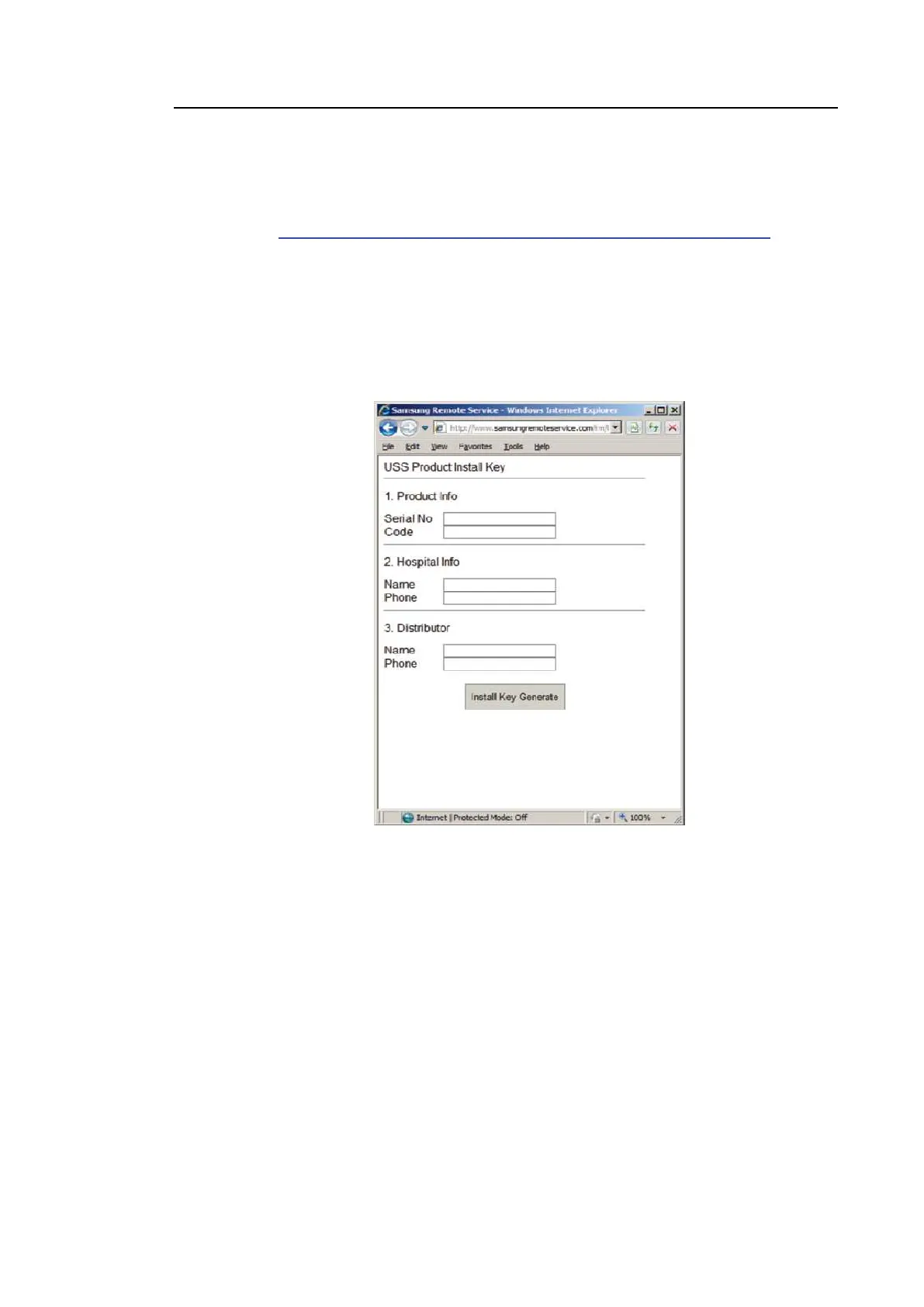
Samsung Remote Service is used to issue the installation keys required for product
authentication. Please enter the required information, such as the product name, user, and
distributor.
URL: http://www.samsungremoteservice.com/rm/identity/anonymous/ussInstKey.html
1. Enter product name, user, and distributor information.
– Serial No: Enter the product serial number. The serial number is located on a label on
the exterior of the product.
– Code: Enter the code shown on the System Installation screen.
– Enter the name of the hospital and your vendor information in the Hospital Information
and Distributor field.
2. Press Install key Generate to acquire your installation key.
[Figure 6.17 Samsung Remote Service]
3. Press Authentication to complete the authentication process.



 To Next Page