Chapter 8. Disassembly and Assembly 8 – 7
8.2.3. Control Panel Disassembly
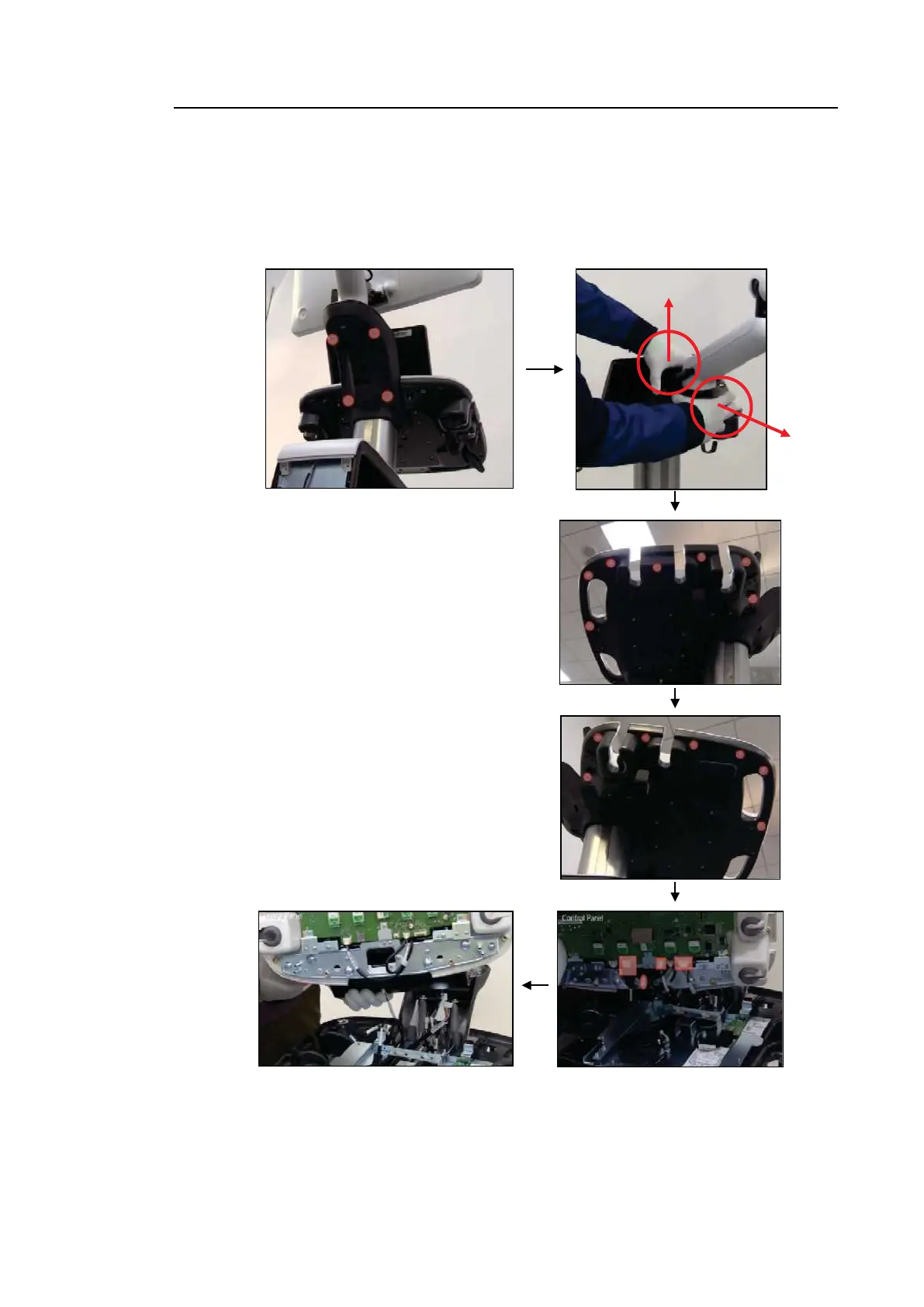
Remove 4 screws and carefully detach 2 pieces of the top plate cover. Then, remove 7 screws
at the bottom right side and 7 screws at the bottom left side, and lift up the top plate of the CP
Panel. While lifting it up, remove 4 connectors and detach the top plate of the CP Panel.



 To Next Page