3 – 24 HS40 Service Manual
3.6.6. EzExam+
In the Setup screen, select the EzExa m+ tab in the S yste m category.
EzExam+ is a macro function that saves your frequently used exams as a protocol and runs
them together. This feature streamlines the diagnosis process.
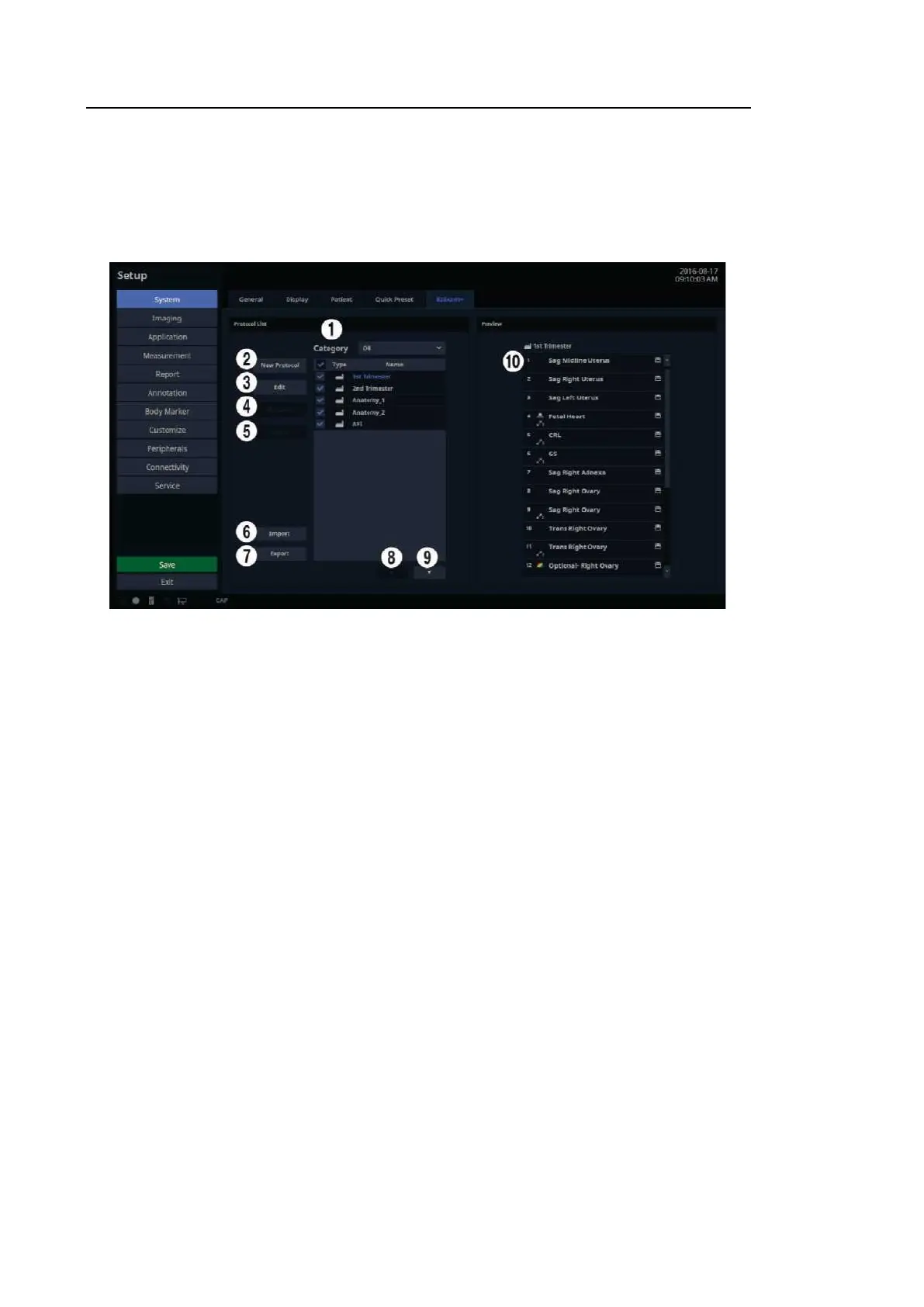
[Figure 3.14 Setup – System – EzExam+]
3.6.6.1. Protocol List
Protocol List: Provides a protocol list for the application. EzExam+ in the Default List cannot be
deleted or edited and the addition of new EzExam+ is not allowed.
①
Category: A list of available applications is shown. If previously configured EzExams are
available, they will be shown in the Preset Lists when an application is selected. Selection of
ABD, CARD, GYN, MSK, OB, PED, SMP, TCD, URO, or VAS is available.
②
New Protocol: When New Protocol window appears, enter a name and press OK. Tap
Cancel to cancel.
③
Edit: You can select any protocol in the protocol list.
④
Rename: You can edit the name of any protocol in the protocol list.
⑤
Delete: Delete a protocol selected from the protocol list.
⑥
Import: Import the protocol data.
⑦
Export: Exports the protocol selected from the protocol list.
⑧
Move Up Button: Moves the protocol selected from the protocol list up one row.
⑨
Move Down Button: Move the protocol selected from the protocol list down one row.



 To Next Page