Chapter 8. Disassembly and Assembly 8 – 11
8.2.7. Monitor Disassembly
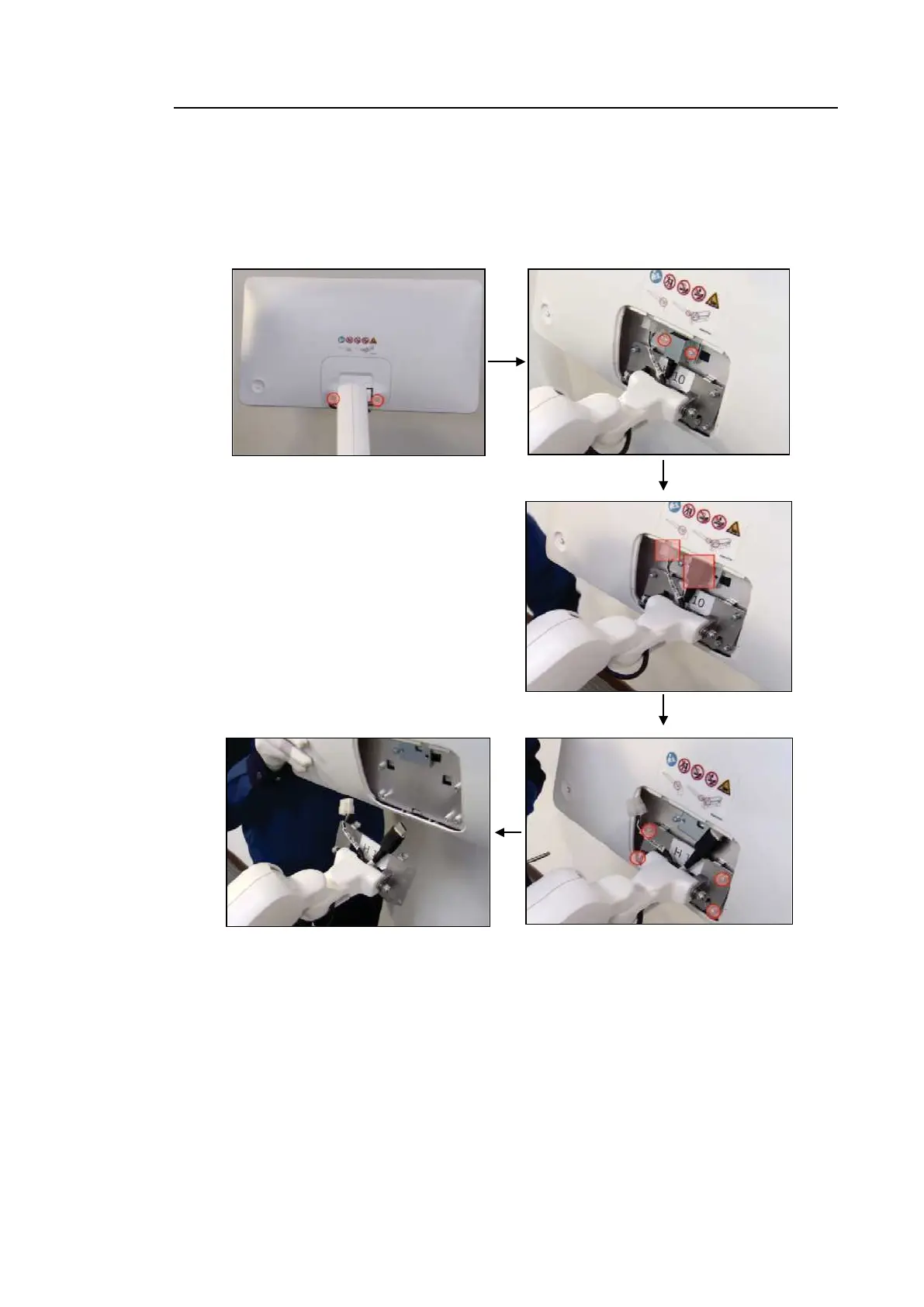
First, remove 2 screws and detach the Rear Cover. Then, remove 2 screws from the HDMI
Connector Holder and 2 cable connectors. Lastly, remove 4 screws and detach the monitor by
lifting it up from bottom to top.



 To Next Page