8 – 4 HS40 Service Manual
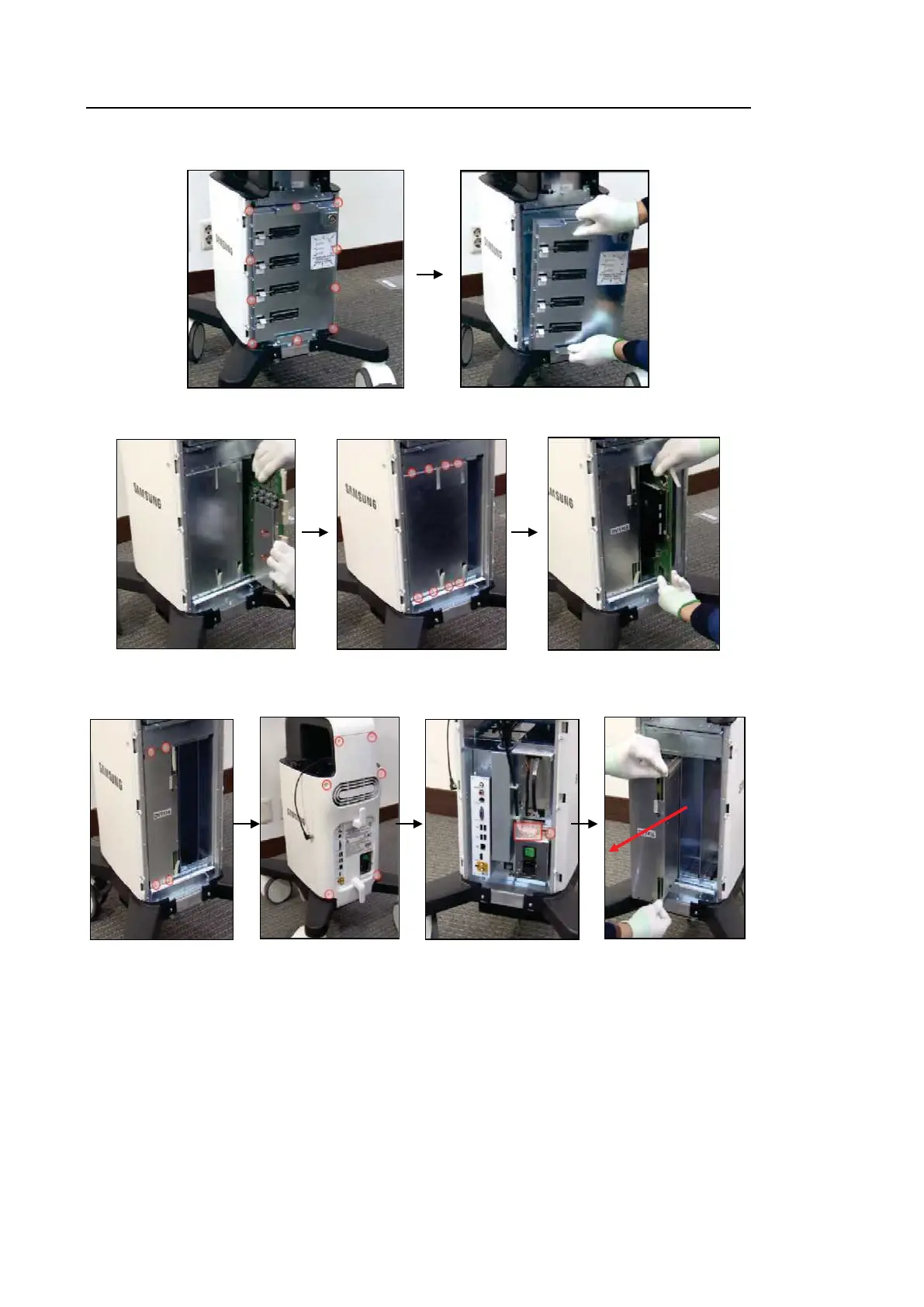
2. Remove 10 screws and detach the PSA Board.
3. Detach the BF Board. Then, remove 8 screws and Cover, and detach the BE Module.
4. Remove 4 screws from the ADM Case and 6 screws from the Rear Case. Then, remove 1
Power Connector and 1 screw, and pull the ADM towards you to detach it.



 To Next Page