Confidential
Chapter 3 Connecting Cables
RF4402d Series Installation Manual v1.0 99
Copyright © 2018, All Rights Reserved.
Connecting RET Cable
To connect RET cable
1
Make sure you have the following items:
Table 36. Parts for connecting RET Cable
Category Description
Installation Section RF Antenna ~ RRH RET port
Cable RET Cable Assembly
Bend Radius Operation: 8 × OD Installation: 12 × OD
Connector RF Antenna Check the RF antenna (RETu) RET connector
specification per site
RRH AISG 2.2
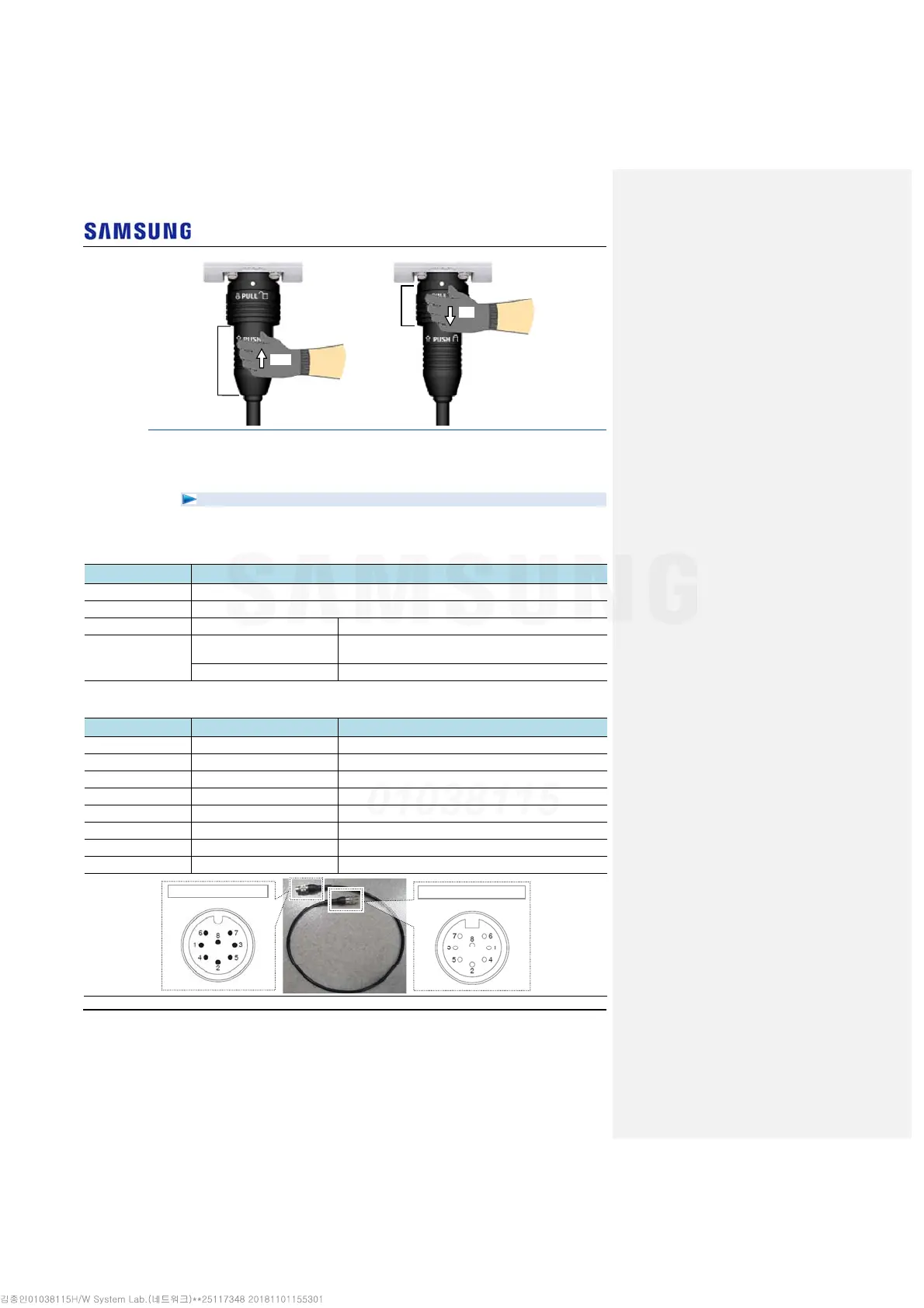
Table 37. RET Cable Pin Map
Pin No Description Cable Color
1 N/C (Not Connected) -
2 N/C (Not Connected) -
3 RS485 B White
4 GND Blue
5 RS485 A Brown
6 +24 V DC Red
7 DC Return Black
8 N/C (Not Connected) -
[Male: RRH Side]
[Female: Antenna Side]
Shell
Coupling Nut
Push
Pull



 To Next Page