Confidential
Chapter 2 Installing System
RF4402d Series Installation Manual v1.0 41
Copyright © 2018, All Rights Reserved.
3
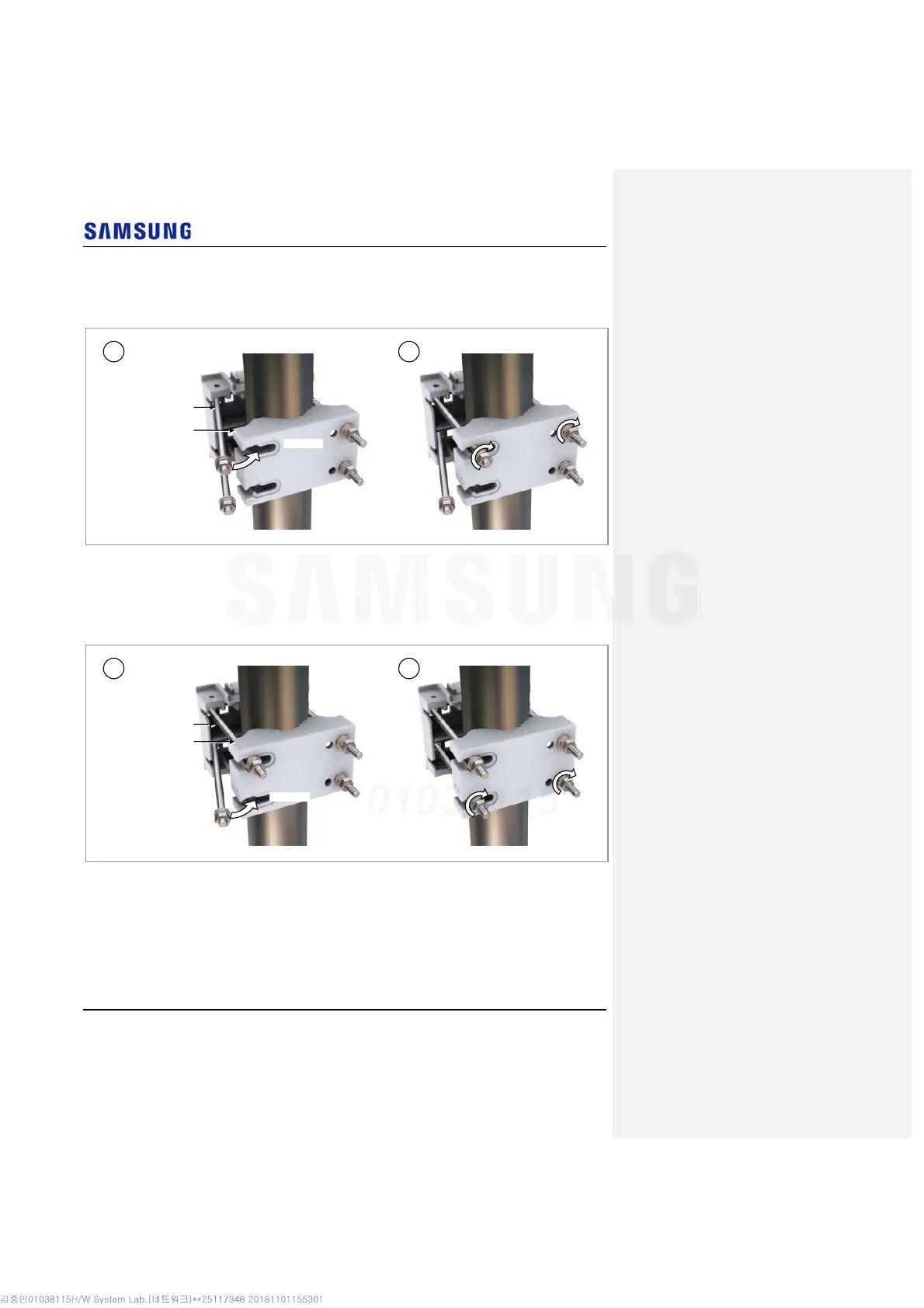
Locate the upper stud bolt in the upper side hole of the mounting bracket_rear
and fix the fastening materials temporarily on upper side.
Figure 35. Fixing Mounting Bracket Assembly_2 Sector Pole Type (Side by Side Installation 2)
4
Locate the lower stud bolt in the lower side hole of the mounting bracket_rear
and fix the all fastening materials.
Figure 36. Fixing Mounting Bracket Assembly_2 Sector Pole Type (Side by Side Installation 3)
Side Hole
M10 Stud Bolt
Mounting Bracket_Rea
1 2
Side Hole
M10 Stud Bolt
Mounting Bracket_Rea
1 2



 To Next Page