Confidential
Chapter 3 Connecting Cables
RF4402d Series Installation Manual v1.0 81
Copyright © 2018, All Rights Reserved.
2
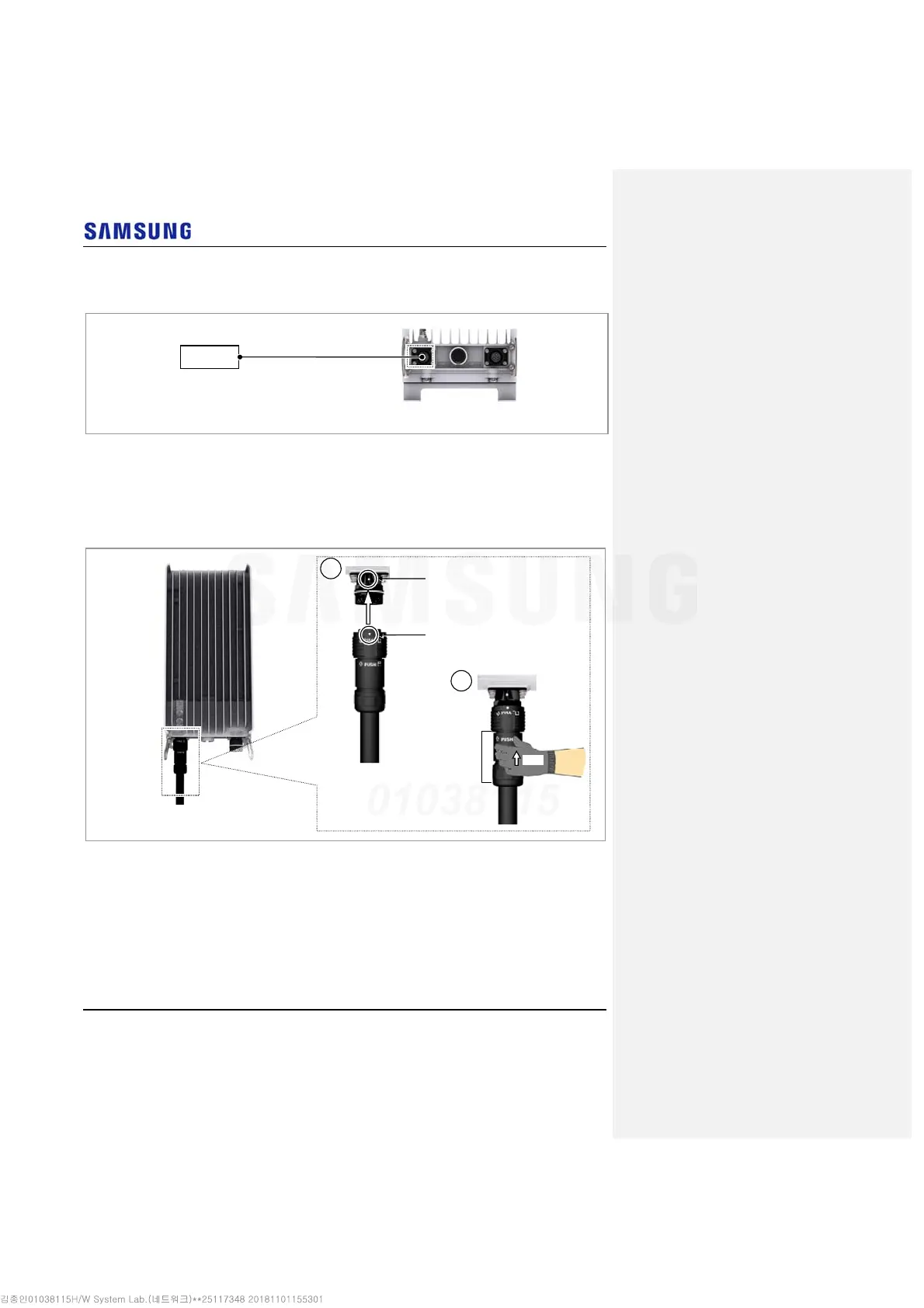
Install a DC power cable from the RRH to the AC/DC Convertor.
Figure 70. Connecting AC/DC Convertor DC Power Cable (1)
3
Insert the connector aligning the cable side connector’s white dot and system
side connector’s white dot. When inserting the connector, push the shell to
upper side.
Figure 71. Connecting AC/DC Convertor DC Power Cable (2)
System side connector’s white dot
Cable side connector’s white dot
Shell
Push
1
2
[Bottom View]
RRH
DC Power Cable



 To Next Page