Confidential
Chapter 3 Connecting Cables
RF4402d Series Installation Manual v1.0 82
Copyright © 2018, All Rights Reserved.
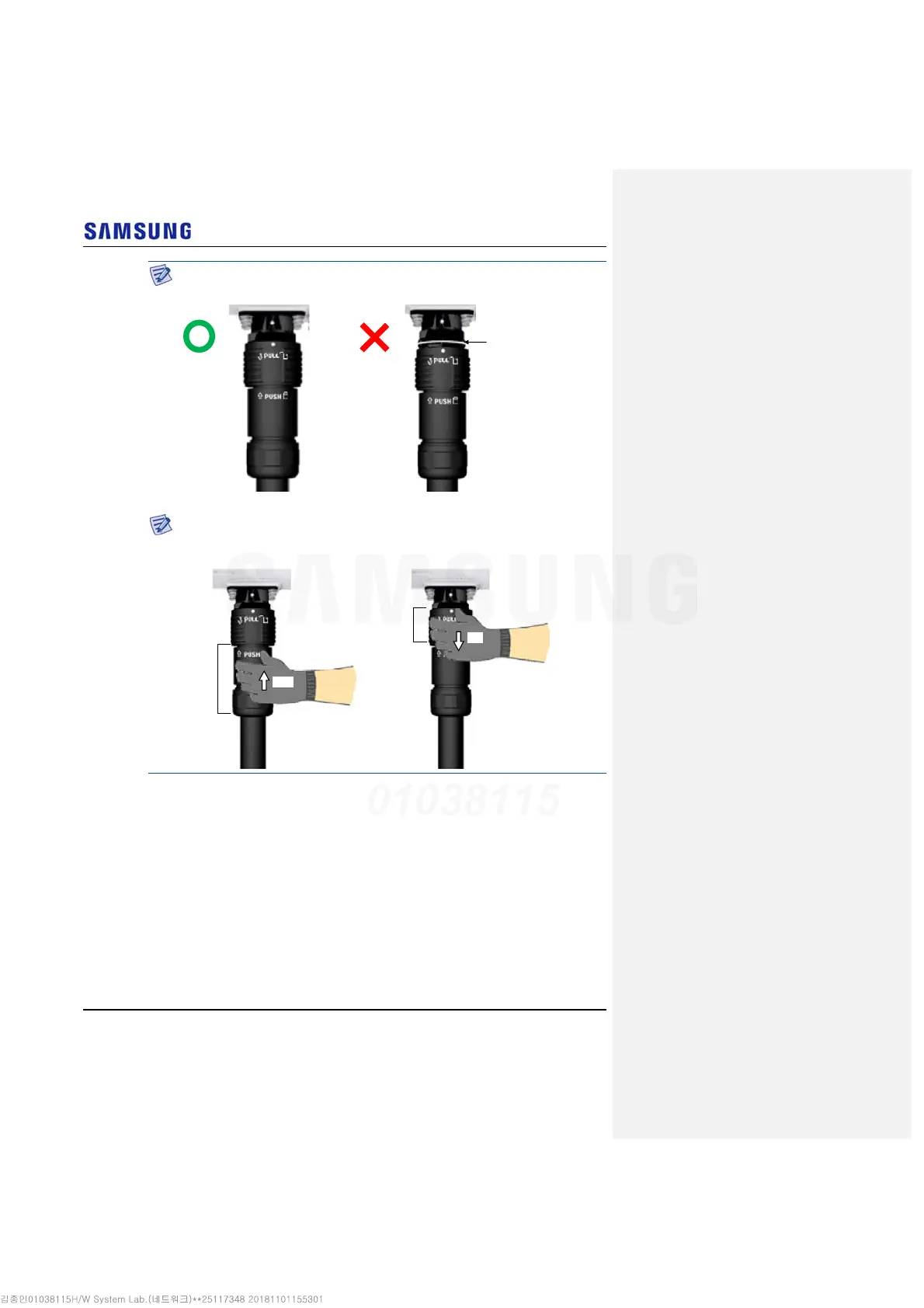
When the connector is fastened tight, the white line on the system side connector
should be invisible (or hidden).
The method for connecting/disconnecting the power connector is as follows:
- For connecting the connector, push the shell to upper side.
- For disconnecting the connector, pull the coupling nut to lower side.
Shell
Coupling Nut
Push
Pull
White Line
[White Line is invisible] [White Line is visible]



 To Next Page