Confidential
Chapter 3 Connecting Cables
RF4402d Series Installation Manual v1.0 66
Copyright © 2018, All Rights Reserved.
Cabling Diagram
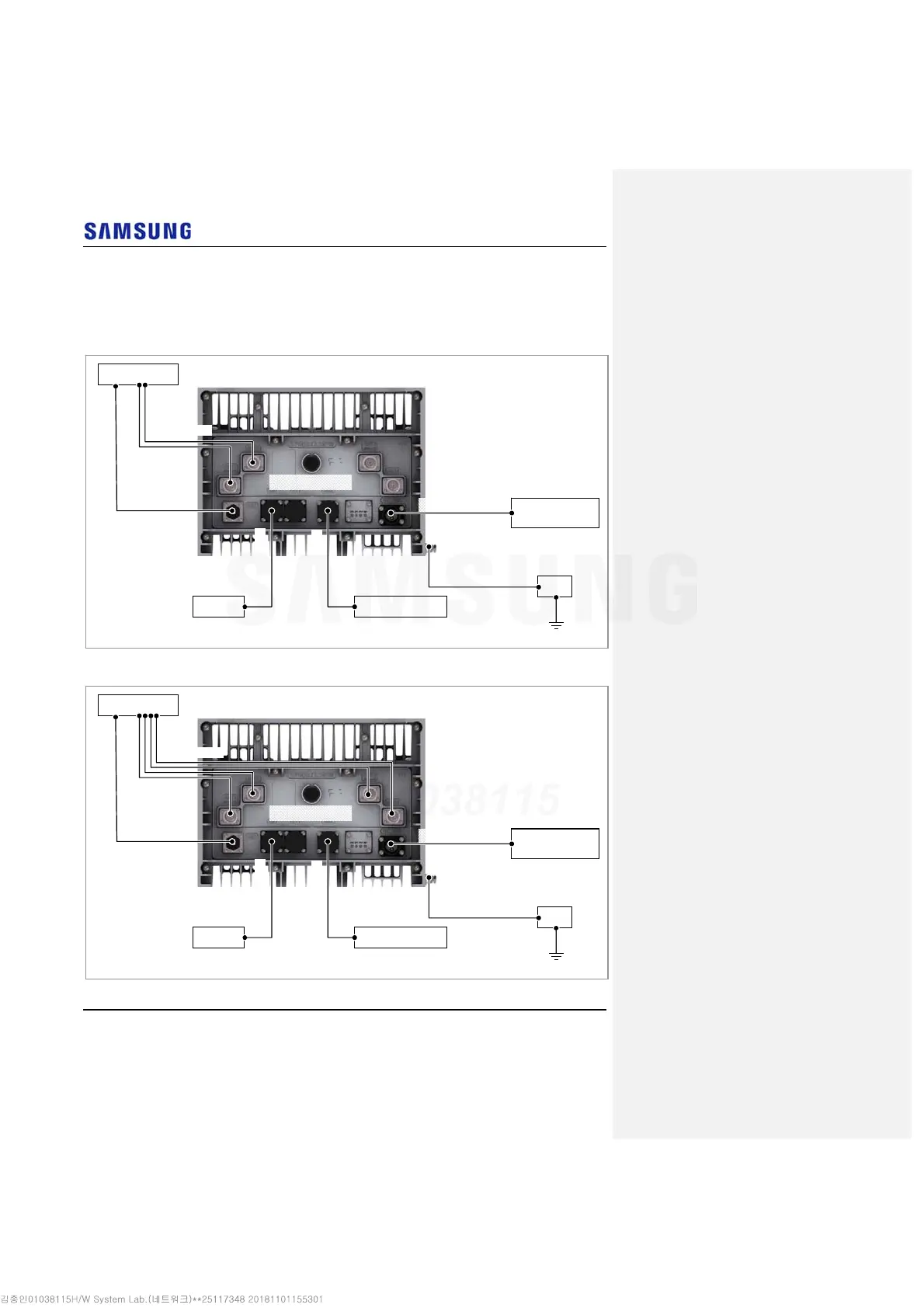
The cabling diagrams of the RRH & AC/DC convertor are as follows:
Figure 60. RRH Cable Diagram_RF Connection: 2T2R
Figure 61. RRH Cable Diagram_RF Connection: 2T4R, 4T4R
RF Antenna
3) CPRI Cable
External Device
CDU
AC/DC Convertor
(orSite Rectifier)
MGB
2) DC Power Cable
1) Ground Cable
4) UDA Cable
5) RET Cable
6) RF Cable
* When using the TMA, the RET cables are not connected.
[Bottom View]
RF Antenna
3) CPRI Cable
External Device
CDU
AC/DC Convertor
(or Site Rectifier)
MGB
2) DC Power Cable
1) Ground Cable
4) UDA Cable
5) RET Cable
6) RF Cable
* When using the TMA, the RET cables are not connected.
[Bottom View]



 To Next Page