Confidential
Chapter 3 Connecting Cables
RF4402d Series Installation Manual v1.0 104
Copyright © 2018, All Rights Reserved.
As different connector types may be used depending on the RF antenna type,
check the antenna connector before connecting the cable.
4
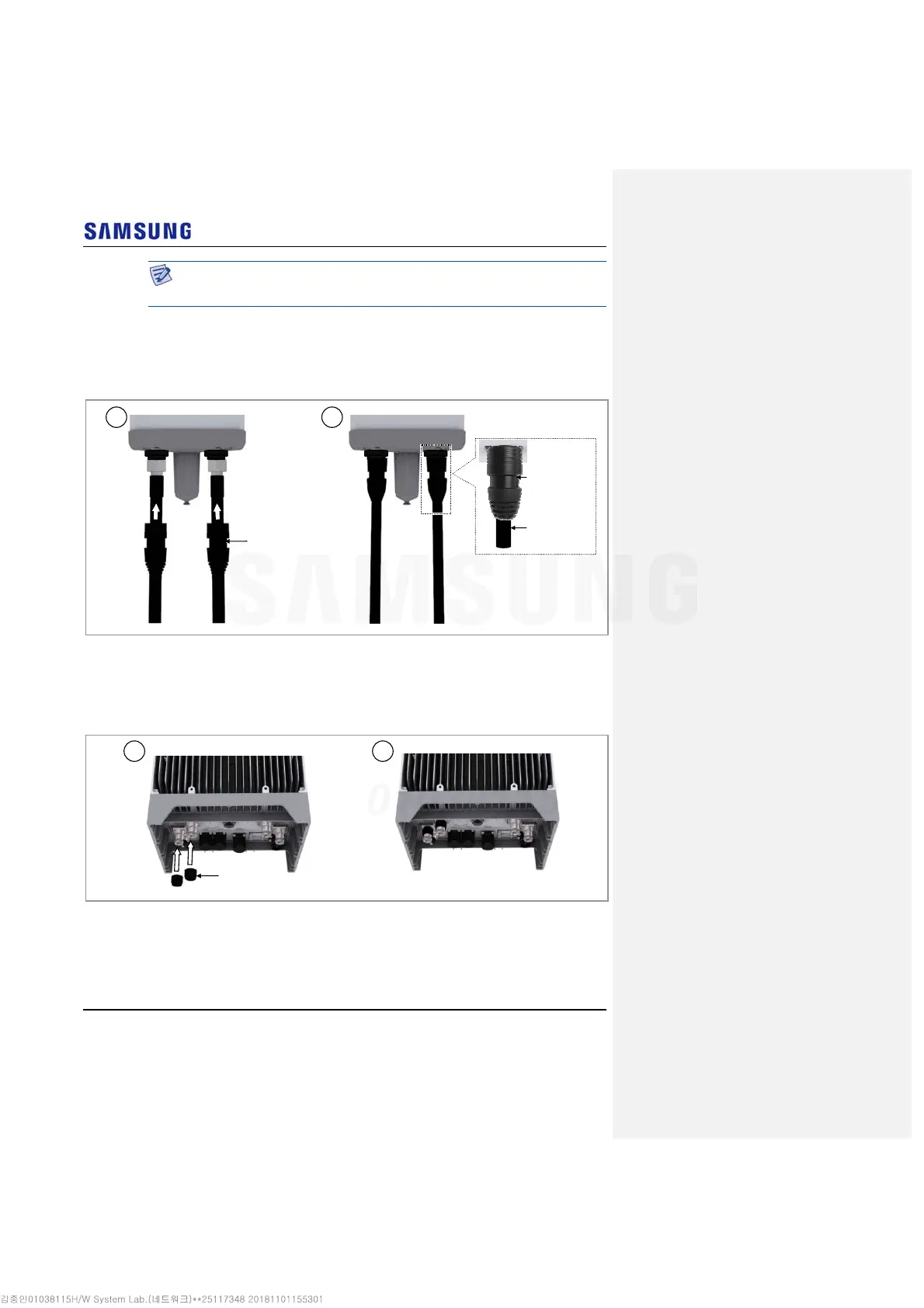
After connecting the connector, push waterproofing boots up to the connector
connection.
Figure 97. Connecting RF Cable_2T2R Connection (4)
5
Insert the rubber for waterproofing boot to the system side RF ports.
(ANT1, ANT2)
Figure 98. Connecting RF Cable_2T2R Connection (5)
Waterproofing Boots
1 2
1
Waterproofing
Boots
2
Waterproofing
Boot
RF Cable



 To Next Page