Confidential
Chapter 3 Connecting Cables
RF4402d Series Installation Manual v1.0 71
Copyright © 2018, All Rights Reserved.
3
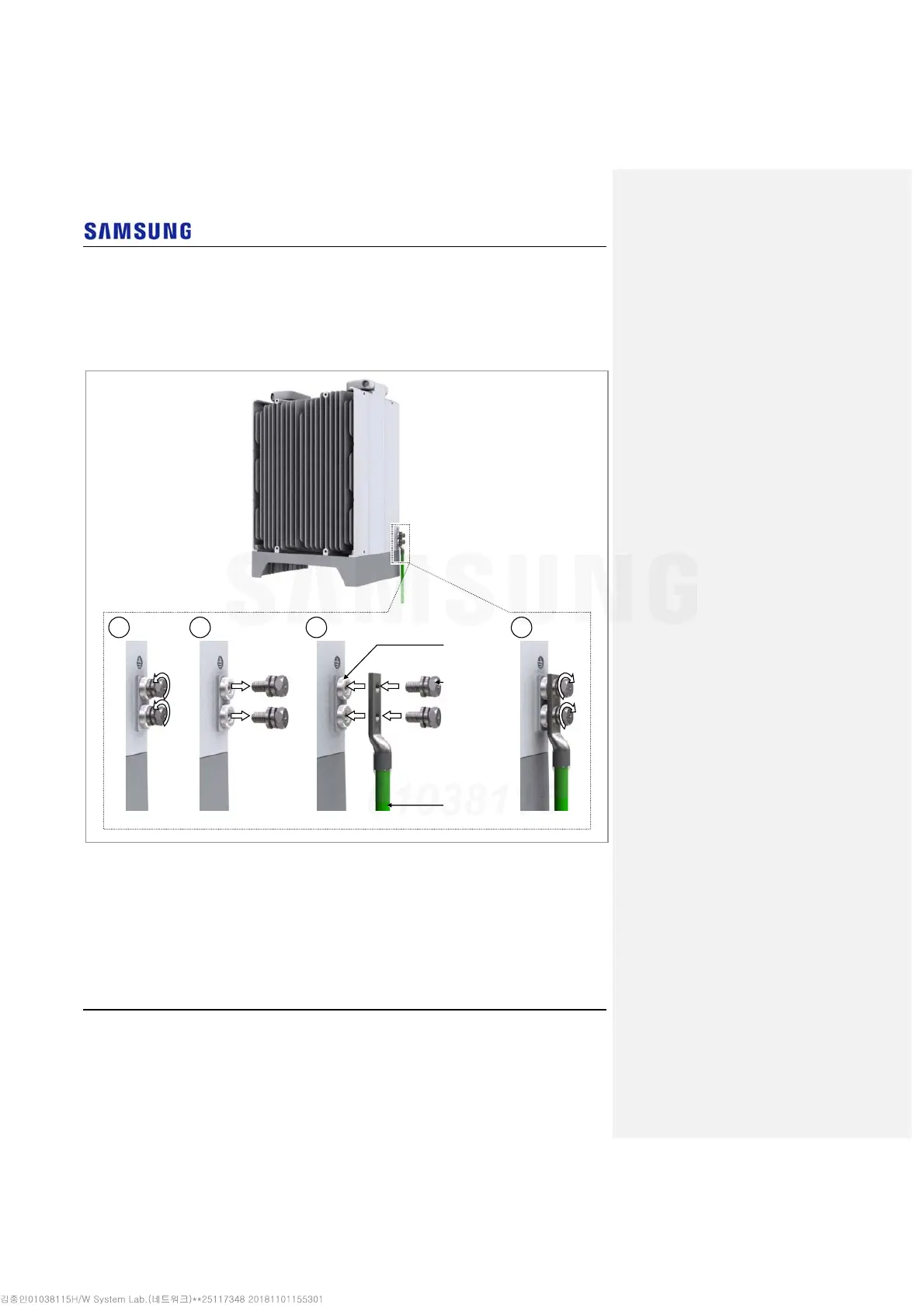
Assemble a pressure terminal and a heat shrink tube at the end of the RRH
ground cable.
4
Align the pressure terminal to the mounting hole of the RRH ground terminal.
5
Firmly fix the pressure terminal onto the RRH ground terminal using fasteners.
Figure 64. Connecting RRH Ground Cable (2)
1 2 43
M6 SEMS
(Hex. +)
Ground
Cable
Special
Bolt



 To Next Page