Confidential
Chapter 3 Connecting Cables
RF4402d Series Installation Manual v1.0 101
Copyright © 2018, All Rights Reserved.
4
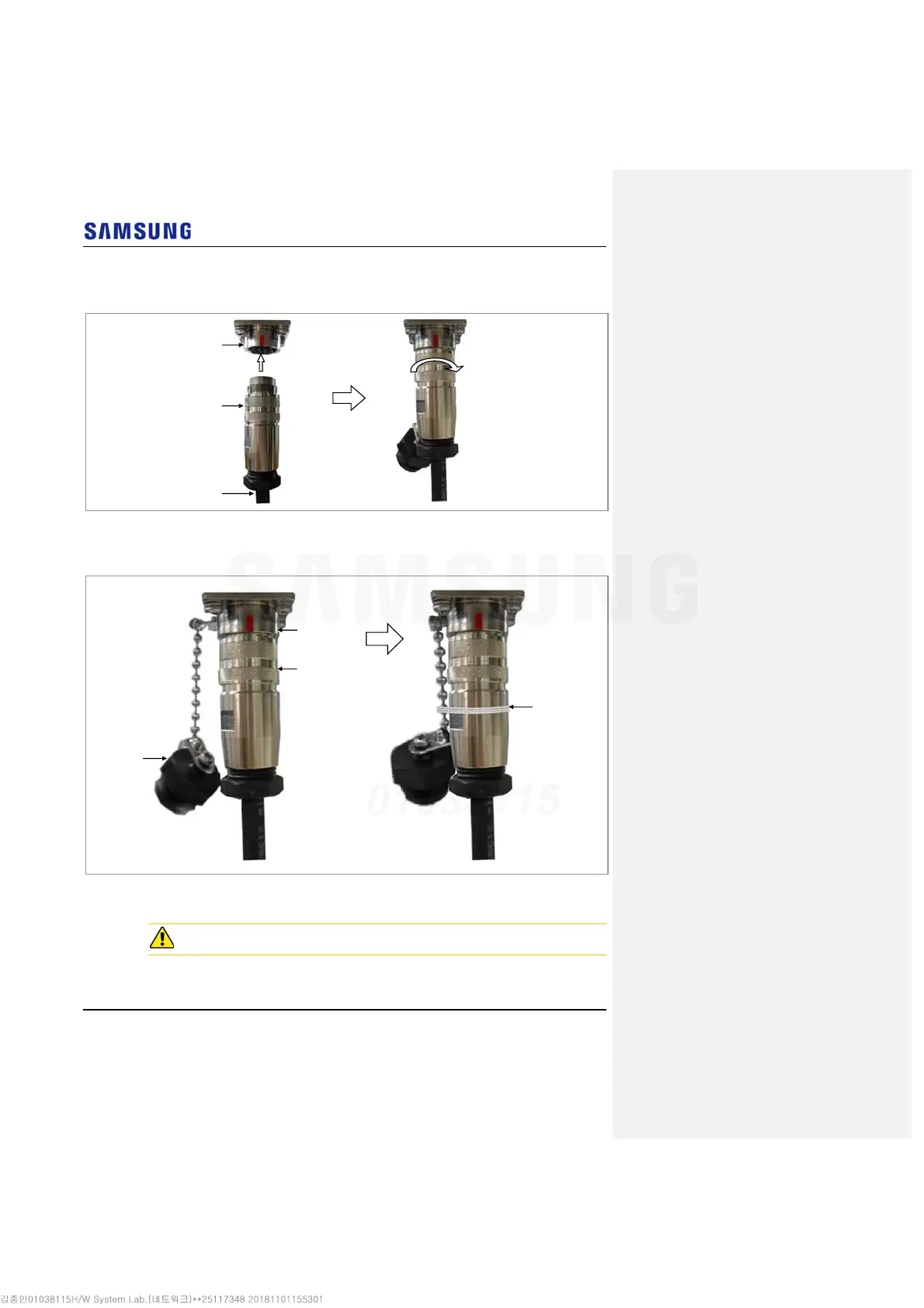
Connect the cable side RET connector to the system side RRH RET port.
Figure 92. Connecting RET Cable (3)
5
Tie the system side RET cap to the RET connector with a waxed string.
Figure 93. Connecting RET Cable (4)
Connecting RF Cable
The RF cable minimum radius of curvature must be observed.
RET Cap
Waxed
String
RET Connector
RET Port
RET Connecto
RET Port
RET Cable



 To Next Page