B-22 SEL-300 Series Relays Firmware Upgrade Instructions Date Code 20080110
SEL-387E Instruction Manual
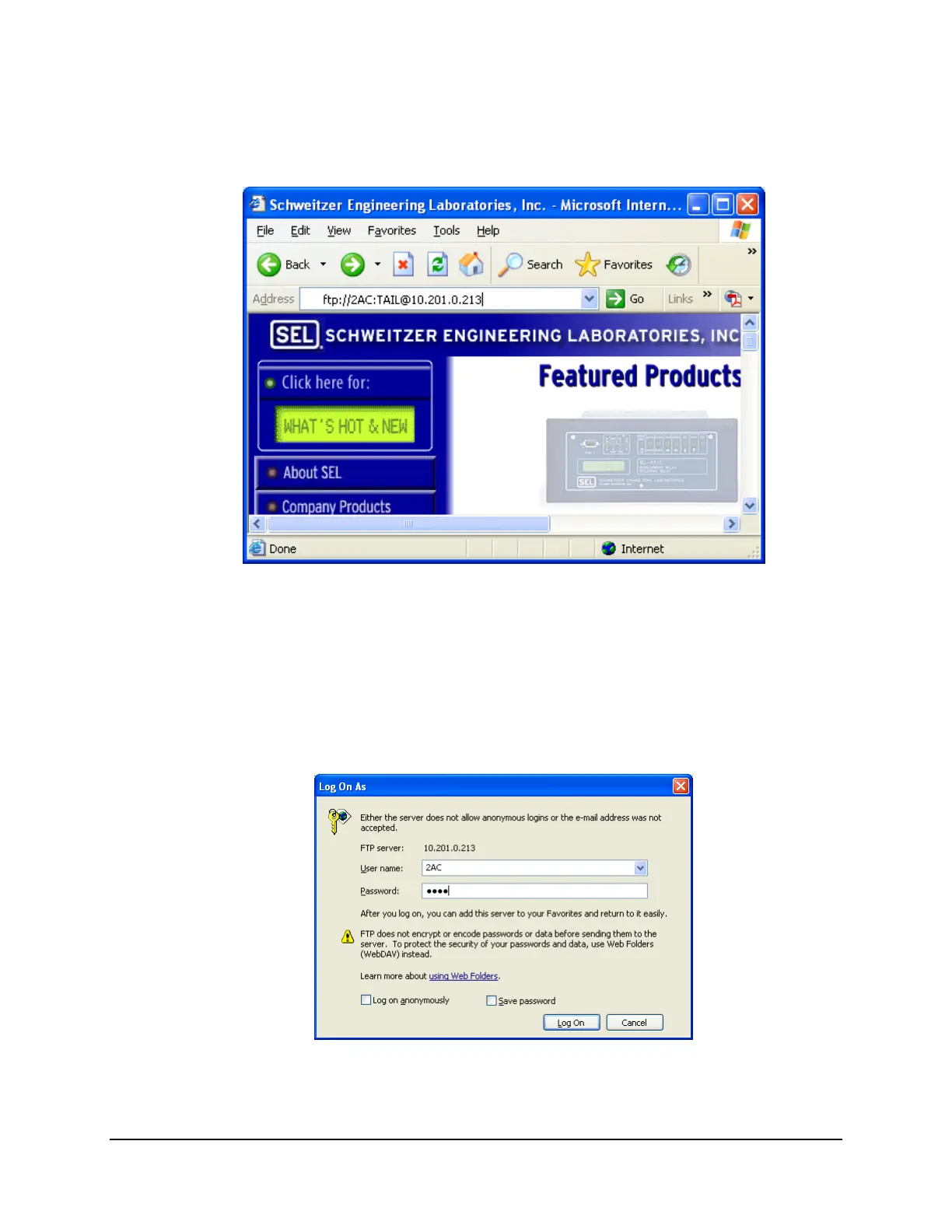
Step 3. In the Address bar, enter the user name (default for FTPUSER setting is 2AC, 2AC
password, and the FTP IP address of the relay (
Figure B.17) at the same time
(ftp://user:password@host:port/path), and press <Enter>.
Figure B.17: Establish an FTP Connection
You can omit the user name and the password if you want to enter the user name and
password using the following form. Ensure there is no trailing forward slash (/).
Step 4. Enter the user name and the 2AC password when the window shown in
Figure B.18
appears.
Step 5. Click the Log On button.
Figure B.18: Alternate Method of Establishing an FTP Connection
Step 6. Right-click on the file that you would like to copy.



 To Next Page