HF Series Generators
Calibration
CA-1036R2
7
4. Calibrate manually the Filament Current Number for 80 kV / 200 mA
combination, as indicated in the following steps (if it has not been
previously calibrated).
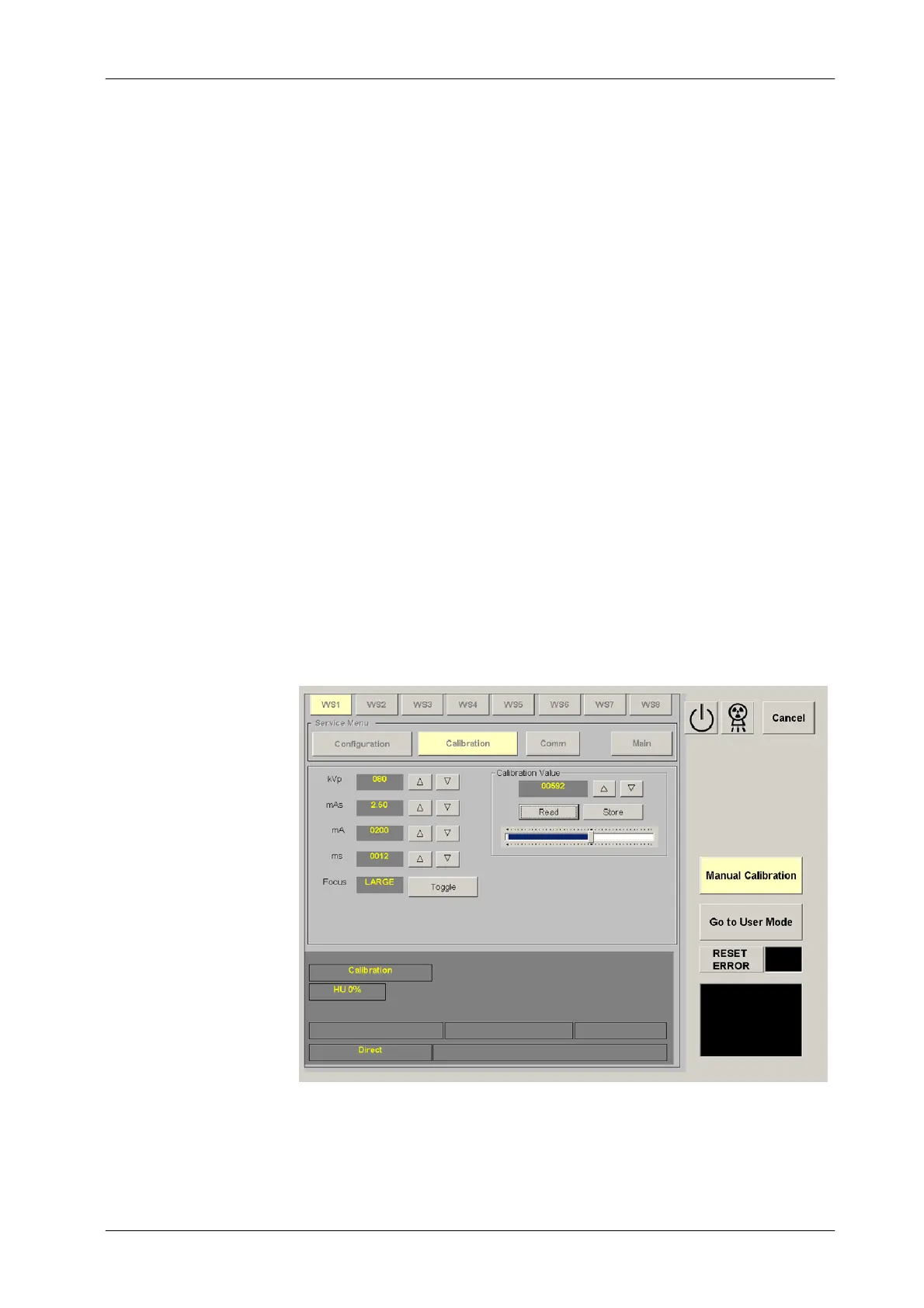
In calibration mode, Filament Current Numbers are shown on the
calibration panel by pressing the “Read” button after selecting the
respective kV / mA combination. They can be changed by pressing the
“Increase” and “Decrease” buttons and stored by pressing the “Store”
button of the calibration panel.
Select 80 kV, 200 mA, Large Focus. Enter the value “344” as Filament
Current Number (calibration value) and press the “Store” button. Make
an exposure with these parameters. The mAs read on the mAs Meter
must be the same mAs displayed on the calibration screen with a
tolerance of ±0.1 mAs (tolerance of the parameter and mAs Meter).
If the mAs is low, increase the filament number. If the mA is high (or
“Generator Overload” Error is shown), decrease the filament number.
Press the “Store” button before making a new exposure. Repeat until the
mAs read is correct and the mA station is calibrated.



 To Next Page