HF Series Generators
Calibration
CA-1036R2
8
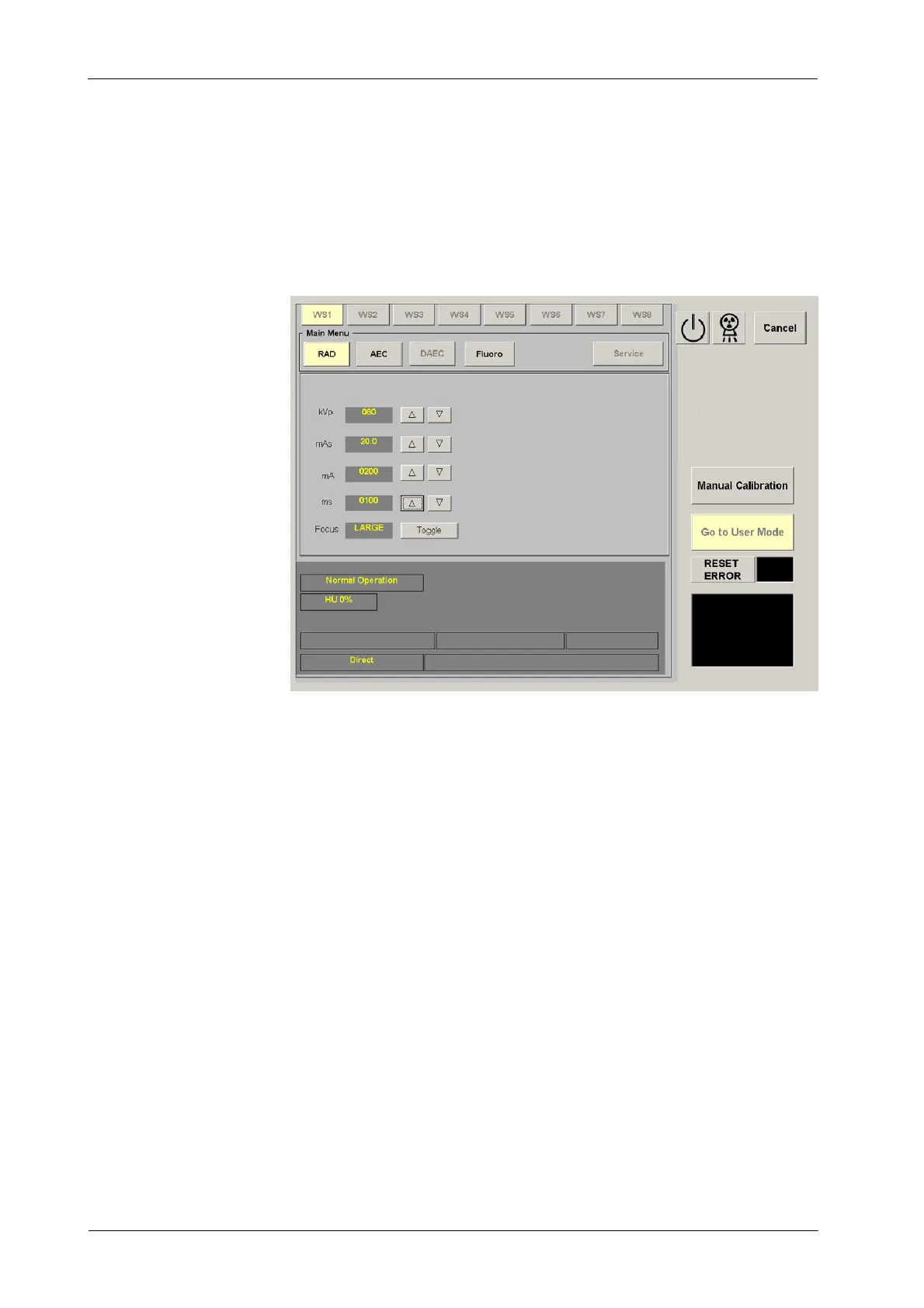
5. Enter in user mode inside calibration mode by pressing the “Go to User
Mode” button.
6. Select: RAD Menu, 80 kV, 200 mA, 100 ms and Large Focus. Make an
exposure and note the kV value at the end of the exposure.
7. If calibration of the kV Loop is correct (80 ±1 k V), record value “200”in
the Data Book.
8. If calibration of the kV Loop is not correct:
a. Exit from the “User Mode” screen by pressing the “Manual
Calibration” button. Select the E06 Memory Location. Press the
“Read” button to r ead the value stored.
b. Increase or decrease the value to increase or decrease the kV
respectively. Enter the new value and store it by pressing the
“Store” button.
c. Exit calibration mode and repeat the exposure (steps 5 and 6)to
determine if the new value has had the proper effect, if not repeat
step-8.
d. When it is correct, record the new value for E06 Memory Location
in the Data Book.
9. After calibration of E06 Memory Location, remove the Non-Invasive kVp
Meter.



 To Next Page