HF Series Generators
Calibration
CA-1036R2
18
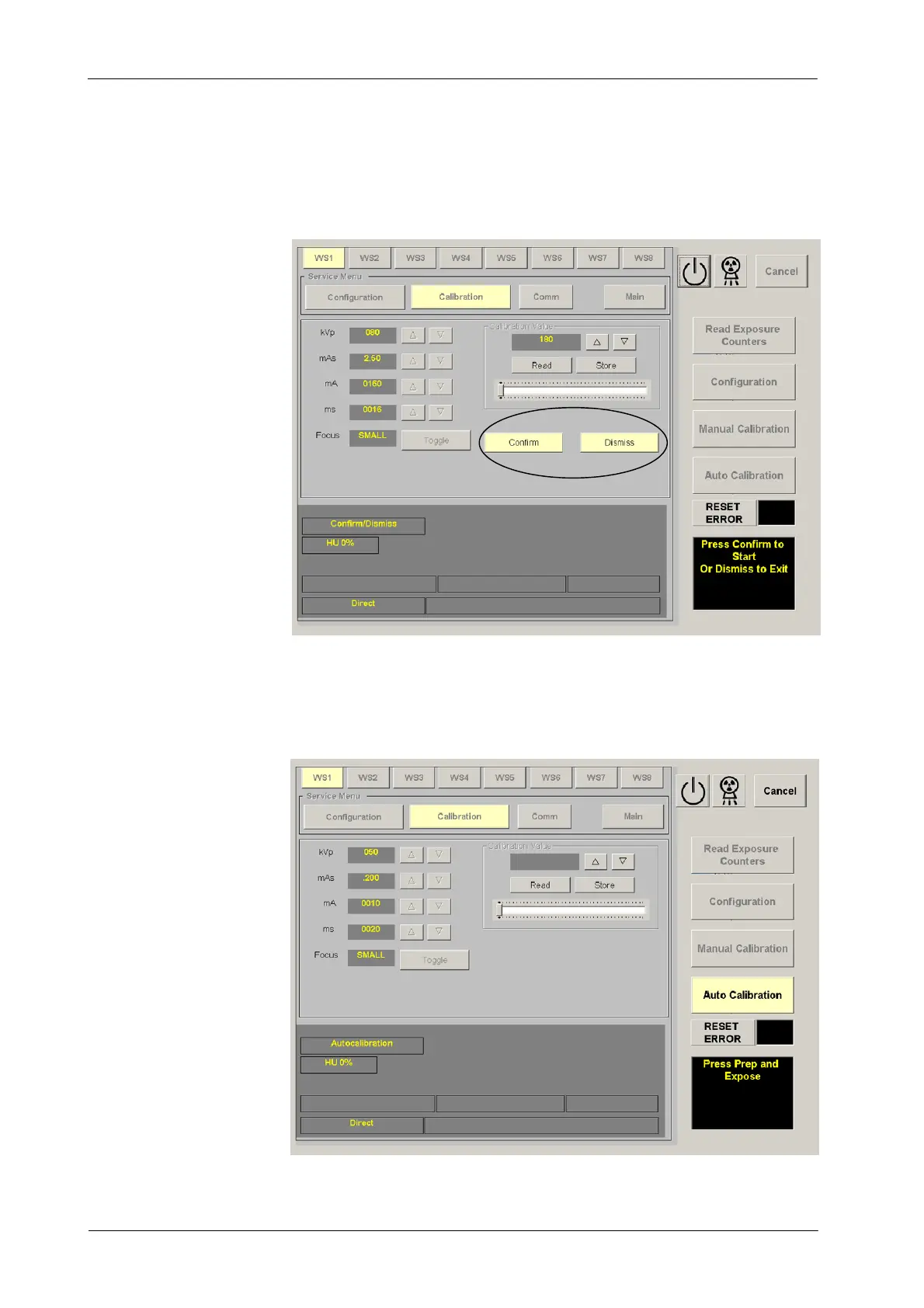
4. Confirm or leave the Auto-calibration (second confirmation) by pressing
the respective button (“Confirm”or“Dismiss”) on the calibration screen.
5. Auto-calibration is activated when the “Auto Calibration” button is lighted
and the “Press Prep and Expose” message appears on the screen. At
this moment, the Generator has checked the mA stations available for
the Small Focal Spot.



 To Next Page