Section 4: Cable Carrier Installation • May 2, 2016
© Copyright 2016 ShopBot Tools, Inc. page 4-5
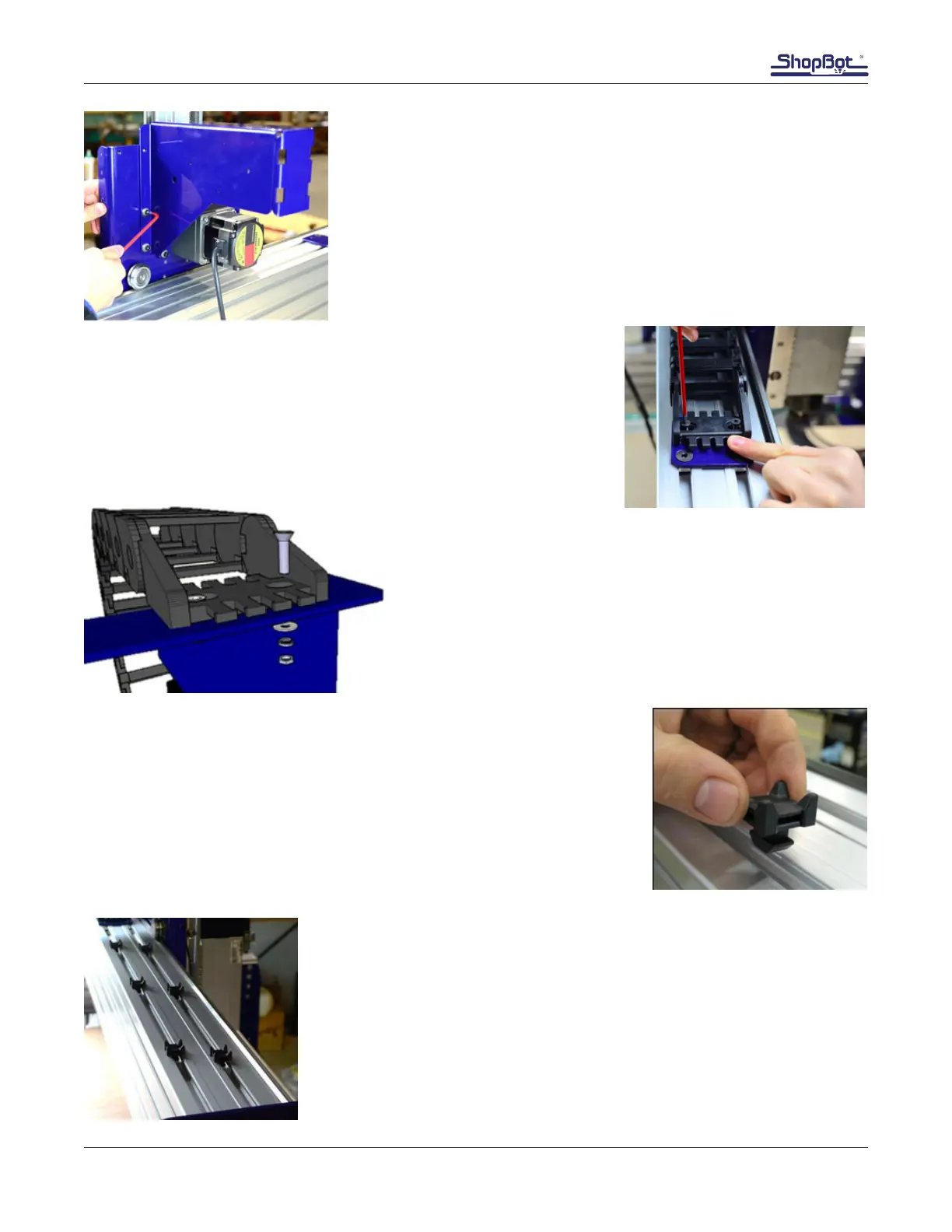
Install Upper Y-Chain Bracket
On the back left side edge of the YZ car there are two ¼-20 holes.
Note the location of the bracket in relation to the Z motor on the YZ
car. Align holes in the longest tab of the upper Y-chain bracket with
the tapped holes of the YZ car. Use the ¼-20 screws, lock washers,
and at washers to tighten the bracket securely to the YZ car.
Mount Cable Carrier to Lower Y Bracket
Align the counter sunk holes in the cable carrier with the holes in the
top of the lower Y bracket. Loosely start the 10-32 x ¾ screws into
the lower Y chain bracket.
Mount Cable Carrier to Upper Y Bracket
Align the counter sunk holes in the cable carrier with the
holes in the top tab of the upper Y bracket. Use screws, at
washers, lock washers, and hex nuts to secure the end link to
the Y upper bracket.
Install cable tie brackets. These will be used to secure cables along the
top of the gantry after they have been routed. Drop T-section into gantry
slot at desired position. Twist T-section 90 degrees to lock in place.
Position cable tie brackets evenly between cable carriers and end plate.



 To Next Page