Section 10: PRS Alpha Control Box Wiring • May 2, 2016
© Copyright 2016 ShopBot Tools, Inc. page 10-4
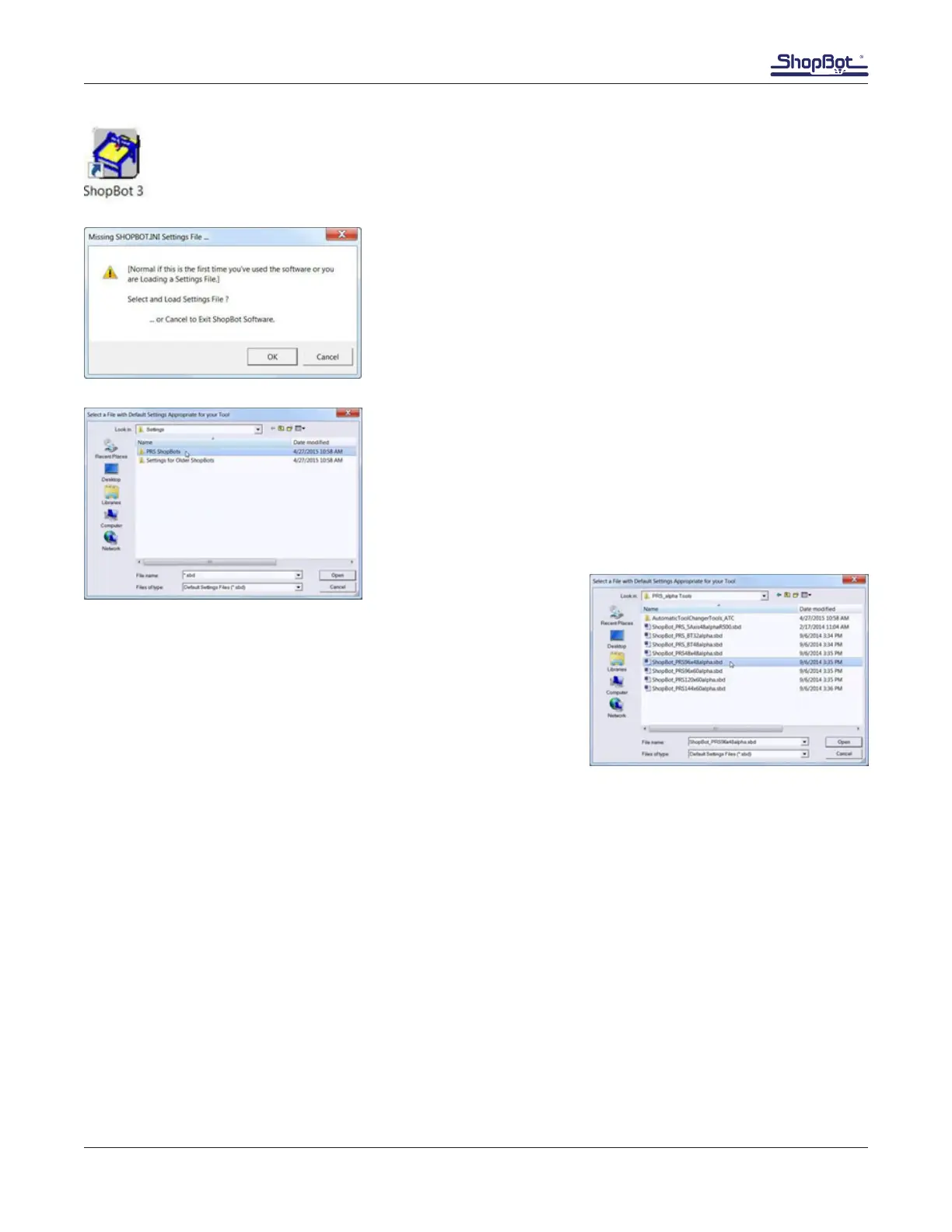
Locate the ShopBot 3 icon on the desktop or Windows Start menu. Double click on the
icon to launch the control software.
When the program is opened for the rst time, a prompt will
appear to load a settings le. Select “OK” to proceed.
Note: If this screen does not appear when the program is
opened, or if you are unsure whether you loaded the correct le,
it can be accessed again at any time by clicking on “Utilities,”
and “Reset Default Settings.”
Double-click on “PRS ShopBots,” then select “PRS_alpha
Tools.”
Select the proper file corresponding to the ShopBot tool size.
Default settings will load and the main ShopBot screen
opens. Although it looks like no changes have been made,
the correct settings have been loaded.
Install Control Box Firmware
The ShopBot control box is programmed with rmware needed to communicate with the ShopBot 3
control software. This is programmed at the factory for the software version shipped with the tool. If
for some reason a different software version is loaded on the control computer, the rmware will need
to be updated using this procedure.



 To Next Page