Communication via CAN bus
AG06
Date: 07.02.2018 Art. No. 85674 Mod. status 055/18 Page 60 of 114
9.12 EDS file
The EDS files (electronic data sheet) are available for the actuator.
This file enables easy integration and configuration of the actuator in a CANopen network
using commercial CANopen configurations.
9.13 Directory of objects
Every CANopen device keeps a directory of objects where all parameters of the device are
deposited in the form of object entries. The object entries can be accessed via SDO
communication services (see chapter 9.3.7: Service Data Objects (SDOs)). Thus, a parameter
can be read (SDO upload) and written (SDO download) if permitted by the object entry access
rights or the state of the device, respectively.
The following index ranges are used:
1000
h
- 1FFF
h
objects of the communication profile CIA DS-301 V4.0.
2000
h
- 5FFF
h
manufacturer-specific object entries.
6000
h
- 9FFF
h
objects of the device profile CIA DSP-402 V2.0.
9.13.1 Overview of objects
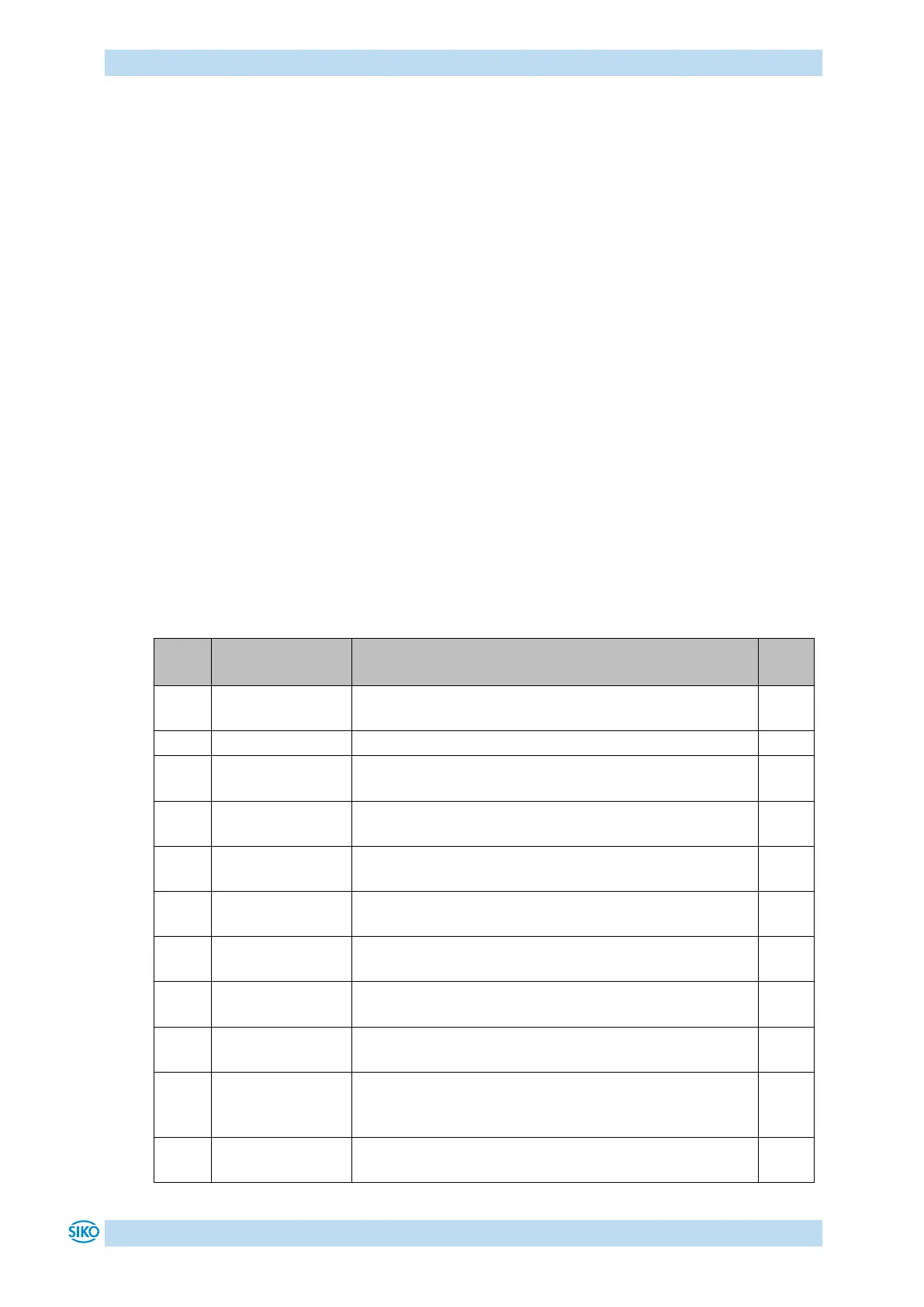
The following table offers an overview of the objects of the actuator.
The object indicates the device profile number of the
actuator.
The object shows error states of the actuator.
Manufacturer
Status Register
Contains the system status word of the actuator (see
chapter 9.2: System Status Word).
The object stores up to 10 error messages.
Setting of the COB ID of the SYNC object.
Indicates the device name.
Manufacturer
Software Version
Indicates the software version of the controller
firmware.
Setting of the 'Guard Time' for the Node Guarding
protocol (see chapter 9.3.11: Node Guarding).
Setting of the time interval 'Life Time' (see chapter
9.3.11: Node Guarding).
Restore Default
Parameters
Restoration of factory-set states of the changeable
parameters and calibration of the actuator (see chapter
5: Calibration).
Setting of the COB ID of the Emergency object.


 To Next Page