User Manual For - CONTROLLER/DATA RECORDER MultiCon CMC-99/141
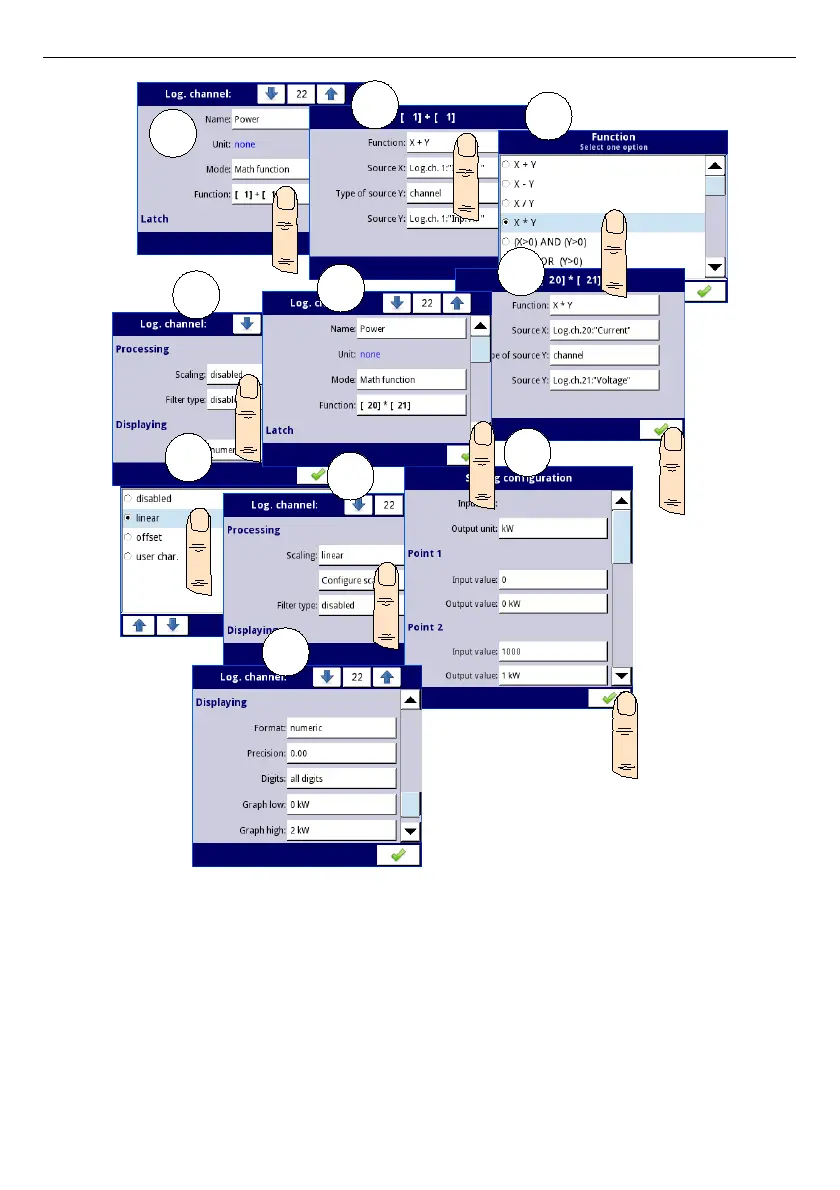
Fig. 7.59.Math function configuration example
In the next step you need to define
Group
the set up logical channels to view them in one
window on the screen. To do this:
– enter the
Group
menu and turn it on if its off,
– in
Name
parameter write
Heater
,
– for
Channels
block parameters:
•
Slot 1
parameter set as
logical channel 22
called the
Power
,
•
Slot 2
parameter set as
logical channel 21
called the
Voltage
,
•
Slot 3
parameter set as
logical channel 20
called the
Current
,
115
1
2
3
4
5
6
7
8
9
10



 To Next Page