User Manual For - CONTROLLER/DATA RECORDER MultiCon CMC-99/141
– the
Screen saver
block parameters set to disabled mode, as in this example we
want to display all the time
Backlight
with the same clarity,
– for
Initial view
block parameters:
•
Display
mode
parameter set as
needles
,
•
Displayed group
parameter set as
Group 1: Heater
,
– for
Automatic view change
block parameters:
•
Change mode
parameter set to disabled, as in this example we want to all the
time displayed only
Group 1
in the same needle mode,
– after setting all parameters exit the
General settings
menu,
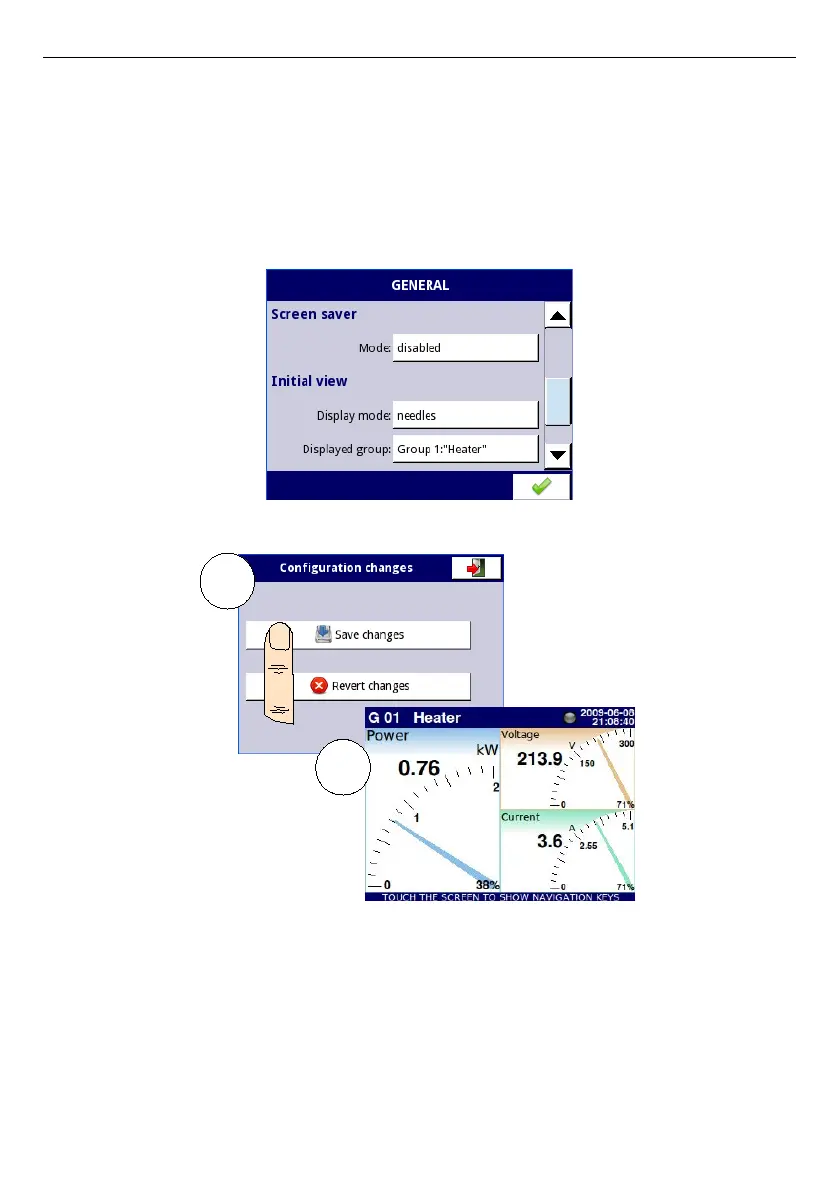
Fig. 7.61 An example of Initial view configuration
Fig. 7.62 Main page view after saving configuration
Finally, you must exit the menu by pressing the
Save changes
button. The result of the
changes will be visible after a call to the first measurement and manual switch for displaying
Group 1 and needles mode (see Chapter
6.3.2 Navigation bar
). Example of a window view
for 3 logical channels is shown in
Fig.
7.62
.
117
1
2



 To Next Page