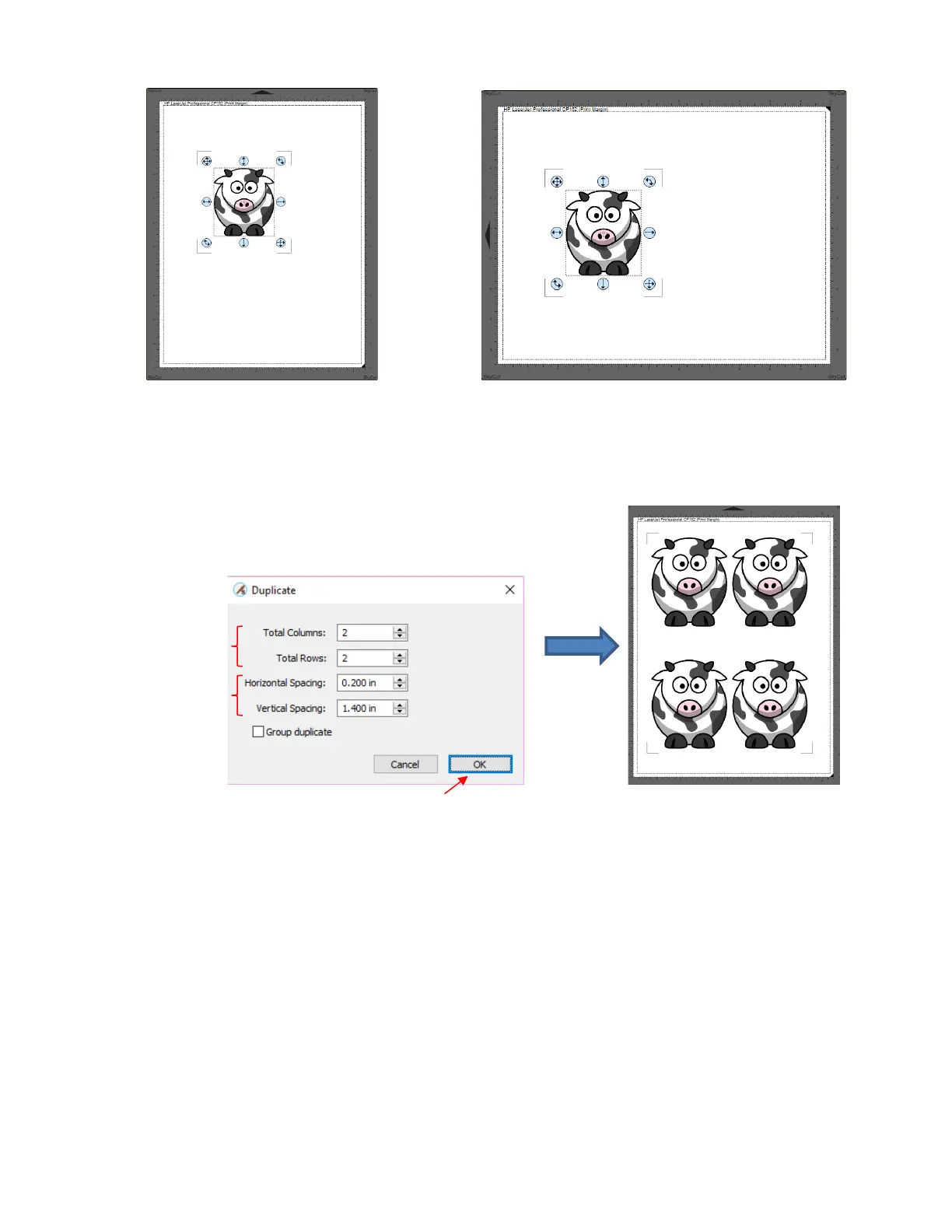
(9) If you want to make copies, select the grouped shape and resize as desired by dragging the lower right
corner. Then, to open the Duplicate window, either go to Object>Duplicate or use the shortcut key
Ctrl+D. You can then add rows and columns of repeats, spaced as you like to fill the available document
area:
• Note that if you are making many duplicates, you will probably want to mark the option for Group
duplicate so that you have one layer on your Layers Panel instead of dozens or more.
(10) Go to File>Print and mark the box next to Print Registration Marks. Click on OK to print the project. Note
that on some printers, you may need to switch to Landscape mode (under Properties) if using the
Landscape Orientation in SCAL.



 To Next Page